
Appearance
Carts
Menu: Commerce -> Carts
Deep link:/_Admin/commerce/carts?SiteId={siteGuid}
Create:/_Admin/commerce/cart/create?SiteId=...
Edit:/_Admin/commerce/cart/edit?SiteId=...&id={cartId}
Checkout:/_Admin/commerce/cart/checkout?SiteId=...&id={cartId}
View and manage site cart instances: storefront add-to-cart, marketing automation, and other flows all create records; the admin can also create carts manually, edit line items, and check out to generate orders. Line amounts, shipping, tax, and discounts are trial-calculated server-side via calculate (same as storefront checkout), and depend on shipping, customers, discounts, and related configuration.
How to Open
- In the Edit menu, enable Commerce -> Carts (and the parent Commerce group).
- Open Commerce -> Carts in the left sidebar.
List Page
Path: /_Admin/commerce/carts?SiteId=...
| Column / Action | Description |
|---|---|
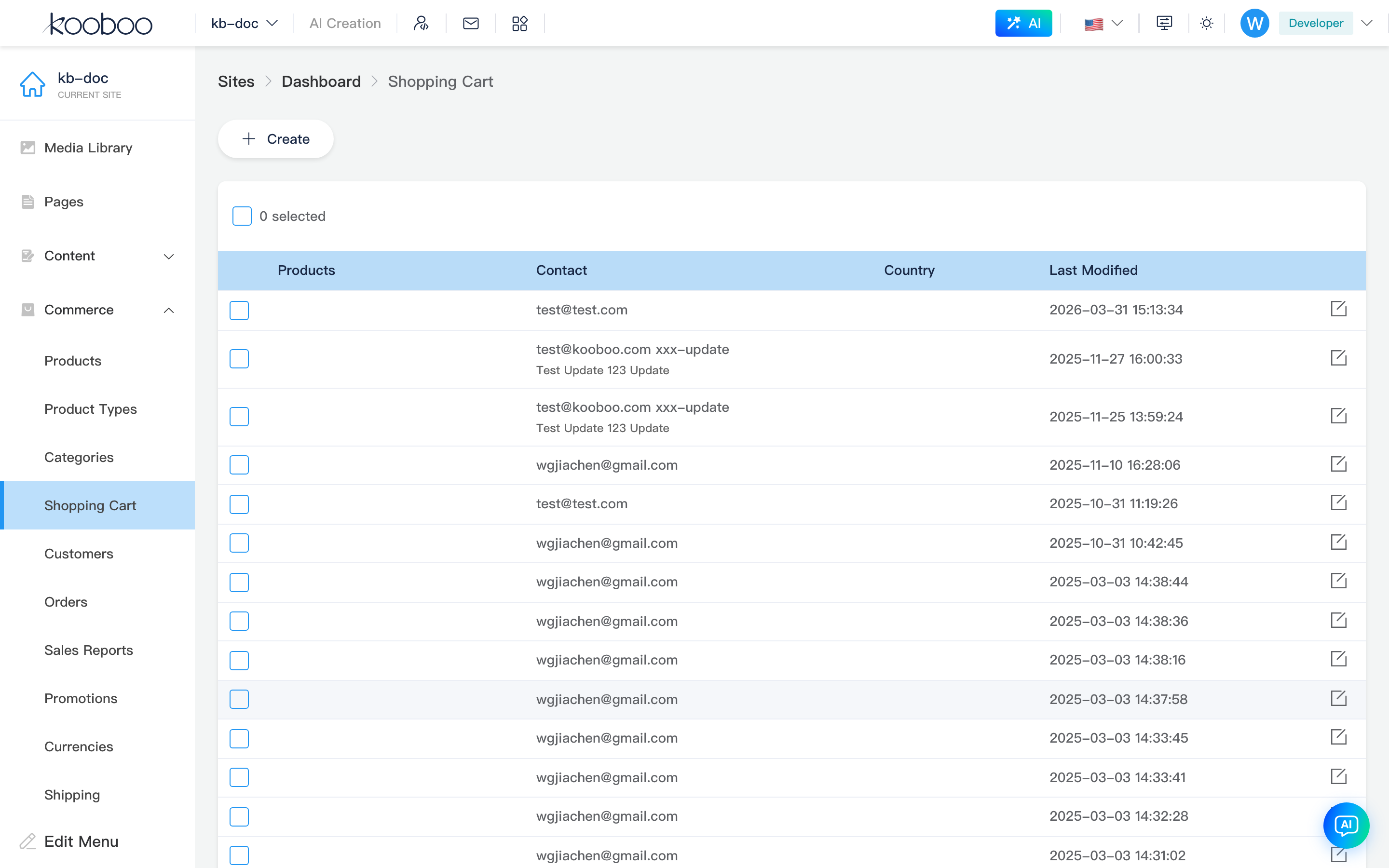
| Products | Inline thumbnail strip; hover shows title and variant text; badge x {qty} is the line total quantity |
| Contact | When a customer is bound: email, phone, name; otherwise shows contact text |
| Country | Cart country (relevant to trial calculation / shipping) |
| Last modified | updateAt |
| Condition (narrow column) | When type is Automated, shows automation condition summary (option / method / value) |
| Create | Opens Create cart |
| Edit | Row pencil → Edit cart |
| Checkout | Row checkout icon; shown only when the cart has at least one product line → Checkout |
| Pagination | 30 rows per page by default |
| Batch delete | Select rows → Delete → confirm |
Create Cart
Path: /_Admin/commerce/cart/create?SiteId=...
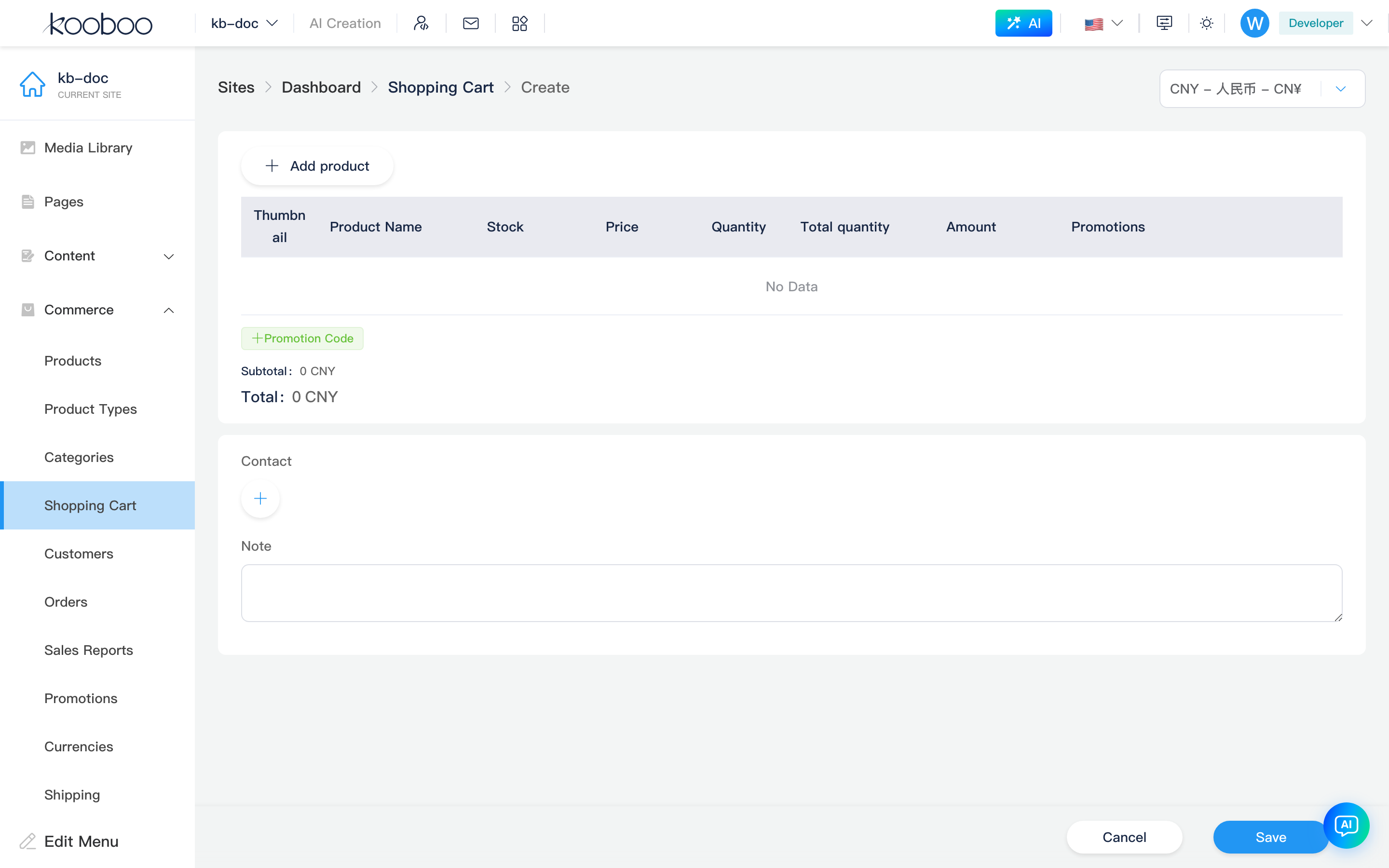
Breadcrumb at top: Carts -> Create. When the site has multiple currencies, you can choose a trial currency in the top-right (default currency plus enabled additional currencies from settings).
Product Lines and Amount Trial Calculation
See Product line editor.
Contact and Delivery
| Field | Description |
|---|---|
| Contact | ContactCard: select an existing customer or clear; selected customer participates in points deduction trial calculation |
| Express shipping | Shown when the cart contains physical products; choose a physical shipping method |
| Digital delivery | Shown when the cart contains digital products; choose digital shipping |
| Note | Cart note (note); read-only on checkout page |
Bottom Save creates the cart and returns to the list; Cancel discards.
Add Product Dialog
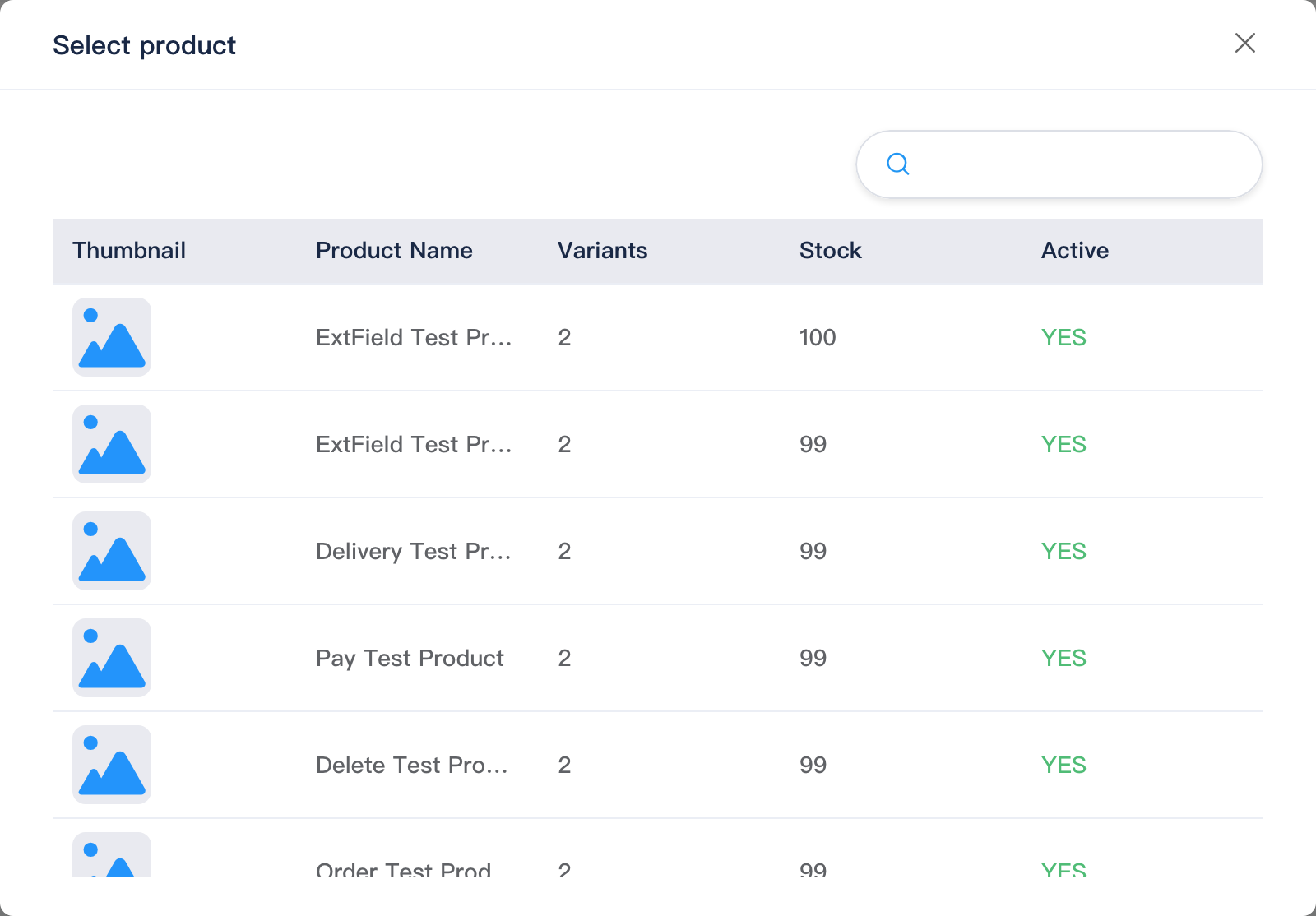
Click Add product to open the variant picker, search and select a product variant, then add it to the table; adding the same variant again accumulates quantity.
Edit Cart
Path: /_Admin/commerce/cart/edit?SiteId=...&id=...
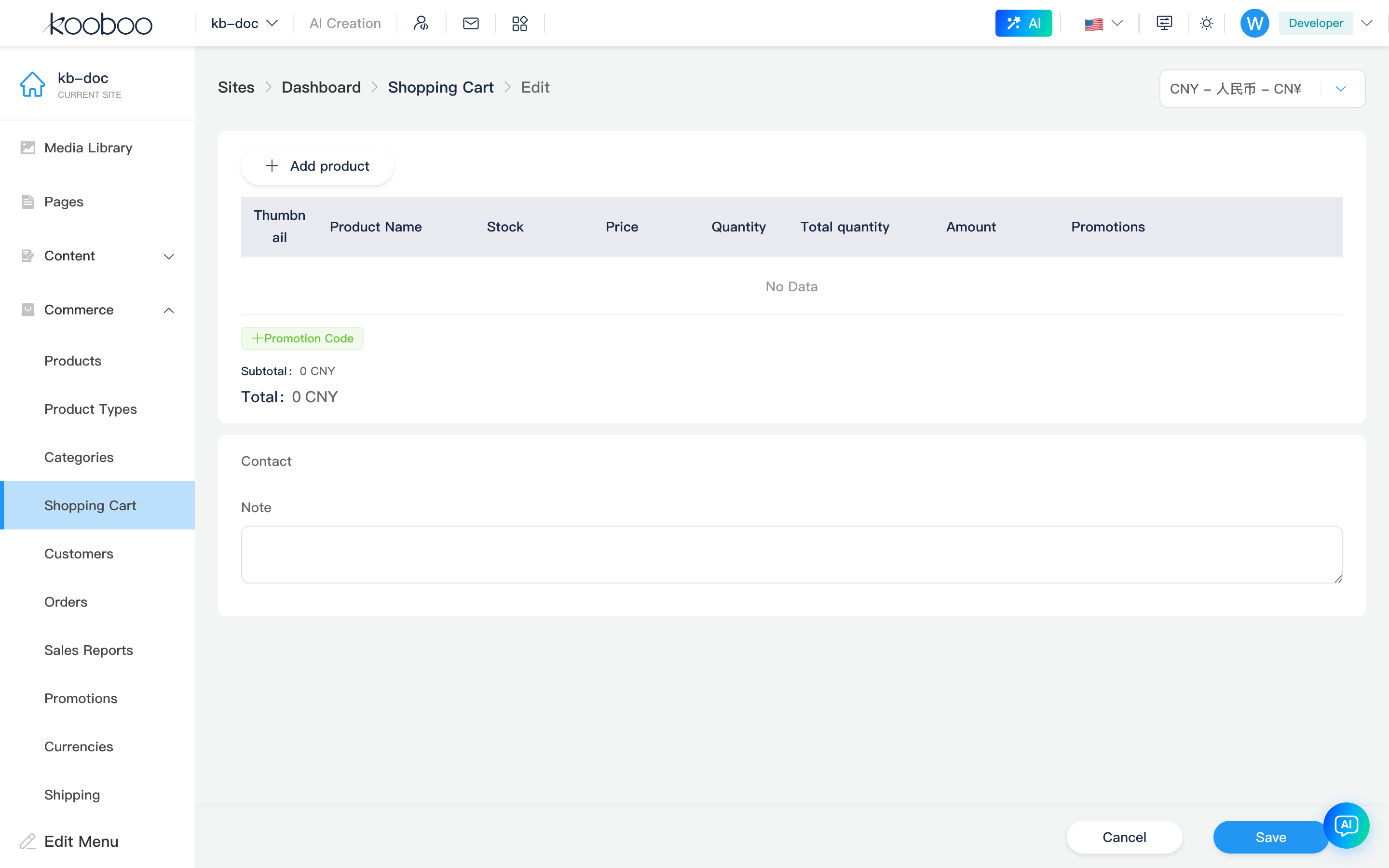
Same layout as create: product area can change line items, discount codes, and points deduction; Contact is read-only (bound customers cannot be changed on the edit page—create a new cart or handle via storefront flow). Express shipping / digital delivery / note can still be edited.
Checkout
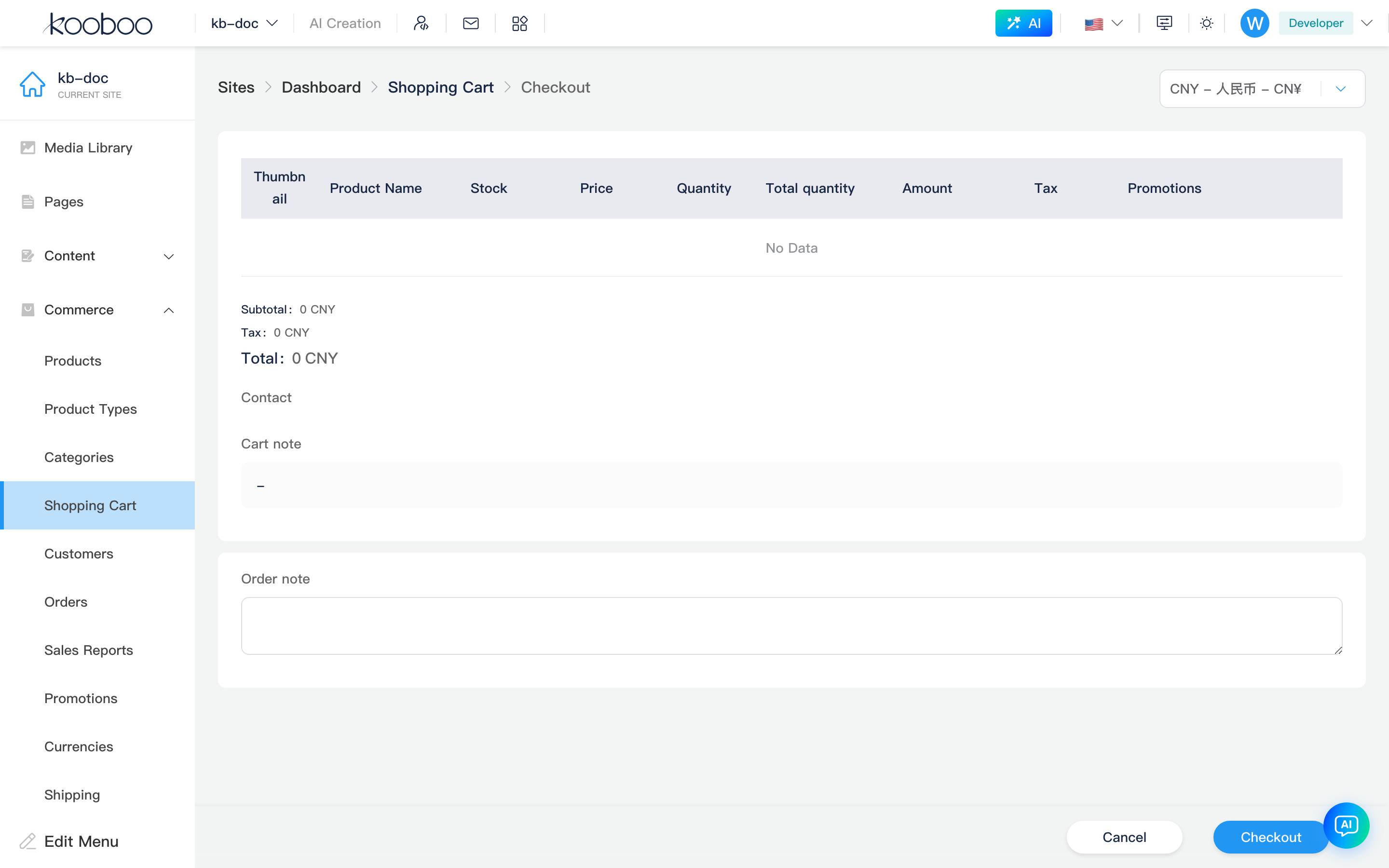
Path: /_Admin/commerce/cart/checkout?SiteId=...&id=...
Complete checkout on behalf of a customer: product table is read-only; contact and delivery methods are read-only; cart note is shown (or - if empty).
| Section | Description |
|---|---|
| Product lines | Read-only; table includes an extra Tax column; footer totals include a Tax row |
| Shipping address | Shown only for physical products; select one address from the customer's address book (affects country/region trial calculation) |
| Order note | Written to the generated order's note; different from the cart note |
Bottom primary button label is Checkout; on confirm, createOrder generates an order and returns to the list.
Product Line Editor (ProductsEditor)
Shared by create, edit, and checkout pages (checkout uses readonly + mode=checkout).
| Capability | Description |
|---|---|
| Add product | Non-read-only only; opens Add product dialog |
| Table columns | Featured image, title (with variants), stock, unit price, quantity, line total qty, amount, discount tags; checkout mode also includes Tax |
| Quantity | Editable; changing triggers calculate |
| Delete line | Delete icon; for bundle products, if the row is main (isMain + groupName), deleting removes all child lines in the group |
| Child lines | Indented when sold as a bundle |
| Discount codes | Add/edit/remove below the product table; options come from discounts rules with method = discount code. Create and enable the code under discounts first for trial calculation to apply to lines and totals |
| Points deduction | Shown when a customer is selected and trial canPointsDeductionAmount > 0 (create/edit); deduction amount and available points shown in copy |
| Estimated points earned | When trial earnPoints > 0, shows points this order will earn (see loyalty) |
| Totals area | Order-level discounts, Subtotal, (checkout) Tax, insurance (if any), points deduction, Shipping (physical lines or shipping > 0; itemized when multiple delivery methods apply), Total |
| Extension button | If the server returns extensionButton, opens an in-site link (new tab) |
For shipping and default delivery rules, see Shipping — "Default shipping for new sites".
Discount Codes
Add discount codes via tag input below the product line table (UI copy often says "Discount code" / discountCodes). calculate applies only when the code is configured as discount code under discounts, within validity, and meeting conditions; line Discount column and footer Discount, Subtotal, Total update accordingly. Read-only on checkout.
Related
- Orders — checkout output
- Customers — contact and shipping addresses
- Product management — variants and inventory
- Shipping, Discounts, Loyalty
- k.commerce.cart