
Appearance
Integrations · Payment
Group: Payment
Deep link:/_Admin/system/config?SiteId={siteGuid}&group=Payment
The Payment group enables and configures payment channels: merchant keys, callbacks, and certificates. After saving, Code and Commerce call properties exposed by completion, such as k.payment.alipayForm and k.payment.wechat; item names must match API property names.
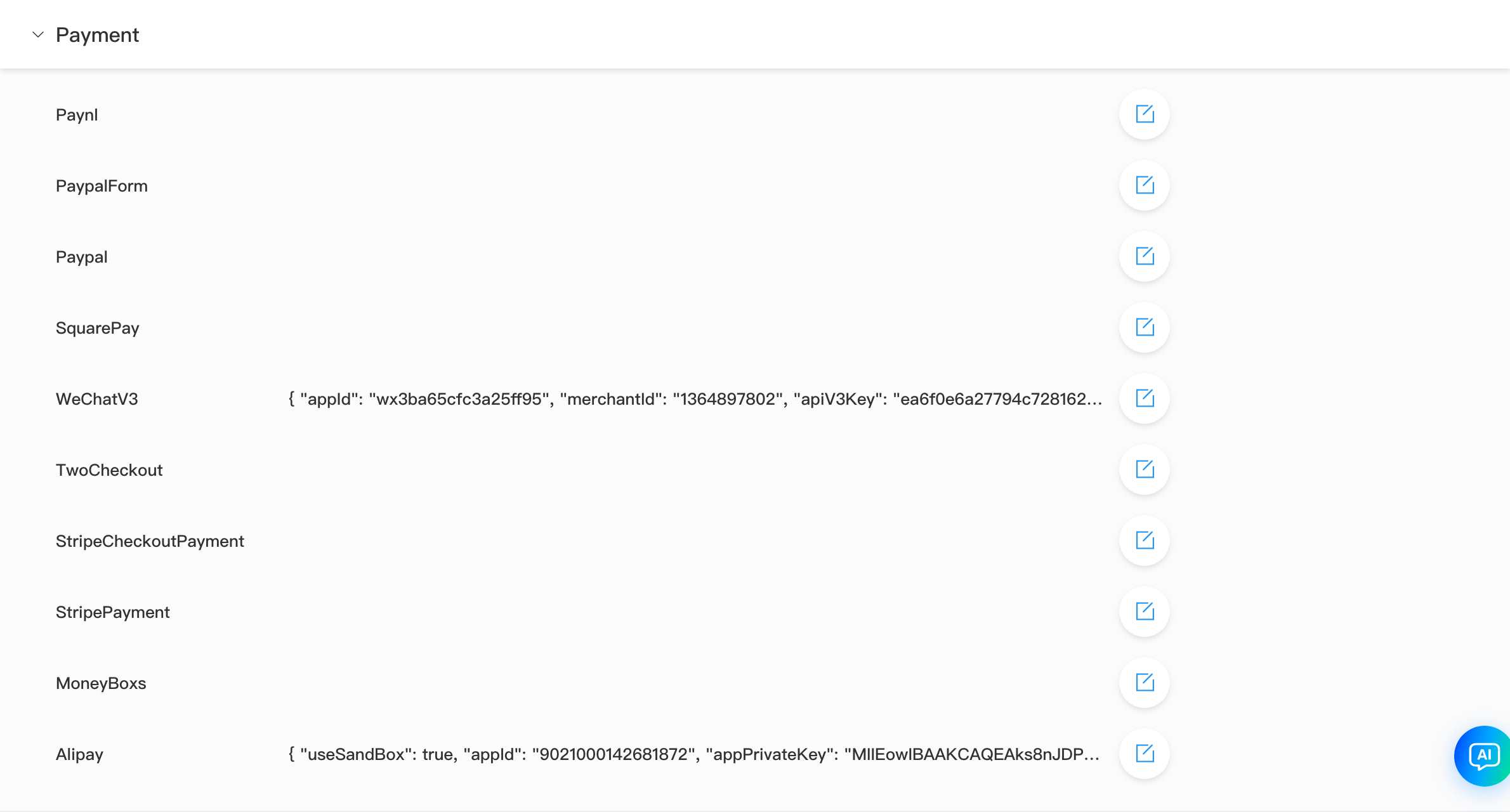
List Value column may show JSON summaries; doc image redacts secrets—your admin shows your site config.
Items and API Docs
| Name (list) | Script entry (example) | API doc |
|---|---|---|
| Alipay | k.payment.alipayForm / alipayH5 / alipayApp | Alipay |
| WeChatV3 | k.payment.wechat / weChatH5 / wechatJsApi | WeChat Pay |
| Paypal | k.payment.paypalCheckout | PayPal |
| PaypalForm | k.payment.paypalForm | PayPal |
| StripePayment | k.payment.stripeCheckout / stripe | Stripe |
| SquarePay | k.payment.square | Square |
| Paynl | k.payment.paynlCheckout | Pay.NL |
| TwoCheckout | k.payment.twoCheckout | TwoCheckout |
| MoneyBoxs | k.payment.moneyBoxs | MoneyBoxs |
Full capabilities and charge() flow: k.payment overview.
Admin Steps
- Expand Payment, find channel name.
- Edit, fill AppId, keys, certificate file fields per Alert.
- Save, then run a small test payment in a test environment.
Some fields are files (e.g. merchant cert): choose local file (≤10KB), saved as filename|base64.
Relationship to Commerce
- Currency, shipping, orders live under Commerce; payment channel secrets are configured only here.
- Multi-currency must satisfy k.commerce and channel
supportedCurrency(k.payment · multi-currency).