
Appearance
Product Categories
Menu: Commerce -> Product Categories
Deep link:/_Admin/commerce/product-categories?SiteId={siteGuid}
Create:/_Admin/commerce/product-categories/create?SiteId=...
Edit:/_Admin/commerce/product-categories/edit?SiteId=...&id={categoryId}
Product categories organize storefront navigation and filters (e.g. "Men / Outerwear"). Categories can manually or automatically include products, and support parent categories for hierarchy. Display fields and list columns come from category custom fields and summary fields in settings.
Relationship with products
Products can be linked in two places:
| Method | Description |
|---|---|
| Category list -> Product count | Manual category: check products in dialog; Automatic category: condition match, dialog read-only |
| Product detail | Product detail basic info Categories field; green + to multi-select categories (can coexist with manual maintenance; behavior per implementation) |
How to Open
- In the Edit menu, enable Commerce -> Product Categories (and the parent Commerce group).
- Open Commerce -> Product Categories in the left sidebar.
List Page
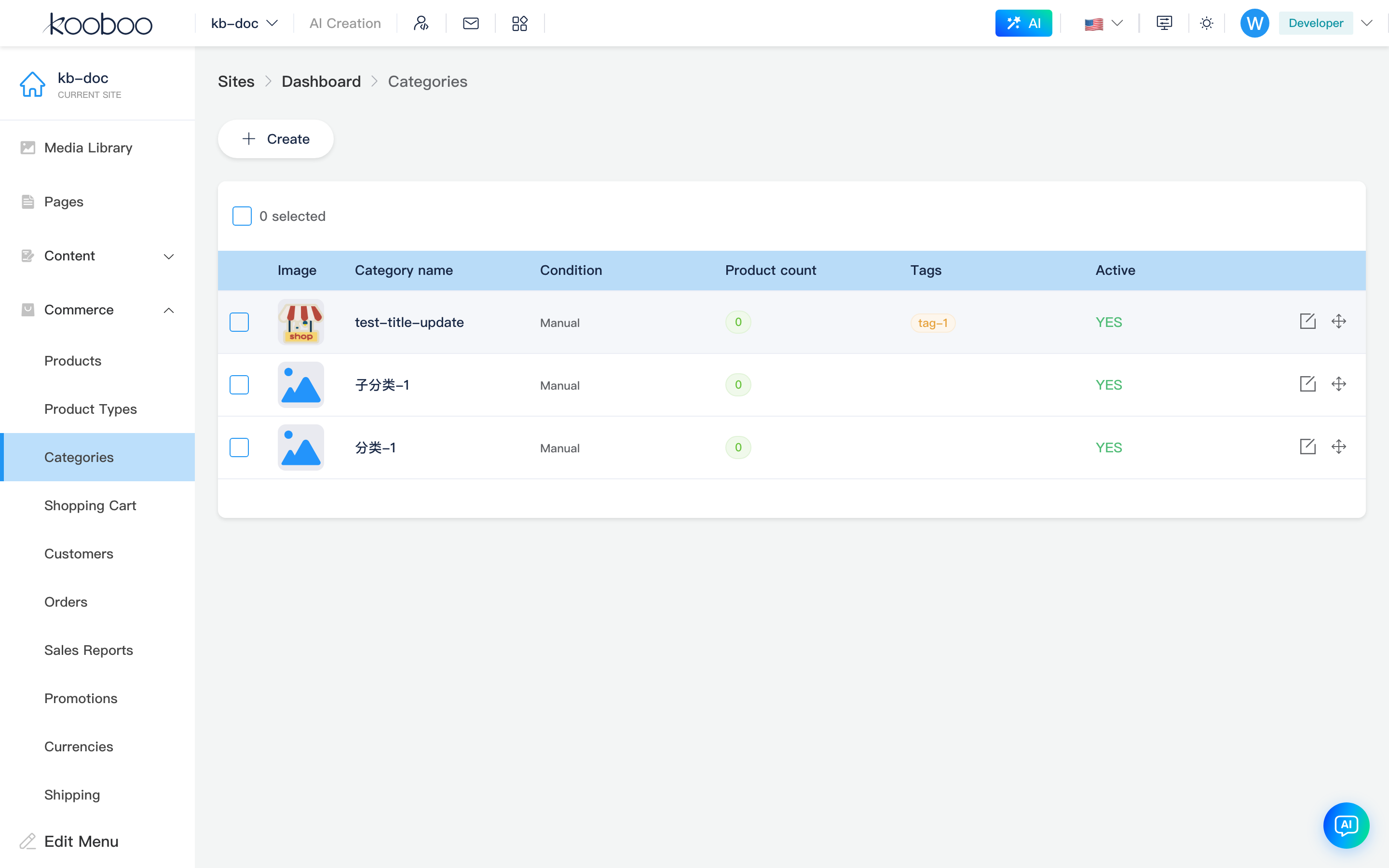
Path: /_Admin/commerce/product-categories?SiteId=...
| Column / Action | Description |
|---|---|
| Dynamic columns | From category custom fields with summary field checked in settings; if none checked, defaults to first two custom fields. Often includes Title, Image, etc. |
| Tags | Category tags (if configured) |
| Product count | Green tag shows current product count; click to open linked products dialog |
| Condition | Manual shows "Manual"; Automatic shows rule summary (field + comparison + value, AND/OR between rules) |
| Create | Opens create page |
| Edit | Row pencil opens edit page |
| Sort | When two or more categories exist, row-end Move icon; drag table rows to reorder (saved on release) |
| Batch delete | Select rows → toolbar Delete → confirm |
Linked Products Dialog
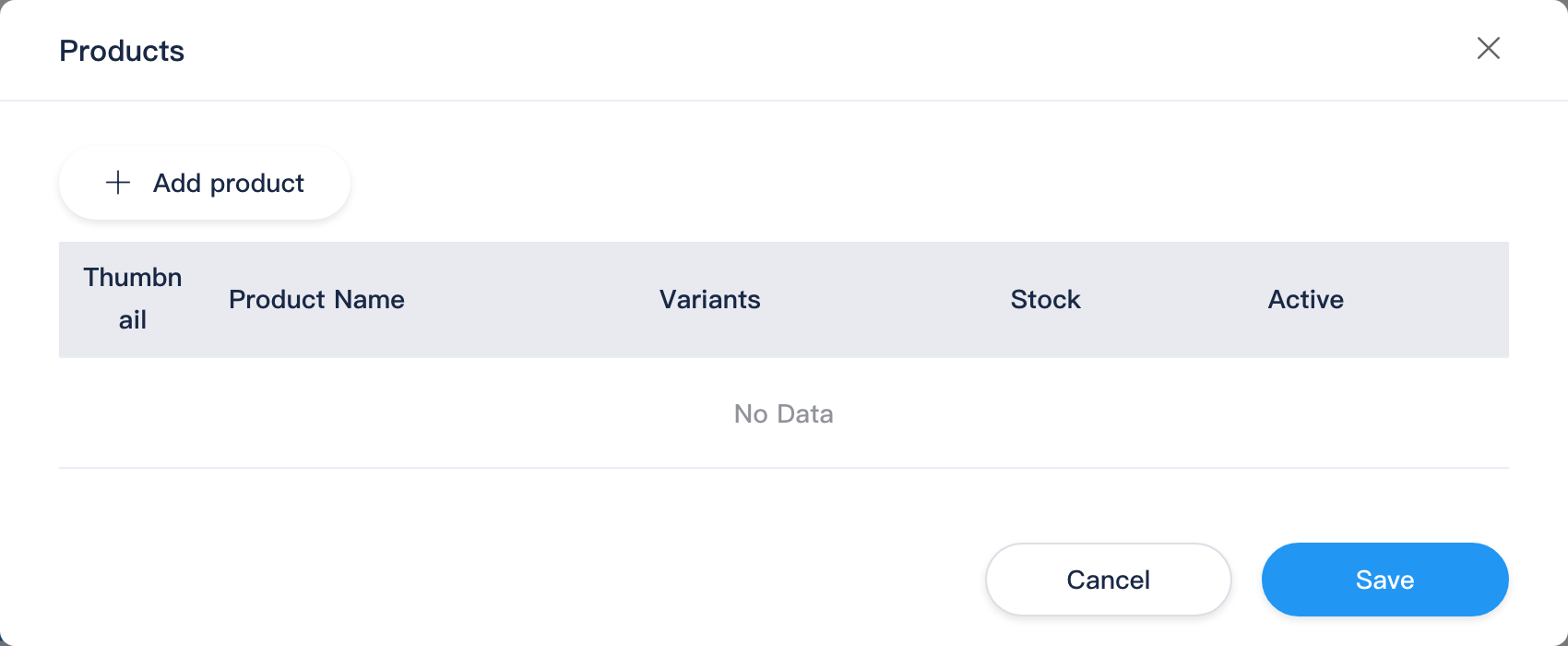
Click Product count tag on list to open; dialog title Products.
| Category type | Behavior |
|---|---|
| Manual | Shows Add products; multi-select from all site products; row Delete removes link; Save writes category product list |
| Automatic | Shows current matched products only; cannot add/delete (determined by conditions) |
Table columns usually include featured image, title, variant count, stock, active status, etc. (similar to product list summary fields).
Create and Edit Page
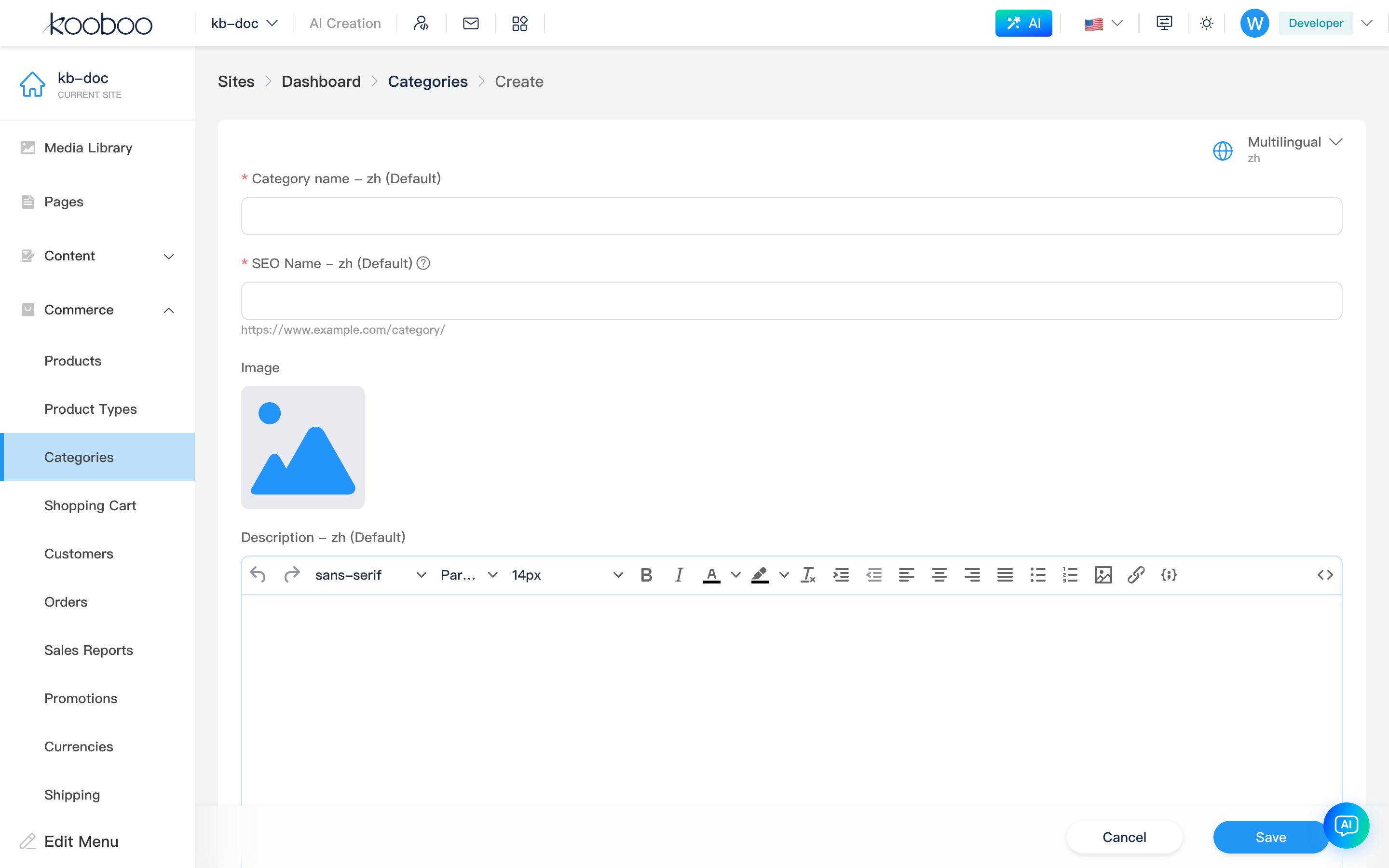
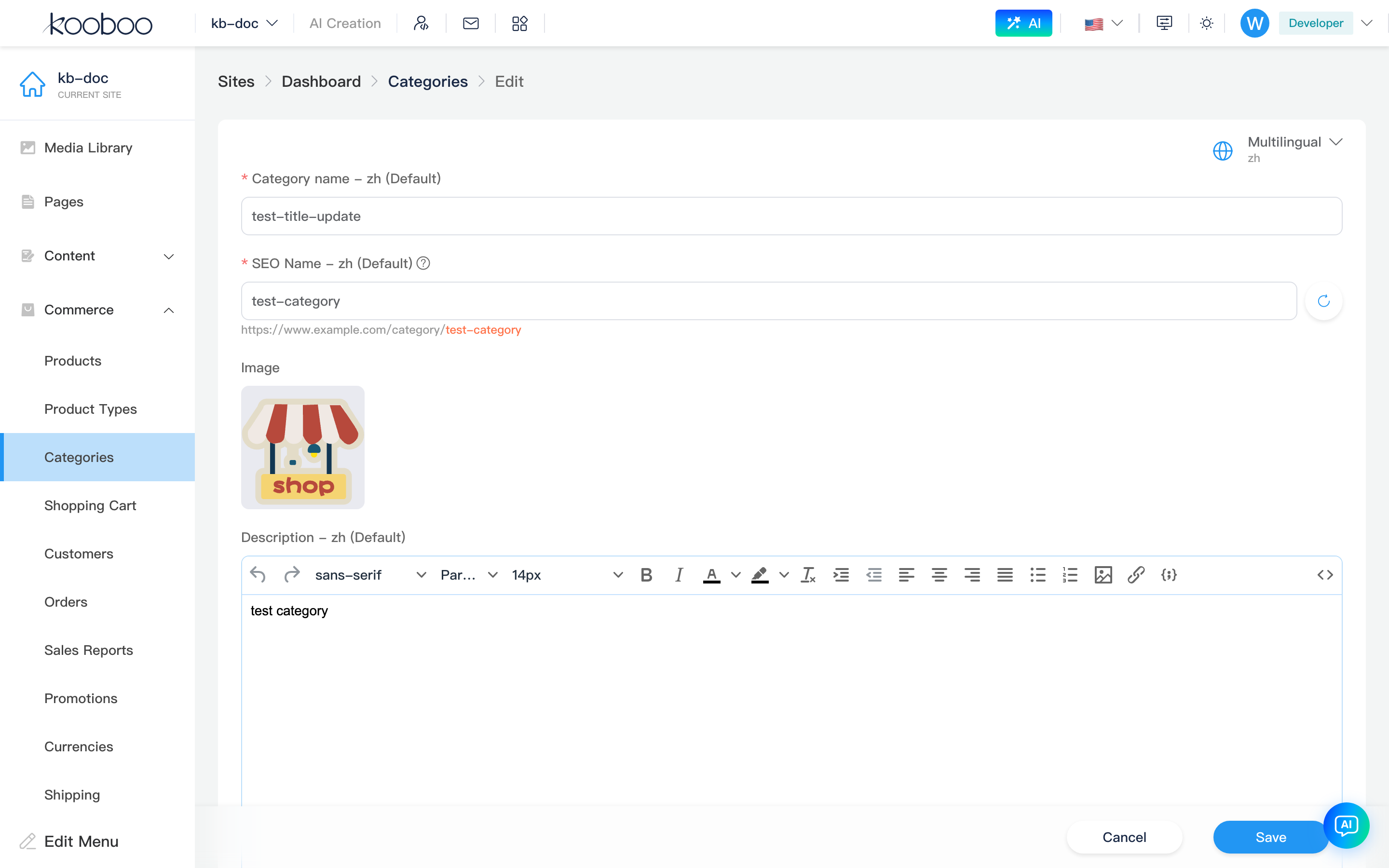
Create and edit are full-screen form + bottom Cancel / Save (KBottomBar), same structure; Category type (manual/automatic) selectable only on create; cannot switch on edit page after save.
Basic Information
White card (BasicInfo); multilingual sites have Multilingual switch top-right.
| Field | Description |
|---|---|
Title (title) | Required; category display name. Multilingual writes to customData.title |
SEO name (seoName) | Required; URL-friendly category name, similar rules to product SEO, unique site-wide. SeoName component can generate from title (path=category) |
Image (image) | From media library; if Image field has meta template, image metadata can be edited |
Description (description) | Rich text; multilingual same as title |
Tags (tags) | Create new or select existing category tags |
Parent (parentId) | Dropdown to select parent category; clear for top-level |
Active (active) | Whether category is enabled |
Display names come from system field configuration in category custom fields in settings.
Custom Fields
Category custom fields (non-system) from settings rendered by CustomData, below basic info; hidden when no fields.
Category Type (create only)
| Type | Description |
|---|---|
| Manual | Operator checks products in list linked products dialog; hint: "Manually add products to this category" |
| Automatic | Match by conditions below; existing and future matching products auto-included; hint: "Existing and future products are automatically added based on conditions" |
Selecting Automatic shows Product condition editor (Condition): multiple rules (field, operator, value), All (AND) or Any (OR). Edit page shows condition block only when category is already automatic; rules can be modified.
Related
- Product management · Product detail
- Product types
- Settings — category custom fields, summary fields
- Commerce overview