
Appearance
Product Management (List)
Menu: Commerce -> Product Management
Deep link:/_Admin/commerce/product-management?SiteId={siteGuid}
Maintain site sellable products list, filters, and entry points; per-product form and variants in Product detail (create and edit).
Prerequisite
Requires product types; categories optional, see product categories. Global toggles and custom fields in settings.
How to Open
- In the Edit menu, enable Commerce -> Product Management (and the parent Commerce group).
- Open Commerce -> Product Management in the left sidebar.
List Page
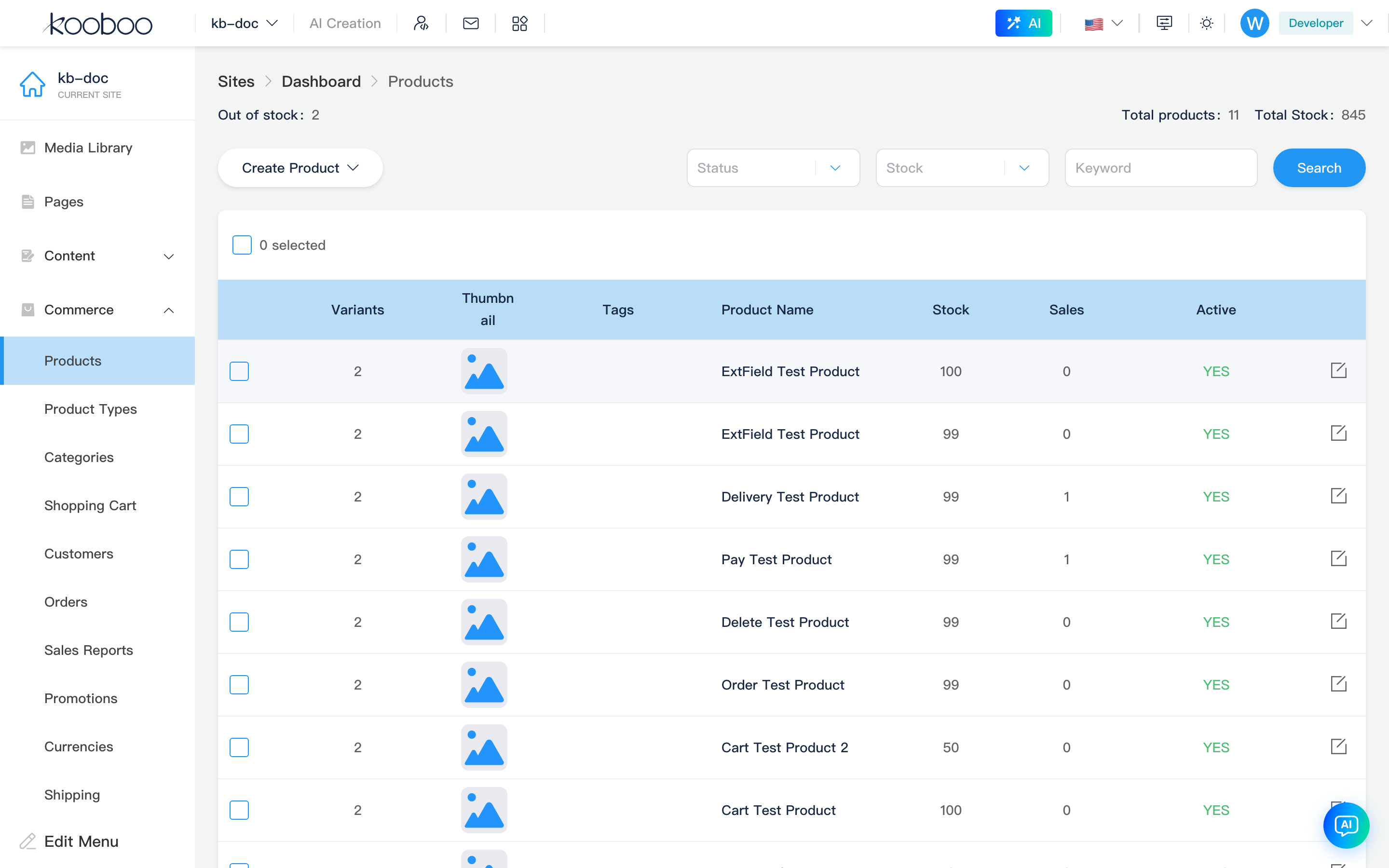
Path: /_Admin/commerce/product-management?SiteId=...
| Area | Description |
|---|---|
| Statistics | Out of stock count, total products, total inventory, etc. |
| Filters | Keyword, active status, stock status, etc.; click Search to refresh |
| Table columns | From product types and product custom fields in settings; common: title, featured image, variant count, stock, sales, tags, categories |
| Create product | Dropdown: blank product, or select product type then create page |
| Edit | Row pencil → edit page |
| Duplicate | After selecting one row, toolbar Duplicate appears; confirm to create copy |
| Batch delete | Select rows → toolbar Delete; confirm to remove selected products |
Variants
When settings has not enabled "Hide variants", list shows variant count; variant details maintained on product detail page.
Digital Products
Digital products (ebooks, software licenses, downloadable assets, etc.) require a digital product product type first, then create or edit specific products on this list.
| Step | Where |
|---|---|
| 1. Define type | Product types — check Digital product, optional download count/day limits |
| 2. Create product | This page Create product → select that type (or edit existing digital product) |
| 3. Configure delivery | Product detail — in variant table Digital products column, add file / link / text for each SKU |
List summary or table often shows Digital product tag (isDigital) to distinguish from physical products. Delivery items are not maintained on list; click Edit for detail page.
If settings enables Digital product delivery required, products without delivery on any variant cannot be saved.