
Appearance
SQL Logs
Menu: Database → SQL Logs
Deep link:/_Admin/database/sql-logs?SiteId={siteGuid}
SQL logs show SQL statements executed by site scripts through k.DB.sqlite / k.DB.mysql / k.DB.sqlServer: statement text, parameters, duration, and database type for troubleshooting and auditing. This page is read-only observation; it does not delete or edit logs, and there is no corresponding k.* write API.
Permissions
Viewing this page and list data: database·log (the log action on the database feature).
The Enable toggle on the toolbar right saves site settings and usually requires site edit-class permissions (same as saving site configuration).
What is logged
| Logged | Not logged |
|---|---|
SQL from k.DB.sqlite.query / execute, etc. | IndexedDB tables (k.DB.indexedDb) operations |
SQL from k.DB.mysql, k.DB.sqlServer | Key-value storage (k.DB.keyValue) |
| SQL from admin SQLite / MySQL / SQL Server maintenance when routed through the same executor (if applicable) | Any SQL when SQL logging is disabled |
You must enable SQL logging on the site first (see Enable SQL logging); only SQL produced after that is written to the log.
How to Open
- In Edit Menu, check Database → SQL Logs.
- Open Database → SQL Logs in the left sidebar.
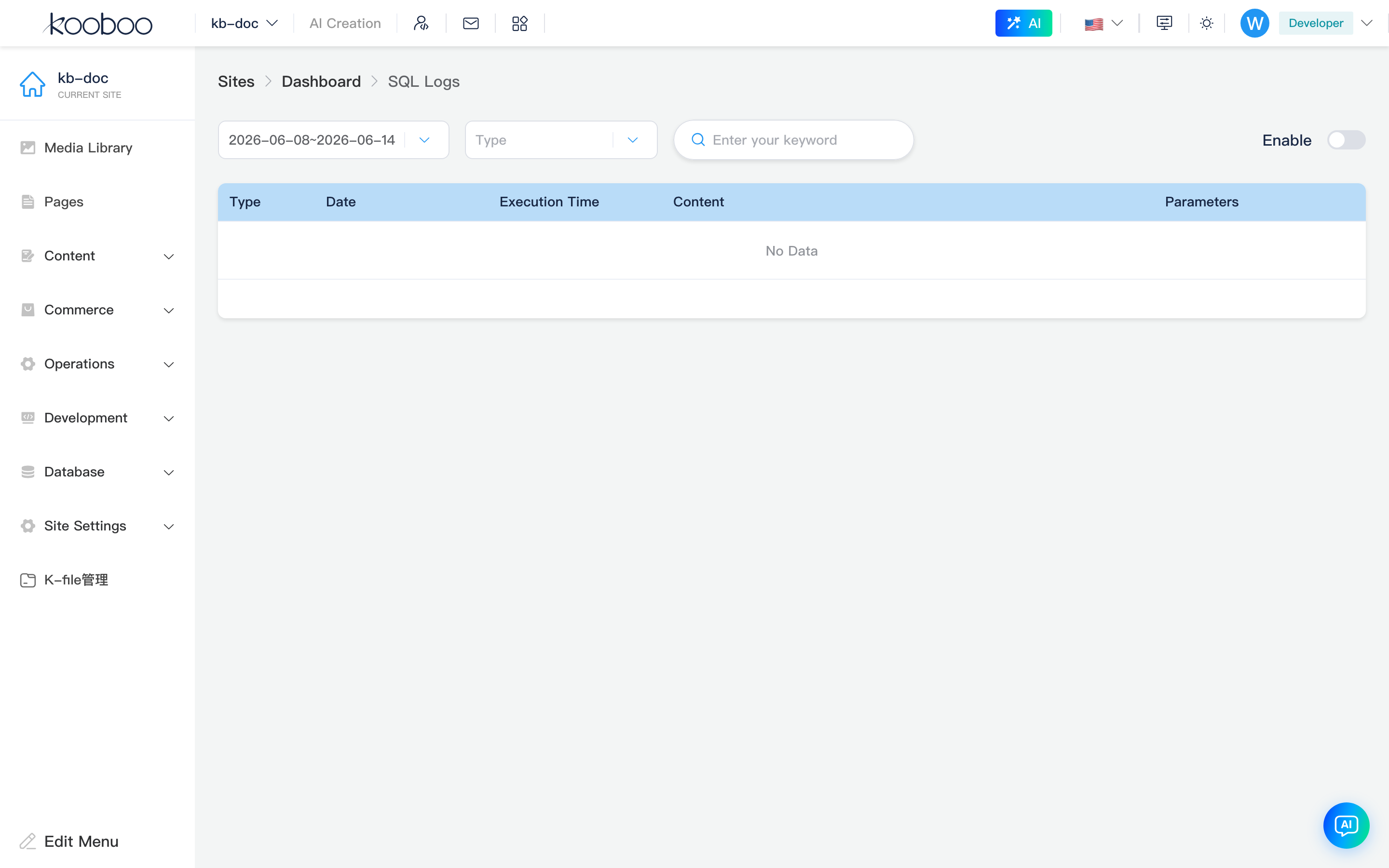
Enable SQL logging
Site-level switch enableSqlLog; both locations are equivalent (changing one is enough):
| Location | Path |
|---|---|
| This page toolbar | Enable toggle on the right; saves the site immediately |
| Site settings → Advanced | /_Admin/system/settings?SiteId={siteGuid}&name=advance, SQL logging item |
When disabled, new script SQL is not written to the log; existing historical weekly data can still be viewed by week.

Filters and search
Toolbar left to right:
| Control | Description |
|---|---|
| Week | Select log file by calendar week; option text is yyyy-MM-dd~yyyy-MM-dd (week start/end). Only weeks where the current site has entries are listed; if none yet, defaults to current week |
| Type | Optional SQLite, MySQL, SQLServer (maps to sqlite / mysql / sqlserver); clear for all types |
| Keyword | Fuzzy match in SQL body (case-insensitive); ~1 second debounce after input; clear to refresh |
| Enable | See Enable SQL logging |
Changing Week, Type, or keyword re-requests SqlLog/List and returns to page 1.
Log list
Default pagination 50 rows per page (KTable pagination at bottom).
| Column | Description |
|---|---|
| Type | Database source, e.g. sqlite, mysql, sqlserver |
| Date time | Execution time (site timezone) |
| Execution time | Duration in ms |
| Content | SQL statement summary (truncated in table when long) |
| Parameters | Serialized parameter object; empty when none or null |
| Row Details | Opens details dialog when data exists |
When the week has no records, the table shows No data (logging must be enabled and the site must have executed k.DB.sqlite etc.).

Details dialog
Click the row eye icon. Shows full Type, Date time, Execution time, and two full text blocks:
- SQL statement (with line breaks)
- Parameters (JSON or other serialized form)
Use to copy the full statement or compare parameters in slow-query scenarios.
How logs are produced
When scripts access relational databases and EnableSqlLog is true, the executor asynchronously writes to server log files partitioned by week (under site AppData SqlLog, filenames like {yearWeek}.log). Writes and list queries filter by site ID; you only see this site’s records.
Example (after logging is enabled):
typescript
k.DB.sqlite.query("SELECT * FROM logs WHERE id = @id", { id: 1 })
k.DB.sqlite.execute("INSERT INTO logs (msg) VALUES (@msg)", { msg: "ok" })
For MySQL / SQL Server, configure connections under Service integrations (/system/config), then execute via k.DB.mysql / k.DB.sqlServer to see logs of the matching type.
Admin table maintenance
Whether SQLite tables list/column/data admin APIs share the same execution chain as script k.DB.sqlite depends on the environment. When troubleshooting script SQL, rely on Type and Content on this page; if admin actions produce no log, confirm execution goes through k.DB.* and logging is enabled.
Typical workflow
- Turn on SQL logging under Advanced or on this page.
- Reproduce the issue (page or job that runs
k.DB.sqlite, etc.). - Select the week, narrow by type / keyword.
- Open Details, copy SQL and parameters, verify in Code or a database tool.
- Long-term enablement in production may increase I/O and disk use; turn off Enable after troubleshooting.
Related
| Doc | Description |
|---|---|
| Database overview | Menus and permissions |
| SQLite tables | Built-in SQLite and CSV |
| k.DB.sqlite | Script SQL API |
| k.DB | Database overview |