
Appearance
Tax
Menu: Commerce -> Tax
Deep link:/_Admin/commerce/taxes?SiteId={siteGuid}
Create:/_Admin/commerce/taxes/create?SiteId=...&country={countryName}
Edit:/_Admin/commerce/taxes/edit?SiteId=...&id={taxRuleId}
Configure commerce tax by country/region: one rule per country with base tax rate, optional regional overrides for provinces/states, and product condition overrides. Cart trial and order checkout match rates by shipping country/region and products (line taxAmount, order tax total).
Permission
Menu permission feature name is tax (not taxes); edit requires tax · edit.
How to Open
- In the Edit menu, enable Commerce -> Tax (and the parent Commerce group).
- Open Commerce -> Tax in the left sidebar.
List Page
Path: /_Admin/commerce/taxes?SiteId=...
| Column / Action | Description |
|---|---|
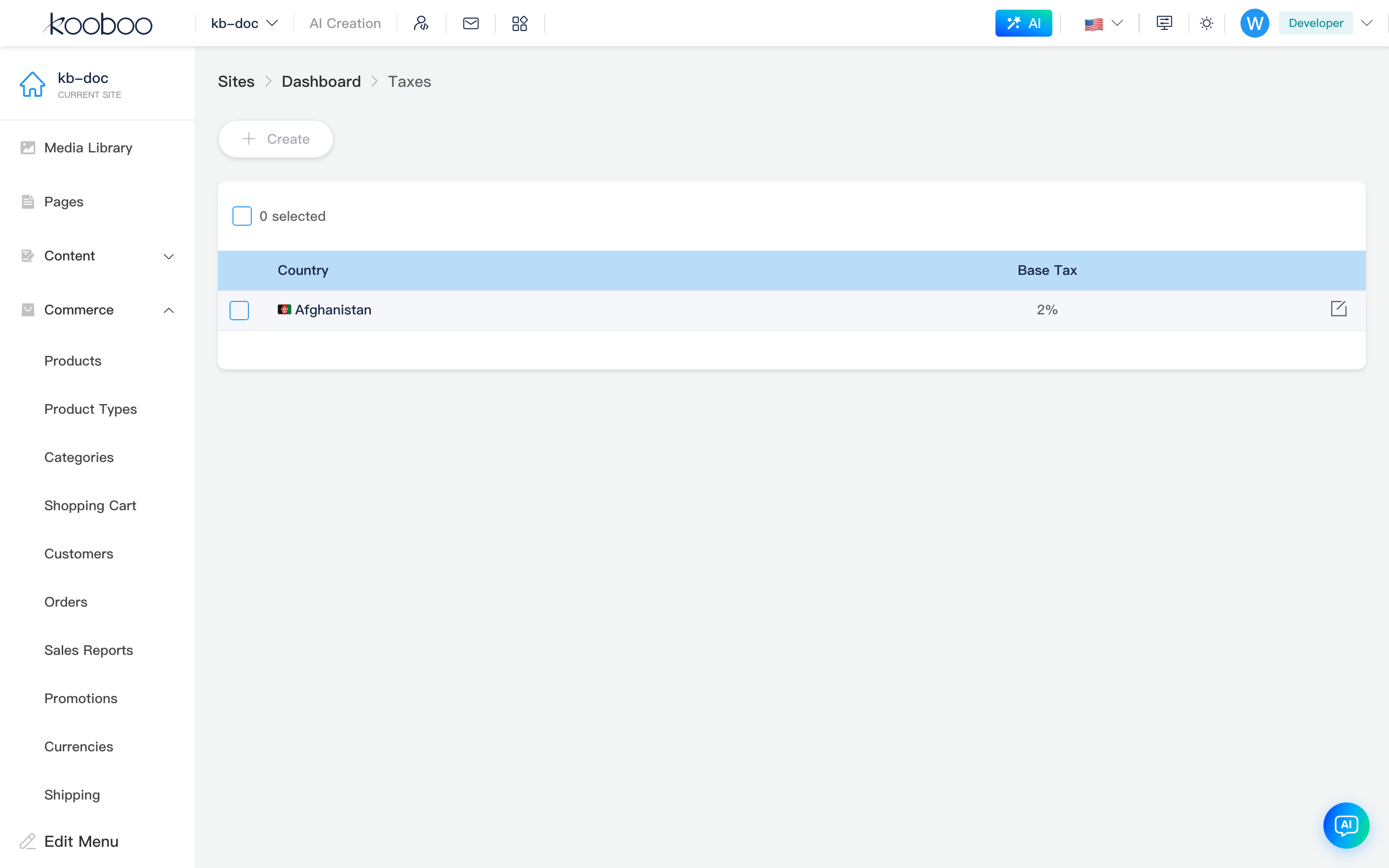
| Country | Flag + localized country name (Commerce country library) |
| Base tax | baseTax, percentage display |
| Create | Opens Select country dialog; already configured countries excluded |
| Edit | Row pencil → create and edit |
| Batch delete | Select rows → Delete → confirm |
Select Country Dialog
After Create, select country without tax rule yet; keyword filter supported; click table row to enter create page (query country). Dialog is SelectCountryDialog: search box + country table (name, code).
Create button permission
List Create button uses permission taxes · edit, while menu registers tax · edit. If button shows disabled "no permission", accounts with tax edit permission can still access taxes/create?SiteId=...&country={countryName} directly.
Create and Edit
Create path includes country; edit path includes id. Breadcrumb: Tax -> {country name}. Shared EditForm, bottom Save / Cancel returns to list.
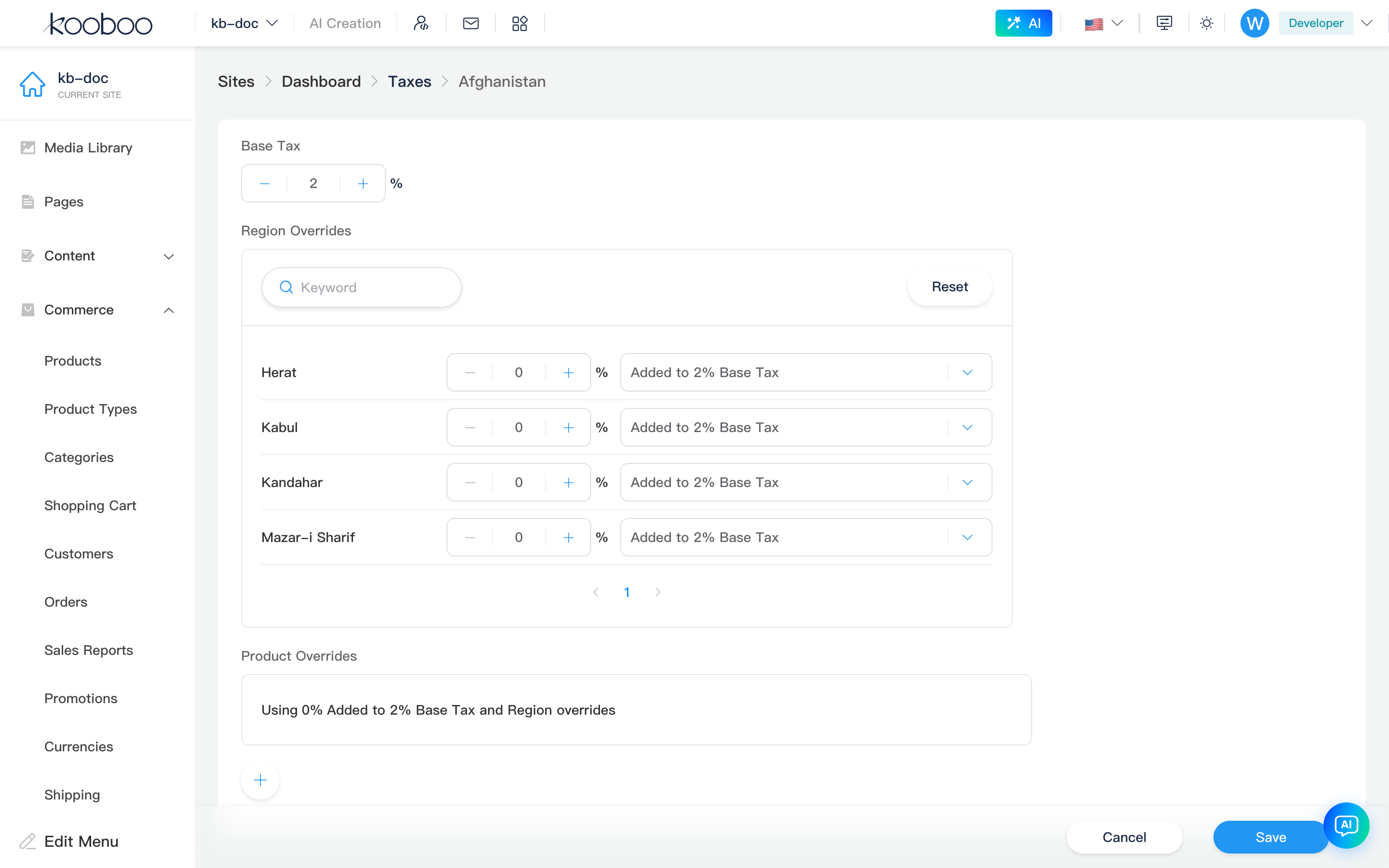
Base Tax
| Field | Description |
|---|---|
| Base tax | baseTax, percentage number (ElInputNumber, step 0.1, min 0) |
Regional Overrides
When country has provinces/states etc. in Commerce address library, Regional overrides card appears:
| Capability | Description |
|---|---|
| Search | Filter regions by keyword |
| Reset | Clear keyword and remove all regional override entries |
| Pagination | 6 regions per page |
| Per-region rate | Percentage + calculation method dropdown |
Calculation methods (OverridesType) — copy includes current base tax {tax}%:
| Value | Meaning |
|---|---|
| Added | Add this percentage on top of base tax |
| Instead | Replace base tax; use only this percentage |
| Compounded | Compound on base tax (multiplication logic on server) |
Regions without override use base tax.
Product Overrides
Product overrides can add multiple rules, each containing:
| Item | Description |
|---|---|
| Rate | Percentage |
| Calculation method | Added / Instead / Compounded relative to "base tax + matched regional override" (similar copy to regional overrides, referencing regional result) |
| Conditions | Condition component: match product dimension fields (schema from getTaxSchemas), AND/OR multiple rules |
| Done | Click Done while editing to collapse to summary; click summary to expand again |
| Delete | Remove this product override |
| Add | Round + adds new rule |
Matching product lines use override rate at trial/checkout; otherwise fall back to regional/base tax.
Related
- Orders — line tax and order tax total
- Carts — checkout mode trial includes tax
- Currencies, Settings
- k.commerce (
taxAmountin cart/order trial)