
Appearance
Code Log
Menu: Development → Code Log
Deep link:/_Admin/development/code-log?SiteId={siteGuid}
View runtime logs from site KScript / code execution: filter by log level, time, TraceId, and keywords, and open single-entry details. Unlike operation logs (content change audit), this page is for runtime diagnostics.
Each list entry comes from k.logger calls in scripts; the admin does not support manually creating logs — only query, filter, and view details.
Log source (k.logger)
Write logs in Code, API, page scripts, and other KScript, for example:
ts
k.logger.information('Payment.Callback', `orderId=${orderId}`)
k.logger.error('Payment.Callback', JSON.stringify(err))
k.logger method | Admin tab / level | List Category column | List Message column |
|---|---|---|---|
debug() | Debug · Debug | 1st parameter category (optional) | Message body |
information() | Information · Information | Same as above | Same as above |
warning() | Warning · Warning | Same as above | Same as above |
error() | Error · Error | Same as above | Same as above |
critical() | Critical · Critical | Same as above | Same as above |
With a single argument, that argument is the message and category is empty. Objects must be JSON.stringify()'d before writing.
Multiple logs in the same HTTP request often share a TraceId (useful for chaining in the admin). Scripts can also query with k.logger.query() using the same parameters as the filter bar and pagination below.
When header Enable (codeLogSettings.enable) is off, the site stops collecting new k.logger logs; existing historical week data can still be viewed by switching Week.
Permissions
Menu permission: code·log. Enable Development → Code Log in Edit Menu (advanced).
How to Open
- In Edit Menu, enable Development → Code Log.
- Open Development → Code Log in the left sidebar.
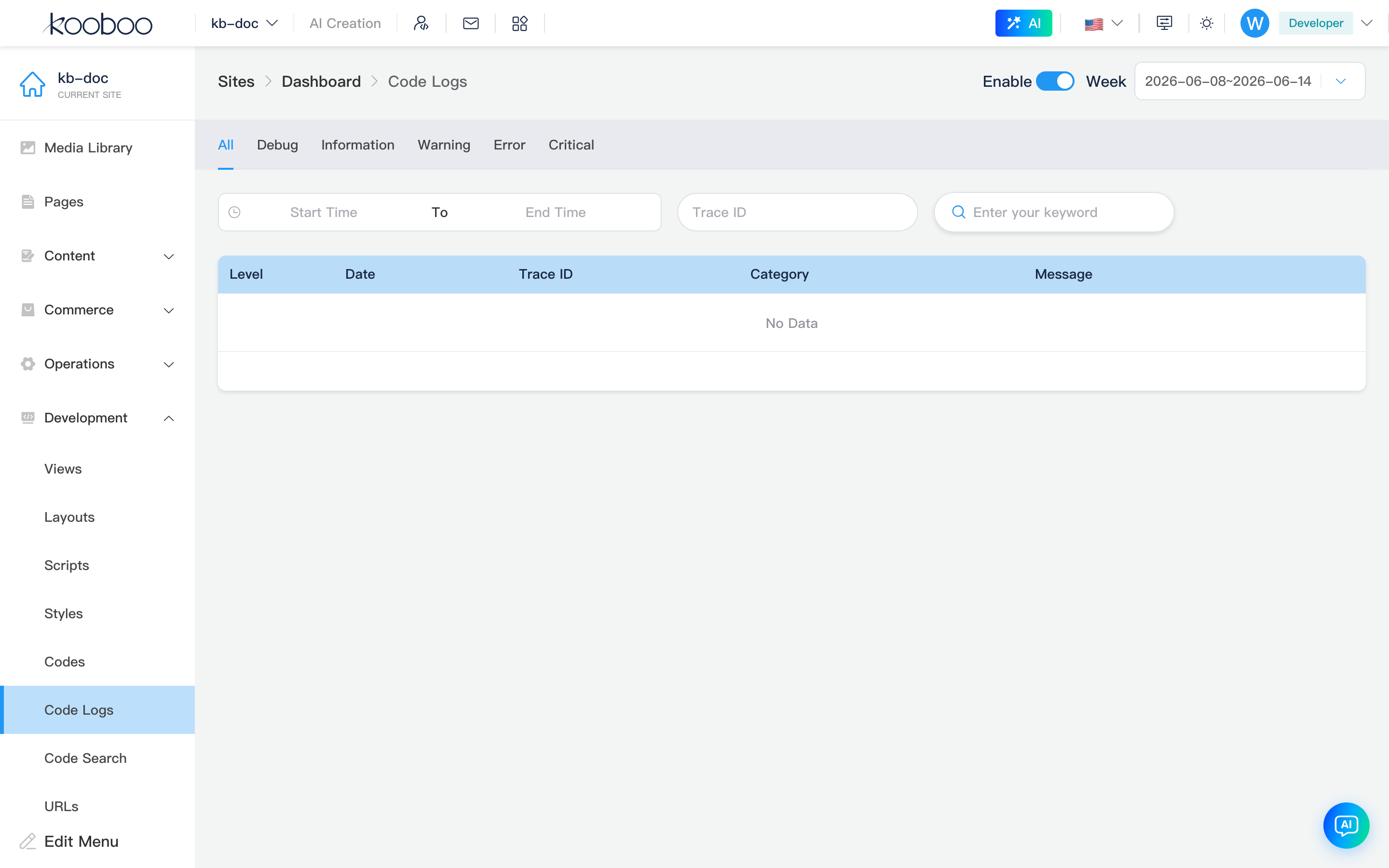
Page header
| Control | Description |
|---|---|
| Enable | codeLogSettings.enable; toggling immediately calls saveSite; when off, new k.logger logs are not written/collected |
| Week | Select log partition week (weekname, options from getWeeks); switching refreshes the list |

Log level tabs
Horizontal tabs filter level (hidden-style tabs, level switch only):
| Tab | Query level |
|---|---|
| All | No level filter |
| Debug | Debug |
| Information | Information |
| Warning | Warning |
| Error | Error |
| Critical | Critical |

Filter bar
| Control | Description |
|---|---|
| Date/time range | startDate / endDate (formatted to site time for query) |
| TraceId | Exact trace for one request chain (debounced refresh) |
| Keyword | keyword, matches log body, etc. (debounced) |

Log list
Paginated table (default 30 per page, sorted by creationDate):
| Column | Description |
|---|---|
| Level | level |
| Date/time | creationDate |
| TraceId | Request trace Id |
| Category | category |
| Message | message summary (truncated if long) |
| Details | Eye icon opens detail dialog |

Detail dialog
Shows TraceId, Date/time, Level, Category, and full Message body (<pre> preserves line breaks).

Related
| Doc | Description |
|---|---|
| k.logger | Log and query (required for development) |
| Development overview | Development menu index |
| Code | Code file editing |
| Operation logs | Site object change audit |