
Appearance
Login and Site List
Enter Kooboo from the account-level console, organize sites with folders, and open a site's admin workspace.
This page covers account-level screens. These routes usually do not contain SiteId. Once you click Manage on a site and enter the site admin, continue with Site admin menu overview.
Entry URLs
| Scenario | URL example |
|---|---|
| Console root | https://www.redev.cn/_Admin/ |
| Login page | https://www.redev.cn/_Admin/login |
| Site list inside a folder | https://www.redev.cn/_Admin/?currentFolder={folderName} |
Kooboo serves the admin frontend under /_Admin/. Replace www.redev.cn with your own console host when needed.
Login
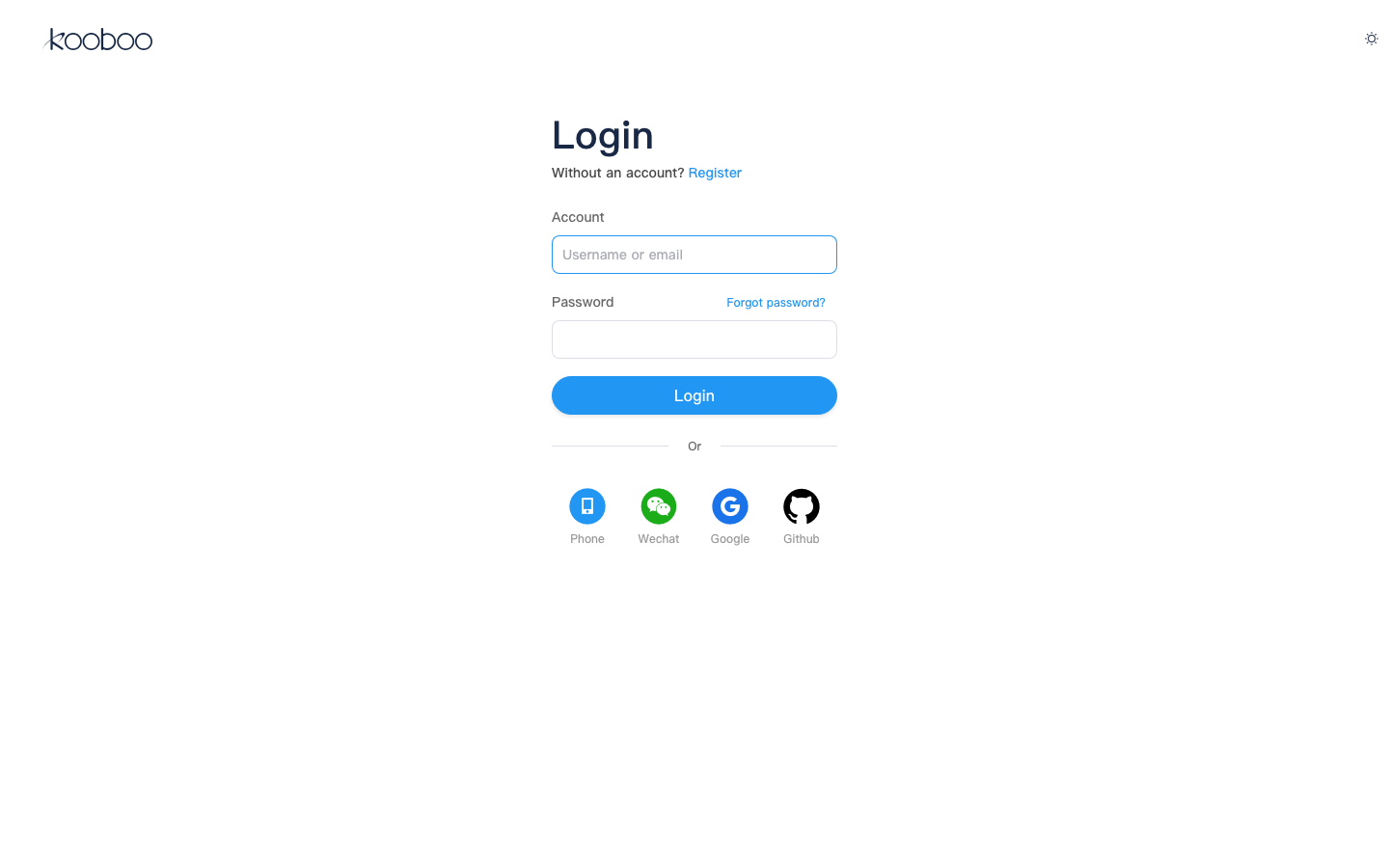
- Open
/_Admin/in your browser. - If you do not have an active session, Kooboo redirects you to Login.
- Sign in with the methods enabled in your environment.
- After a successful login, you land on My Sites.
My Sites
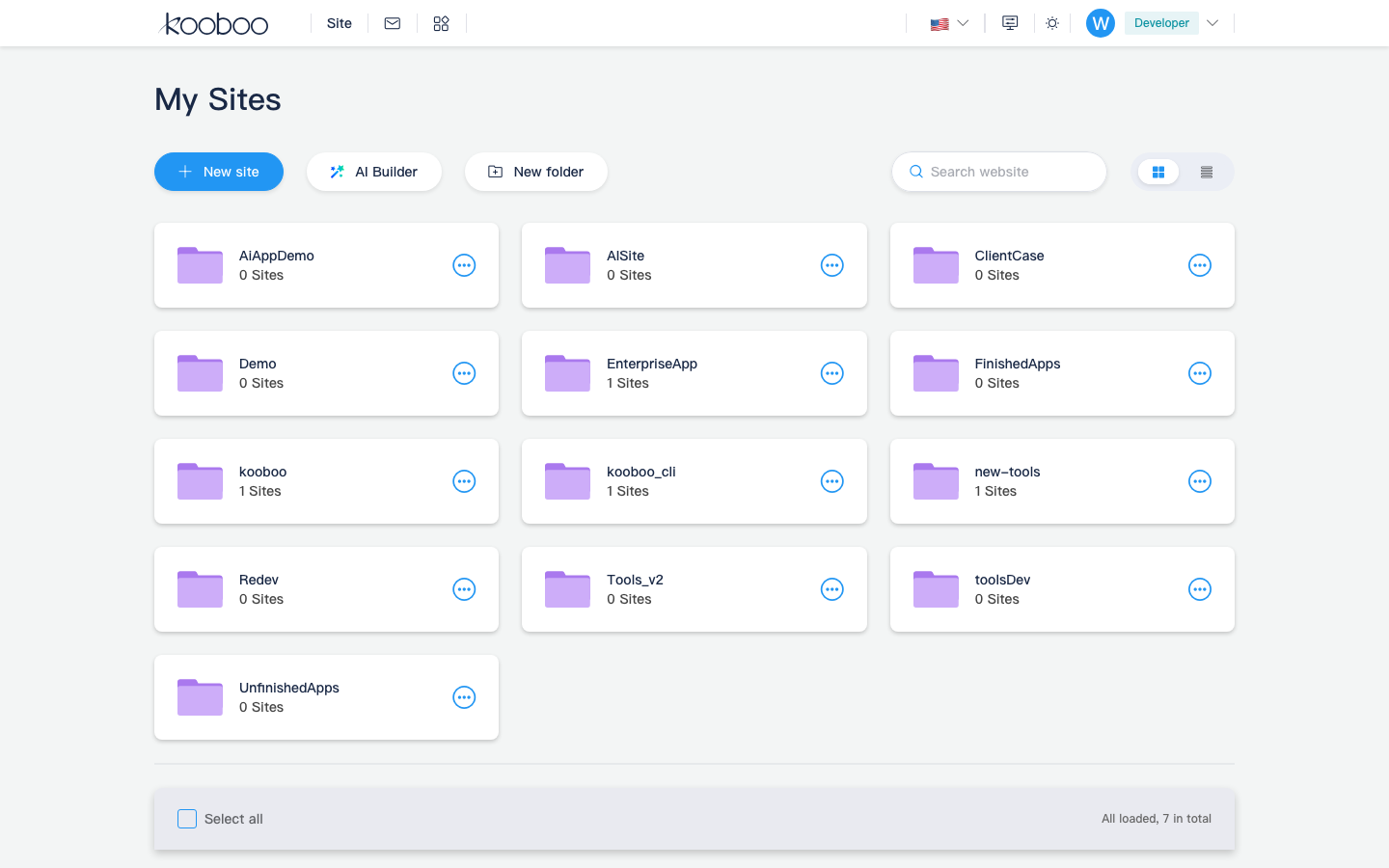
The default landing page after login is My Sites. The page usually contains:
Top actions
| Button | Purpose |
|---|---|
| Create Site | Opens the site creation flow. See Create a site. |
| New Folder | Adds a folder to organize multiple sites under the same account. |
Search and view modes
- Search Sites filters the site list by name.
- List / Grid changes how folders and sites are displayed.
Folders
Folders only change how sites are grouped on the account homepage. They do not change the site's own content or runtime data.
| Action | Description |
|---|---|
| Open a folder | Click the folder card or row; the URL gets ?currentFolder={folderName} |
| Return to all sites | Use the breadcrumb or remove the currentFolder query string |
| Create a folder | Click New Folder and enter a name |
| Rename / Delete | Use the row or card action menu |
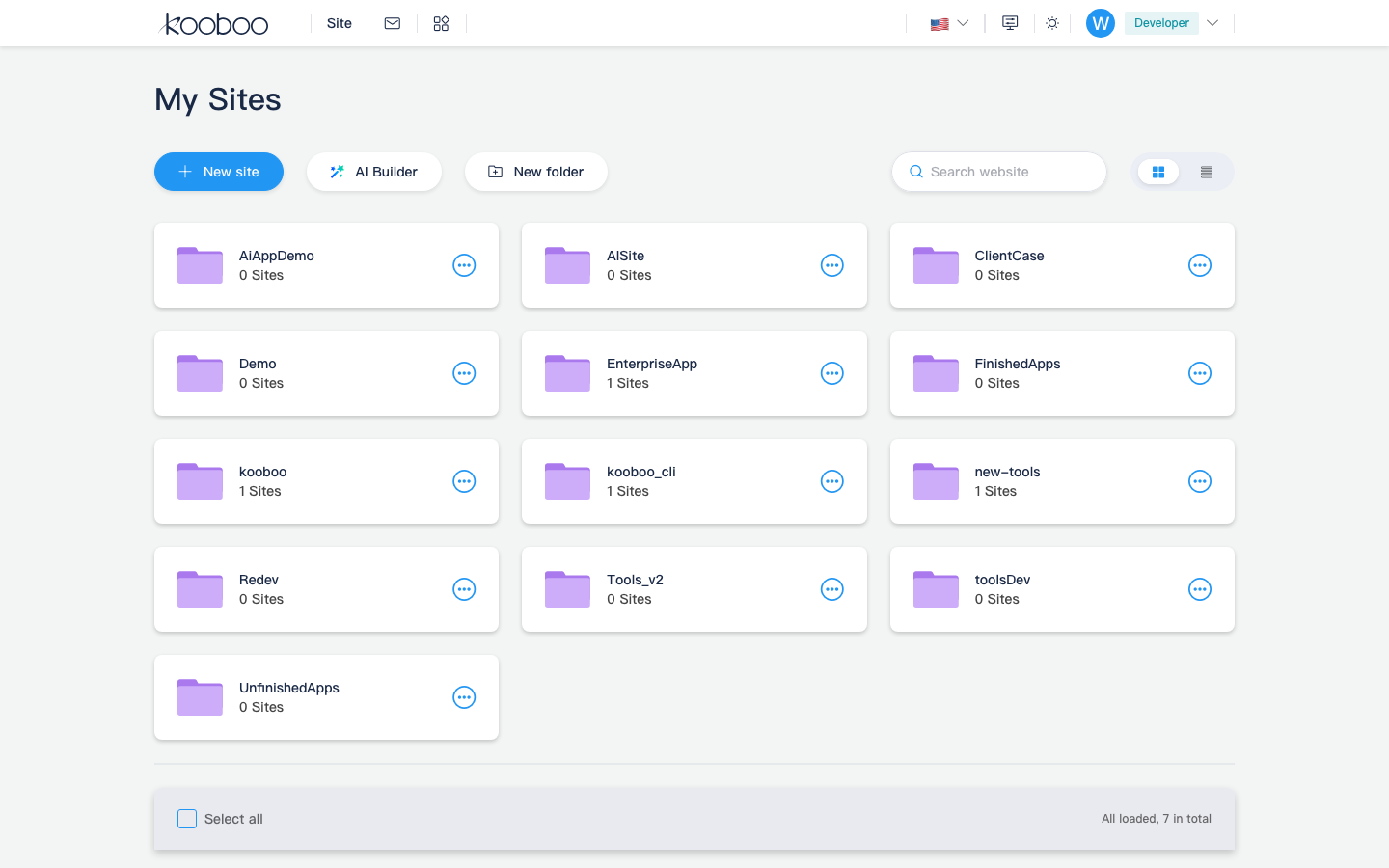
Site cards or rows
Each site usually shows a preview thumbnail, site name, and online state. Common actions:
| Action | Description |
|---|---|
| Manage | Opens the site's admin dashboard; the URL becomes /_Admin/site?SiteId={siteGuid} |
| Share | Opens sharing or preview-related actions |
| More actions | Export, move to folder, delete, and similar actions |
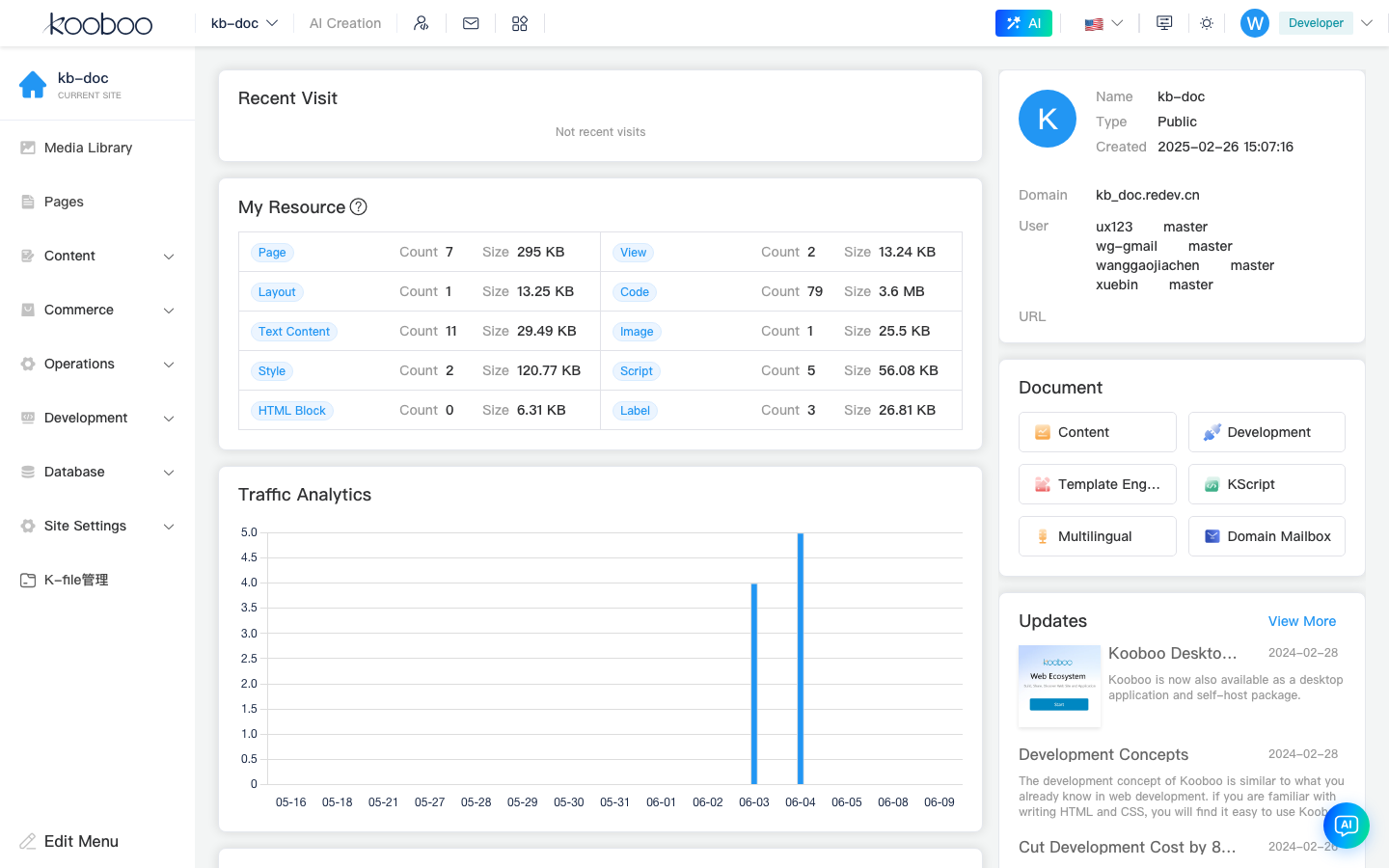
Once you are inside the site admin, the left sidebar switches to site-level menus such as Content, Development, Commerce, and Site Settings.
Do Not Mix Up the Two Admin Levels
| Level | Example URL | Docs |
|---|---|---|
| Account level | /_Admin/, /_Admin/create | This page, Create a site |
| Site level | /_Admin/site/pages?SiteId=... | Site admin menu overview |