
Appearance
Authentication
Menu: Development → Authentication
Deep link:/_Admin/development/authentication?SiteId={siteGuid}
Configure access control rules for front-end site requests: match requests by URL / HTTP method, then run JWT validation or custom KScript. On failure, return an HTTP status code or redirect. Rules run before rendering for requests that hit bound site routes (pages, APIs, etc.).
Permissions
Menu permission: authentication (view). Create, edit rules require authentication·edit; multi-select Delete requires authentication·delete.
Difference from site account login
This page controls whether visitor requests are allowed to continue rendering (gateway-style rules). It is not Kooboo admin account login, nor the site account login flow in k.account. JWT validation uses k.security.jwt to decode tokens in the request.
How to Open
- In Edit Menu, enable Development → Authentication.
- Open Development → Authentication in the left sidebar.
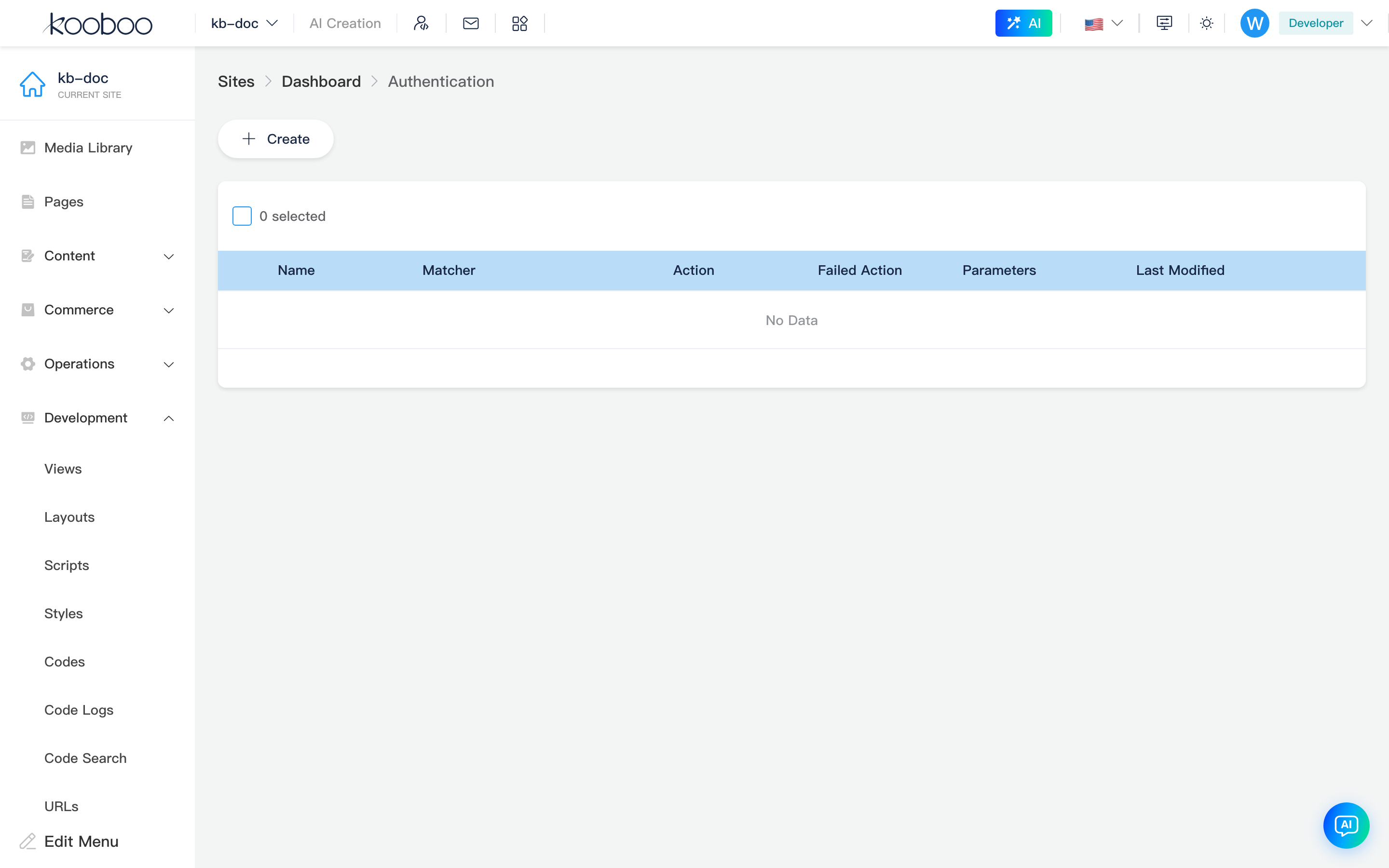
Rule List
Toolbar
| Button | Permission | Description |
|---|---|---|
| Create | authentication·edit | Open create/edit rule dialog |

List table
| Column | Description |
|---|---|
| Name | Unique rule identifier (name cannot be changed in the list after creation; configure only in the edit dialog) |
| Matcher | None / Any / Condition; when Condition, shows a condition summary (e.g. url = '/api') |
| Action | None / JwtAuth / CustomCode |
| Failed action | None / ResultCode / Redirect; when action is CustomCode, column shows CustomCode |
| Parameters | Failure-related parameters: custom code name, httpCode, redirect url, etc. |
| Last modified | Save time |
| Actions | Settings icon opens edit |
Supports multi-select Delete (authentication·delete).

Create and Edit Rule Dialog
Opened by Create or row Settings. For new rules, fill in Name (1–50 characters, letter or digit first, unique); name cannot be changed when editing an existing rule.
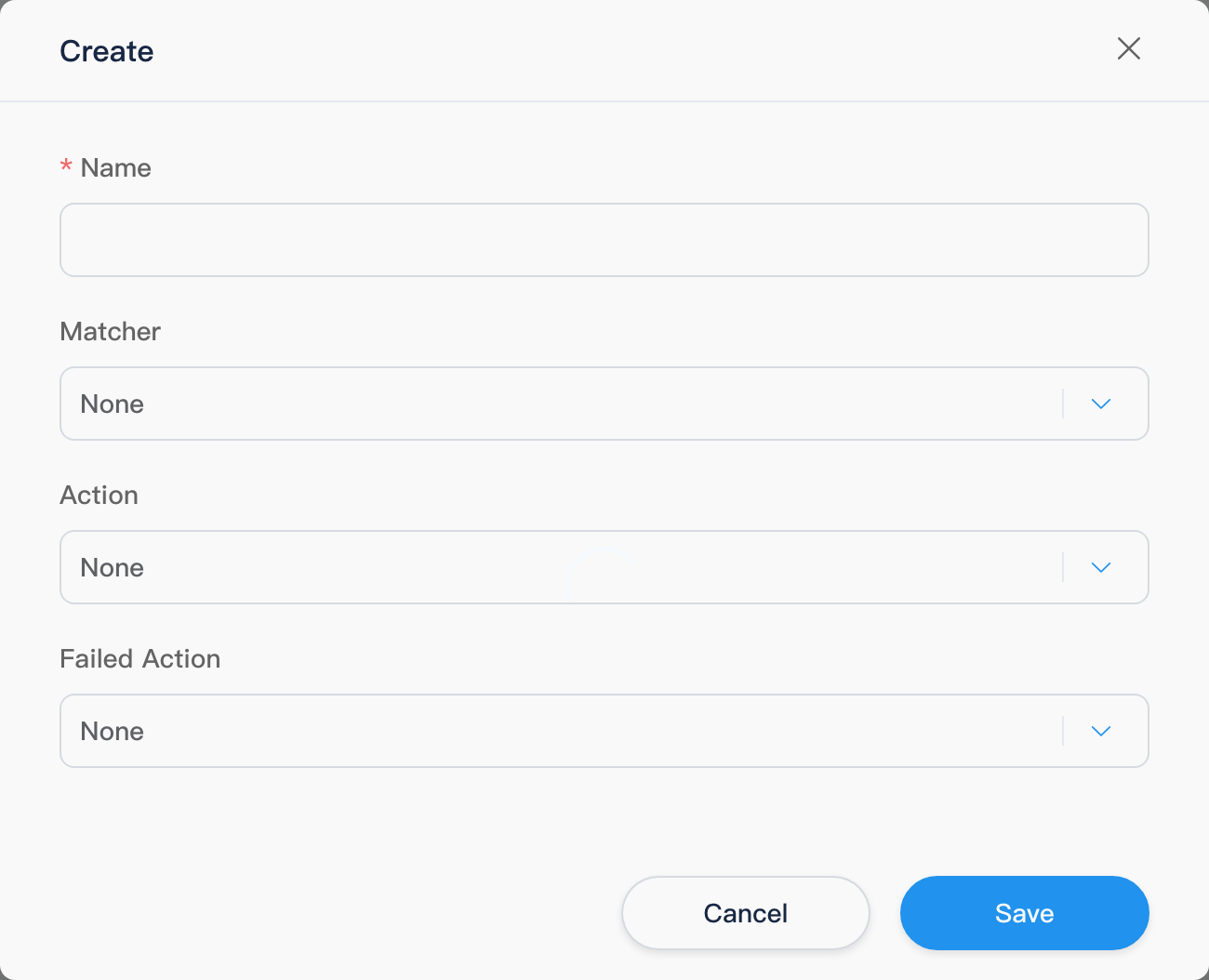
Matcher
| Value | Description |
|---|---|
| None | Does not participate in matching (typically a placeholder; will not match requests) |
| Any | Matches all requests entering the rule chain |
| Condition | Match by conditions below; multiple conditions are AND (&&) — all must be satisfied |
When Condition, each row includes:
| Field | Options | Description |
|---|---|---|
| Left | url, method | Request relative path and HTTP method respectively |
| Operator | =, !=, contains, notcontains, startwith, notstartwith | Comparisons are case-insensitive |
| Right | Text | Value compared against the left field |
You can add / delete condition rows; at least one valid condition is required to save.
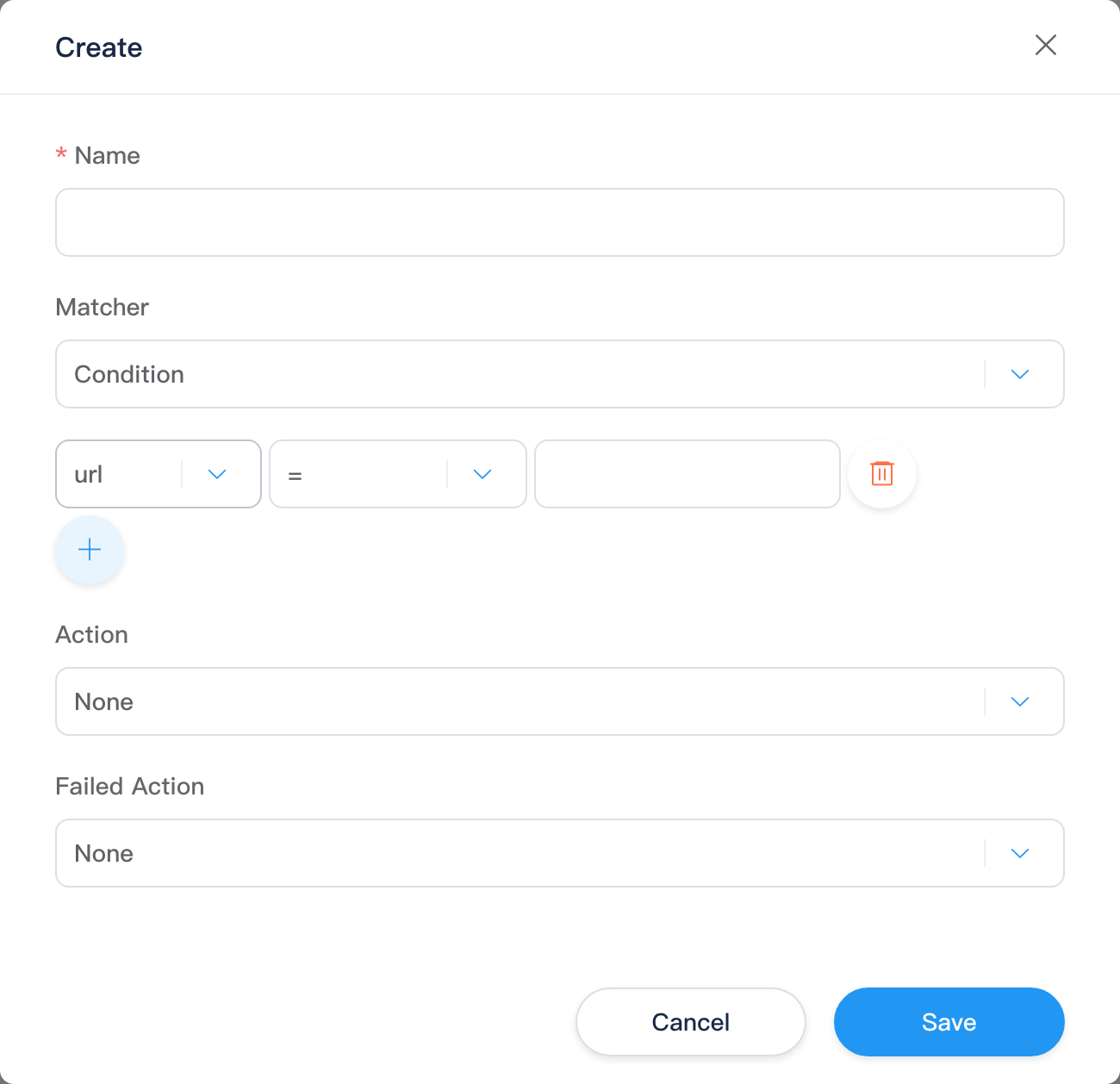
Action
| Value | Description |
|---|---|
| None | Allow after match, no validation |
| JwtAuth | Validate with JWT decode; on failure, run Failed action below |
| CustomCode | Run inline TypeScript/KScript (Monaco editor); on failure, script sets response status |
When CustomCode is selected, a code editor appears with a default example: check the Authorization header and call k.response.unauthorized(). Saves inline customCode body (may also be associated with site Code resources; list load may backfill body from customCodeName).
When JwtAuth is selected, the Failed action section appears (see below).
Failed action
Shown only when Action is JwtAuth (CustomCode handles the response in script).
| Value | Description |
|---|---|
| None | On JWT validation failure, write value from decode result to response body |
| ResultCode | Return specified HTTP status code (e.g. 401) |
| Redirect | 302 redirect to the URL entered; automatically appends returnurl query parameter (current request path) |
| Extra field | When shown | Description |
|---|---|---|
| HTTP status code | ResultCode | Required, valid HTTP status code |
| URL | Redirect | Required, redirect target (spaces stripped on input) |
How Rules Take Effect
- Applies only to requests on bound site routes (pages, APIs, etc. with
Route.objectId); pure static or unmatched routes do not go through this list. - The system tries rules in list order; the first matching rule runs and later rules are skipped. With multiple rules, put more specific
Conditionrules first, or avoid overlappingAny. JwtAuth: on successful decode withcode !== 1, allow and putvaluein request contextjwt_payload;code === 1is failure, handled per Failed action.CustomCode: after script runs, allow if response status < 300, otherwise request stops (middleware may return 403).- When validation fails and no complete response is written, 403 may be returned.
Common APIs in custom code: k.request, k.response (e.g. unauthorized()), k.security.jwt.
Related
| Doc | Description |
|---|---|
| Development overview | Development group index |
| Code | CodeBlock, usable with CustomCode |
| k.security.jwt | JWT encode/decode |
| k.response | unauthorized(), redirect, etc. |
| Authentication and authorization (API) | k.account member login (not this page's rules) |