
Appearance
SQLite Tables
Menu: Database → SQLite Tables
Deep link:/_Admin/database/sqlite-table?SiteId={siteGuid}
SQLite tables manage tables in the site’s built-in SQLite database: create tables, maintain columns and data, and import / export CSV in the admin. No separate connection string is required; scripts use k.DB.sqlite to run SQL or access table objects.
Permissions
Same as IndexedDB tables: database (view), database·edit, database·delete.
Difference from IndexedDB tables
| SQLite tables | IndexedDB tables | |
|---|---|---|
| Engine | Site SQLite file | Site IndexedDB dynamic tables |
| Setup | Works out of the box | Works out of the box |
| Column settings | No primary key / unique columns in the UI; no numeric auto-increment option | Primary key, unique, auto-increment supported |
| Data page | Has Import data (CSV) | No CSV import |
| Script | k.DB.sqlite.query / execute / getTable | k.DB.indexedDb.{tableName} |
| Table relations | Does not support table relations (IndexedDB only) | Supported |
Column editing and data browsing share routes with IndexedDB but require query parameter dbType=Sqlite; the left menu highlights SQLite Tables.
How to Open
- In Edit Menu, check Database → SQLite Tables.
- Open Database → SQLite Tables in the left sidebar.
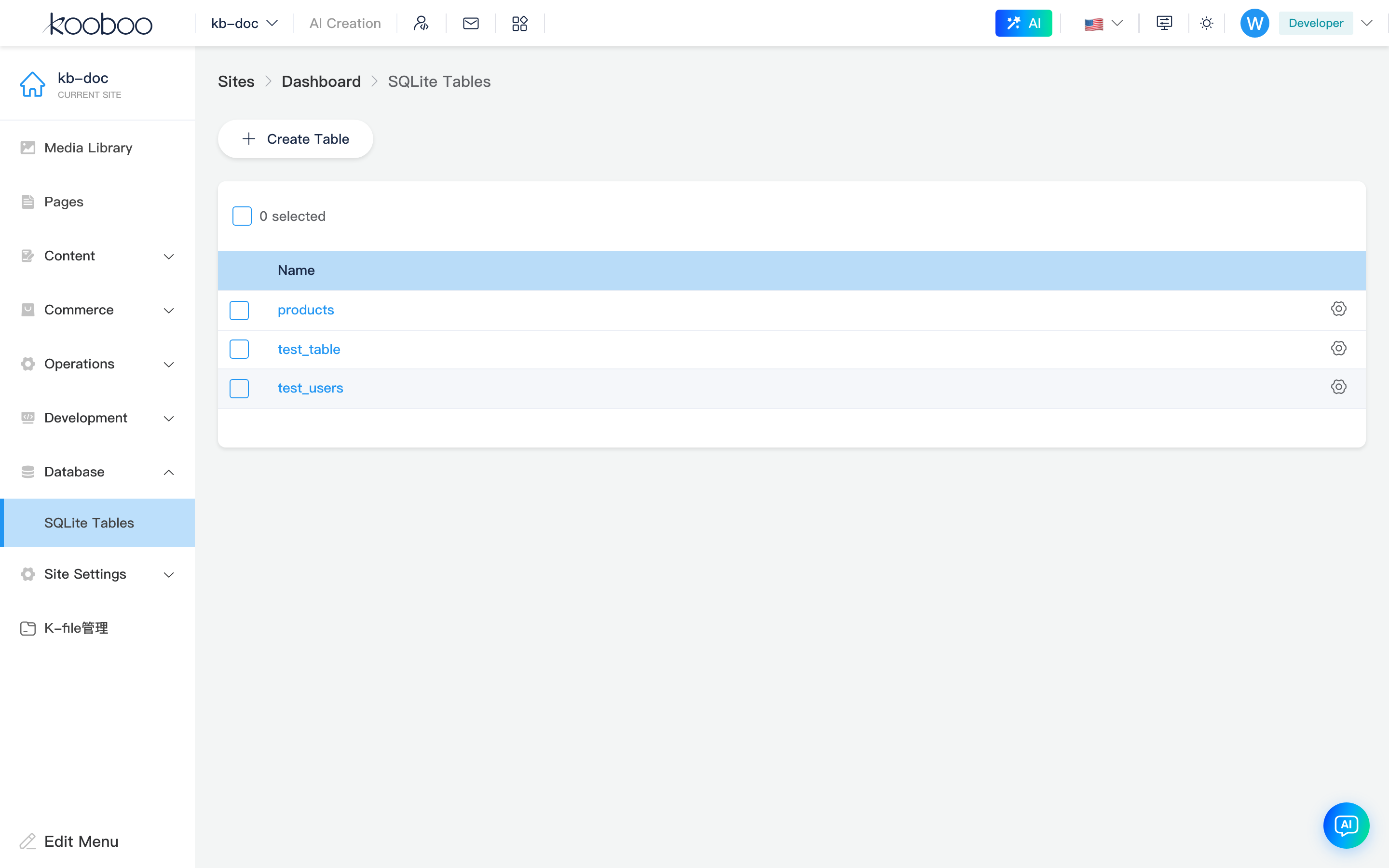
Table List
The UI matches IndexedDB tables: Create table, click Name for data, Settings for column definitions, multi-select delete.


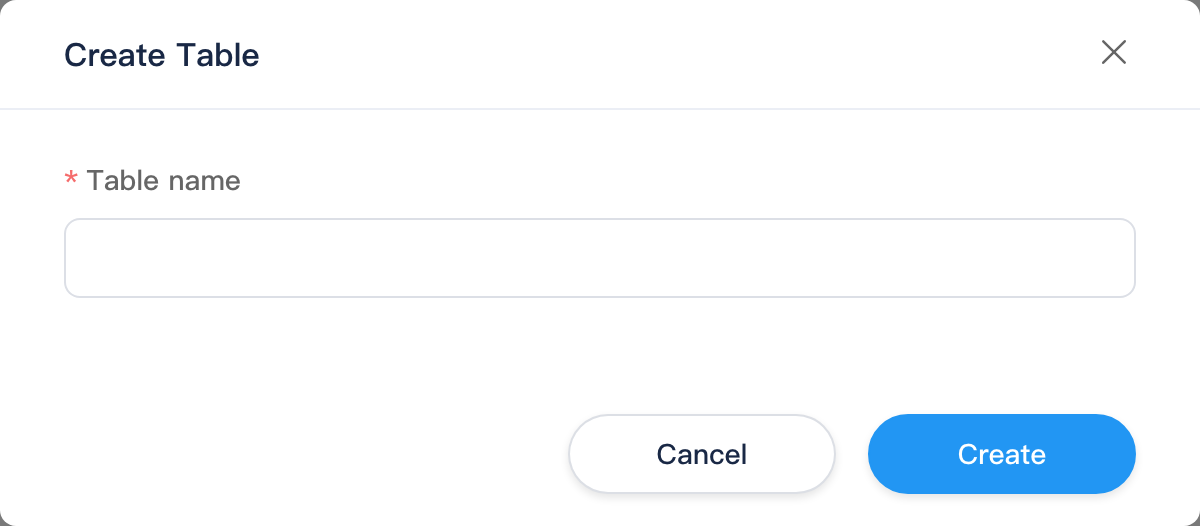
Create table dialog
Table name rules match IndexedDB: 1–50 characters, letter or digit start, letters and digits only, unique within the site. Creates a physical table in SQLite and registers the admin column schema.
Column Settings
Route example:
text
/_Admin/database/table/columns?SiteId={siteGuid}&table={tableName}&dbType=SqliteOpening from the SQLite list automatically adds dbType=Sqlite to the address bar.
| Difference from IndexedDB column settings | Description |
|---|---|
| List columns | Shows column name, control type, index; does not show primary key / unique |
| Column editor dialog | No length (text), no auto-increment, no primary key / unique checkboxes |
| Save | Updates SQLite table structure and admin schema mapping |
Control types (text box, textarea, rich text, select, boolean, date-time, number, etc.) match IndexedDB and determine Edit data form styling.
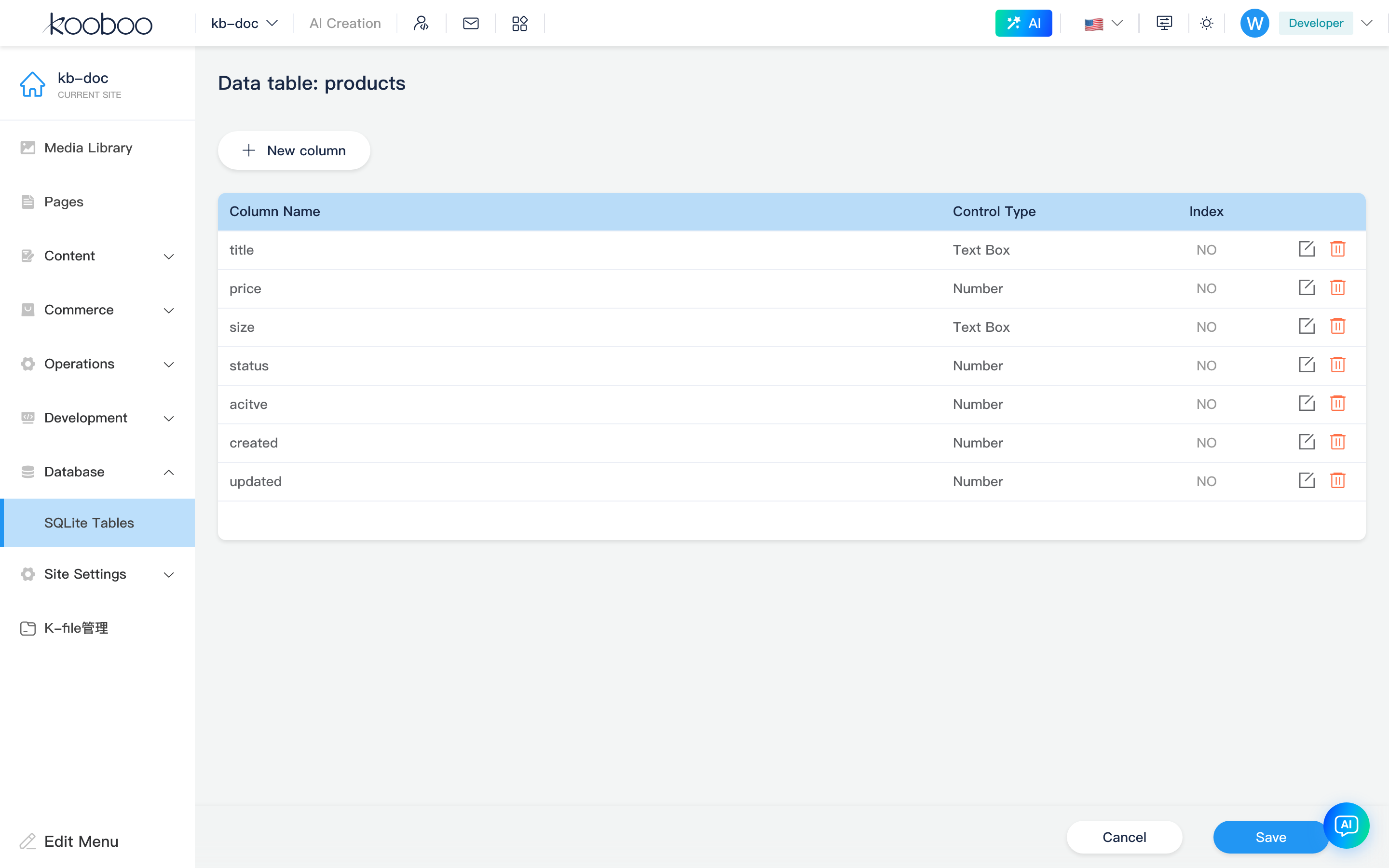
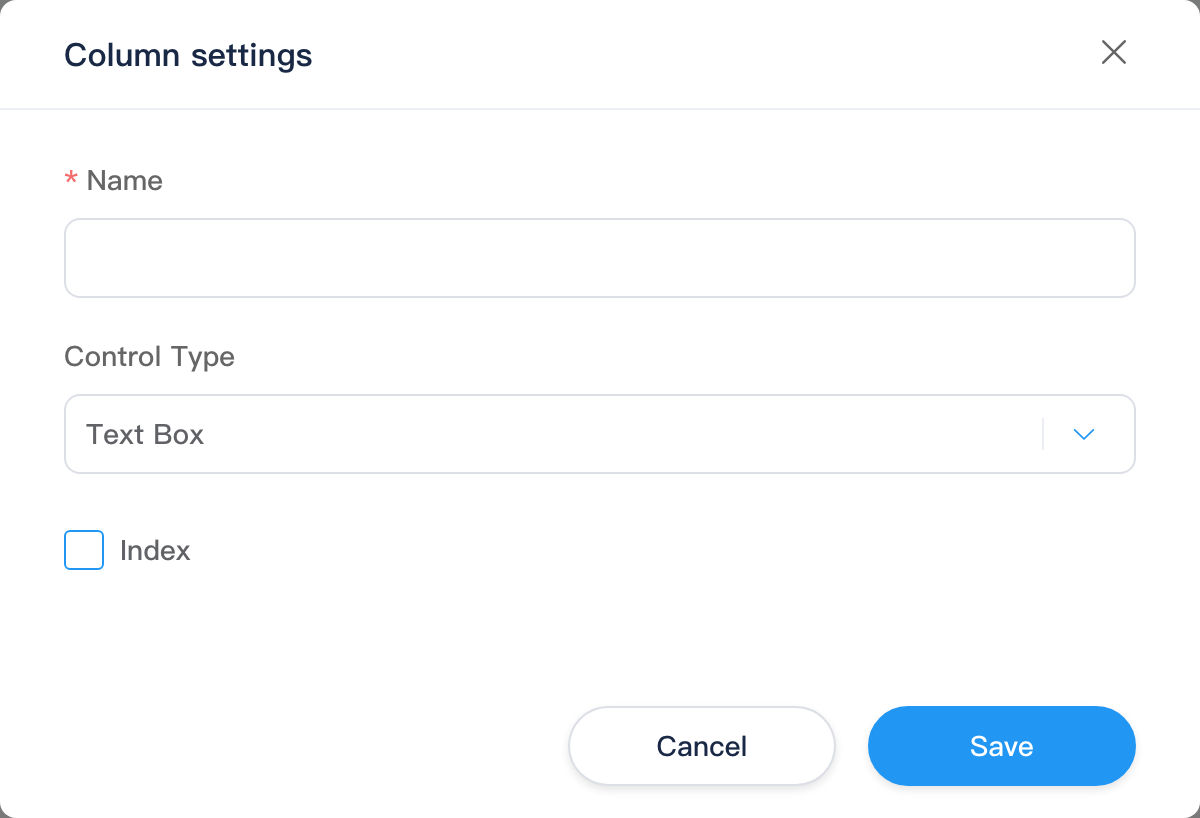
Table Data
Route example:
text
/_Admin/database/table/data?SiteId={siteGuid}&table={tableName}&dbType=SqliteToolbar
| Button | Permission | Description |
|---|---|---|
| New data | database·edit | Open edit page to create a row |
| Export data | database (view) | Export CSV (current sort; large exports may use a larger page size internally) |
| Import data | database·edit | Open CSV import |
| Settings | — | Jump to column settings |

Data table
Default pagination 30 rows per page; sortable column headers (sort preference saved locally in the browser); row Edit and multi-select Delete. Display rules when hiding internal columns like _id match the IndexedDB data page.

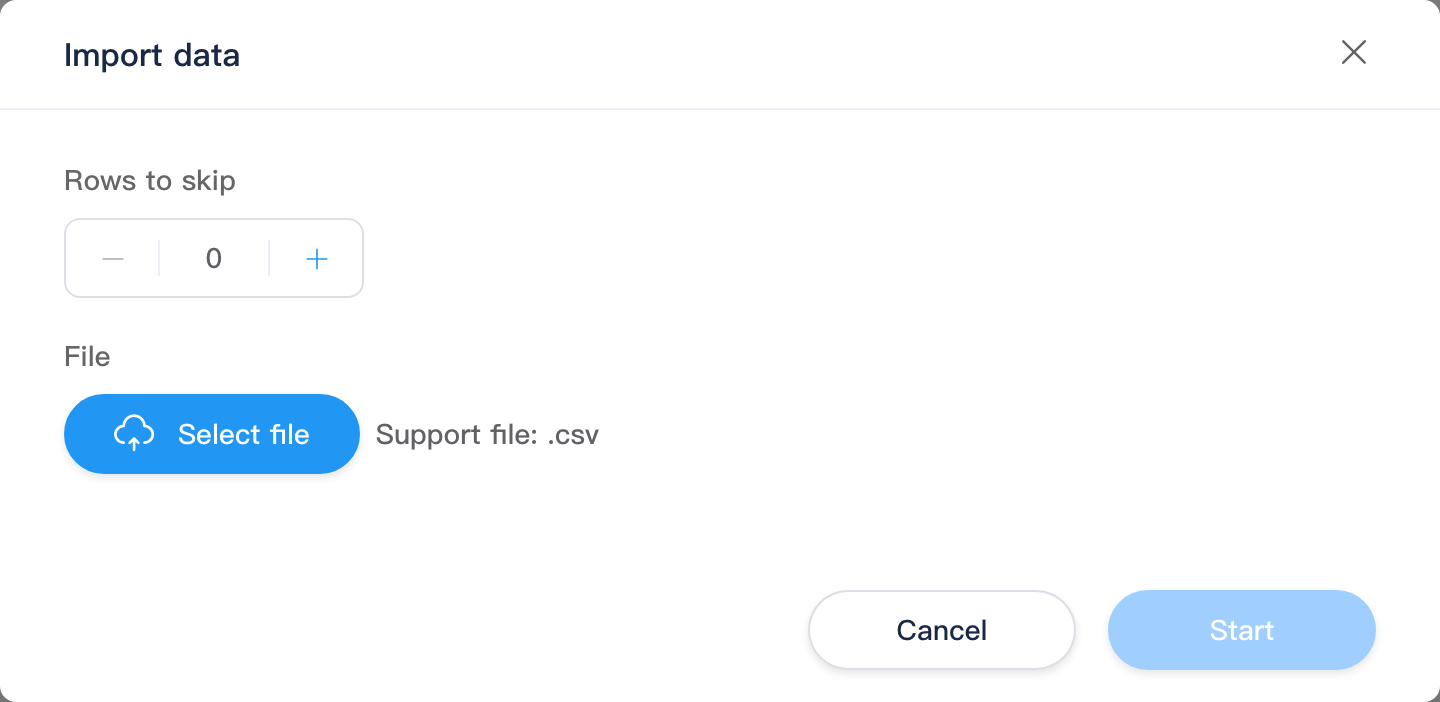
CSV import
| Step / field | Description |
|---|---|
| Skip rows | Number of rows to skip at file start (e.g. 1 if the CSV header is one row) |
| File | Upload a .csv file; server parses columns and sample rows |
| Field mapping | Map database fields to CSV columns; optional Required and Unique |
| Overwrite | When a unique mapping hits an existing row, enable to update in place |
Confirm Start to batch write; the data table refreshes when complete.
Edit Data
Route example:
text
/_Admin/database/table/edit-data?SiteId={siteGuid}&table={tableName}&dbType=SqliteForm rendered by column control type; Save / Cancel returns to the table data list. No id query parameter when creating.
Script access (development)
SQLite is primarily SQL and table objects, for example:
typescript
k.DB.sqlite.execute(
  "CREATE TABLE IF NOT EXISTS logs (id INTEGER PRIMARY KEY, msg TEXT)"
)
const rows = k.DB.sqlite.query("SELECT * FROM logs WHERE id = @id", { id: 1 })
const table = k.DB.sqlite.getTable("logs")
See k.DB.sqlite. Tables created in Code with execute / query can also be maintained in the admin after refreshing the SQLite Tables list (must follow table name rules).
SQL logs
SQL execution records appear in SQL logs when site logging is enabled.
Typical workflow
- Create table or
CREATE TABLEin script, then sync by seeing the table name on this page. - Define columns in Settings, or rely on SQL columns from script-created tables.
- New data, Import CSV, or script
INSERTto write rows. - Troubleshoot with SQL logs and
k.DB.sqlite.query.
Related
| Doc | Description |
|---|---|
| IndexedDB tables | Dynamic tables and object API |
| k.DB.sqlite | SQL and getTable |
| SQL logs | Execution records |
| Database overview | Menu overview |