
Appearance
Loyalty
Menu: Commerce -> Loyalty
Deep link:/_Admin/commerce/loyalty?SiteId={siteGuid}
Tab deep links:...&name=membership|member|earnPointsConfig|redeemPointsConfig
Configure membership tiers (Membership), view members with points and tiers, and set earn points and redeem points rules. Data is stored in Commerce settings.earnPoint / settings.redeemPoint and membership tier tables; carts can enable points deduction, orders show points earned. Script APIs: k.commerce.loyalty, membership.
How to Open
- In the Edit menu, enable Commerce -> Loyalty (and the parent Commerce group).
- Open Commerce -> Loyalty in the left sidebar.
Four tabs at top; switching updates URL query name for bookmarks and deep links.
Membership Tiers
(default tab)
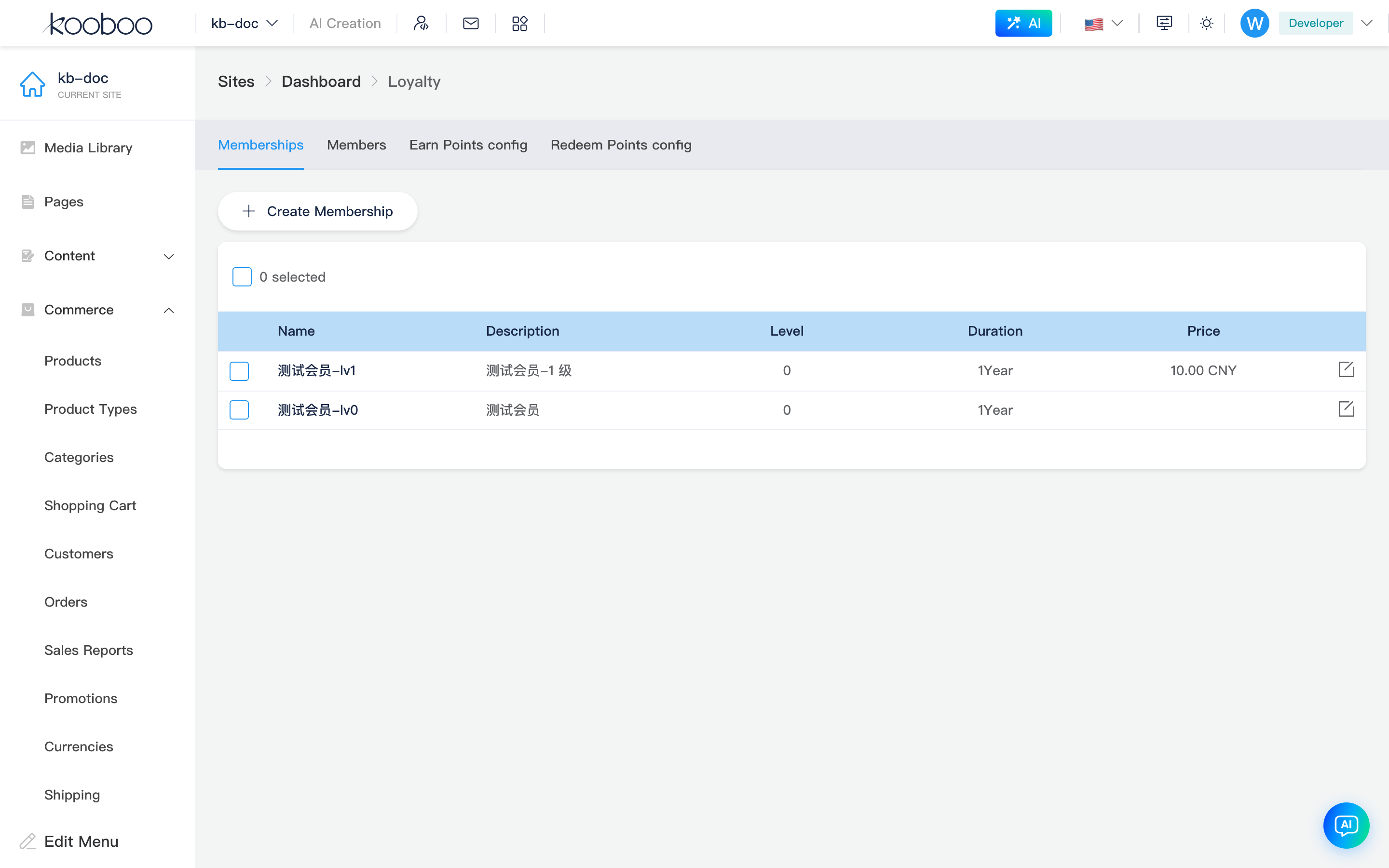
Define sellable membership tiers: name, validity period, subscription purchase, auto-upgrade by rules, etc.
| Column / Action | Description |
|---|---|
| Name | Tier name |
| Description | Description text |
| Tier | priority; higher number = higher tier (see UI tooltip) |
| Duration | duration + durationUnit (e.g. year/month) |
| Price | Shown when Subscribe (allowPurchase) is checked; currency is site default |
| Create membership tier | Opens create/edit dialog |
| Edit | Row pencil |
| Batch delete | Select → Delete (with confirmation) |
Membership Tier Dialog
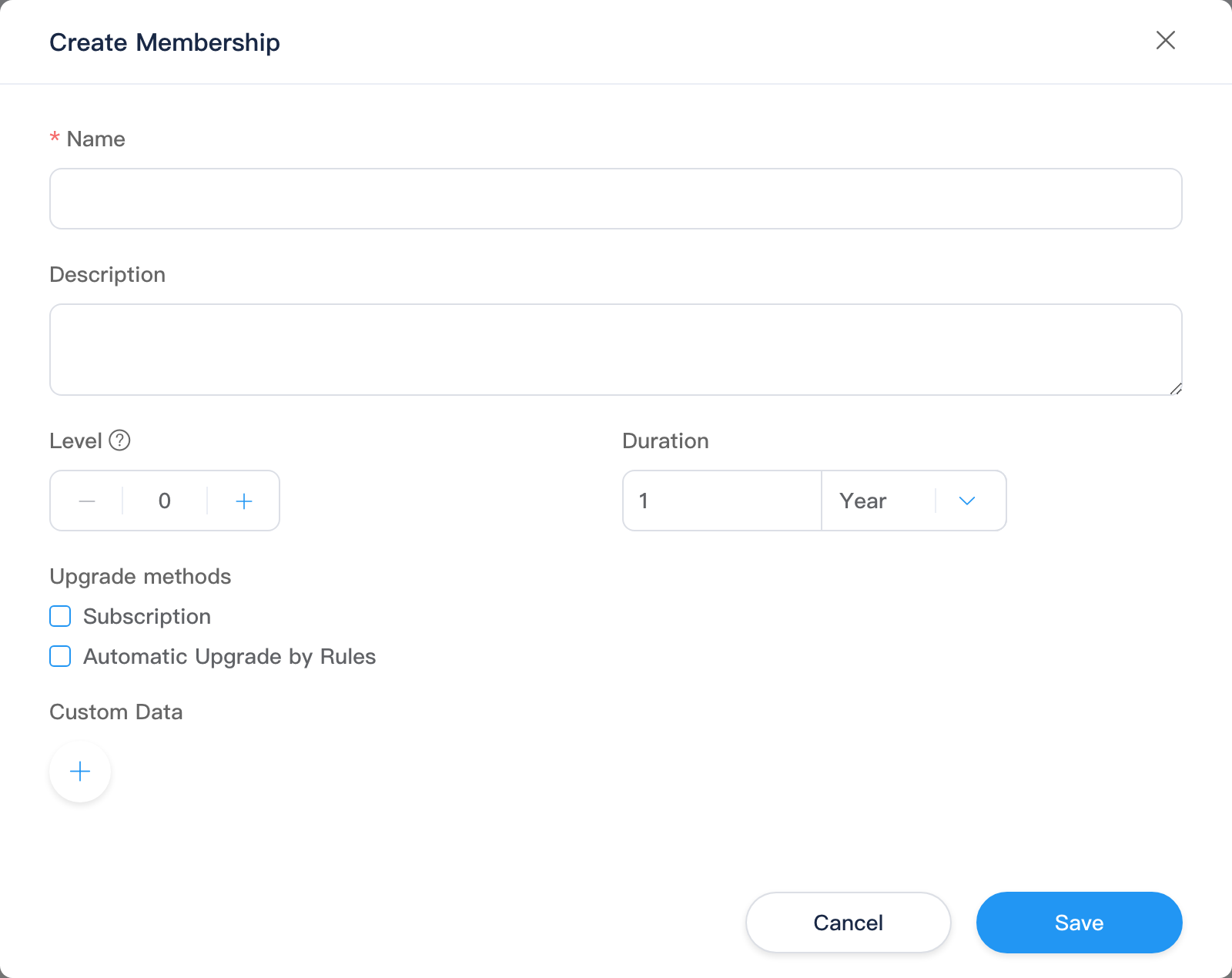
Create / Edit share EditForm (edit fetches detail with id).
| Field | Description |
|---|---|
| Name | Required |
| Description | Multiline text |
| Tier | priority integer |
| Duration | Membership validity duration and unit |
| Upgrade method | Subscribe: purchasable, enter price; Upgrade by rules: configure customer dimension Condition (AND/OR), at least one condition required |
| Custom data | KeyValueEditor key-value pairs |
Save refreshes the tier list.
Members
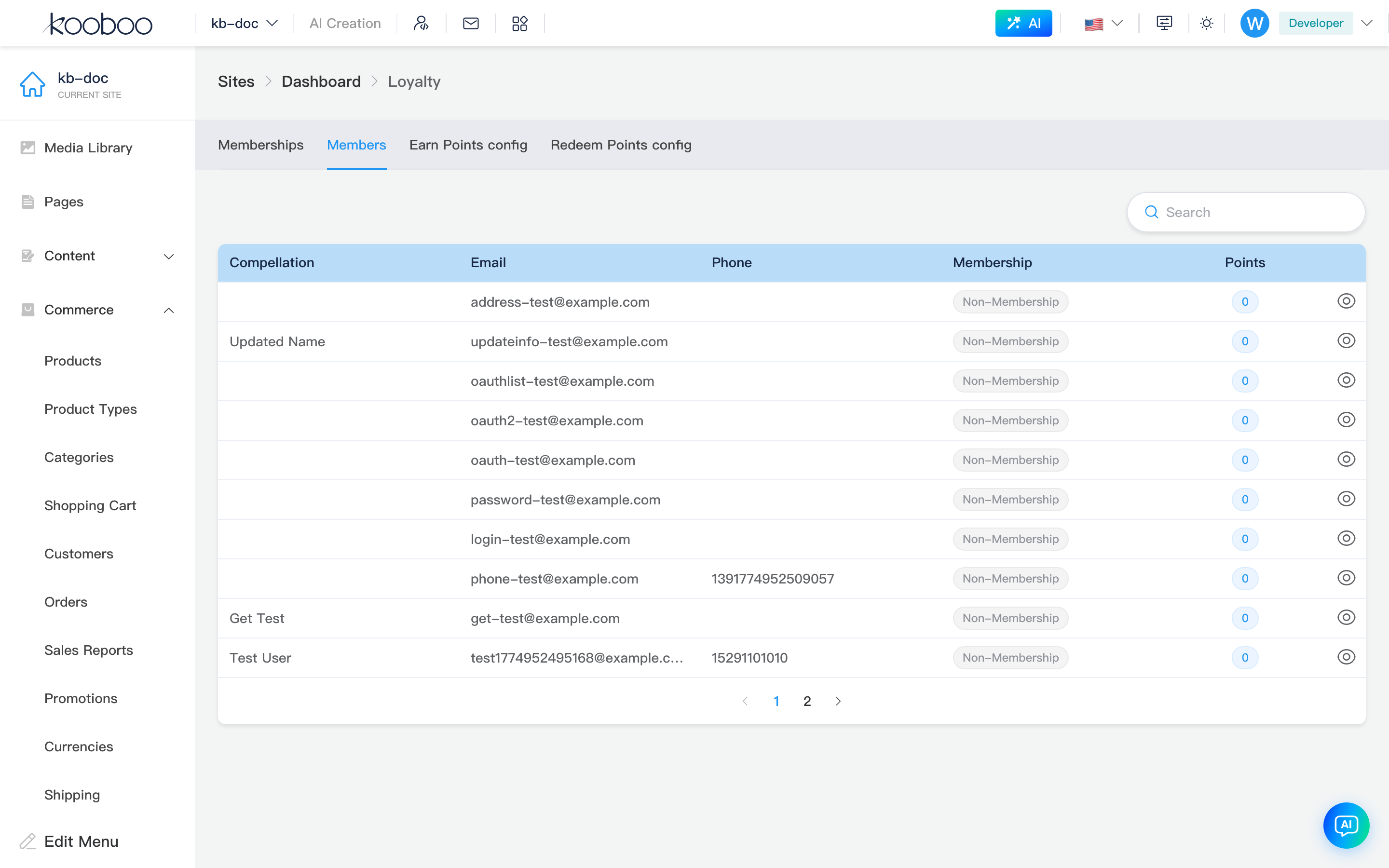
View customers registered as members (linked to customers): current tier status, points balance.
| Column / Action | Description |
|---|---|
| Name | firstName / lastName |
| Email / Phone | |
| Membership | MembershipStatus: tier name tag; Expired when past end; Non-member when no tier |
| Points | Current available points |
| Search | Keyword; press Enter to query |
| Details | Row eye icon → member details dialog |
| Pagination | 10 rows per page by default |
Member Details Dialog
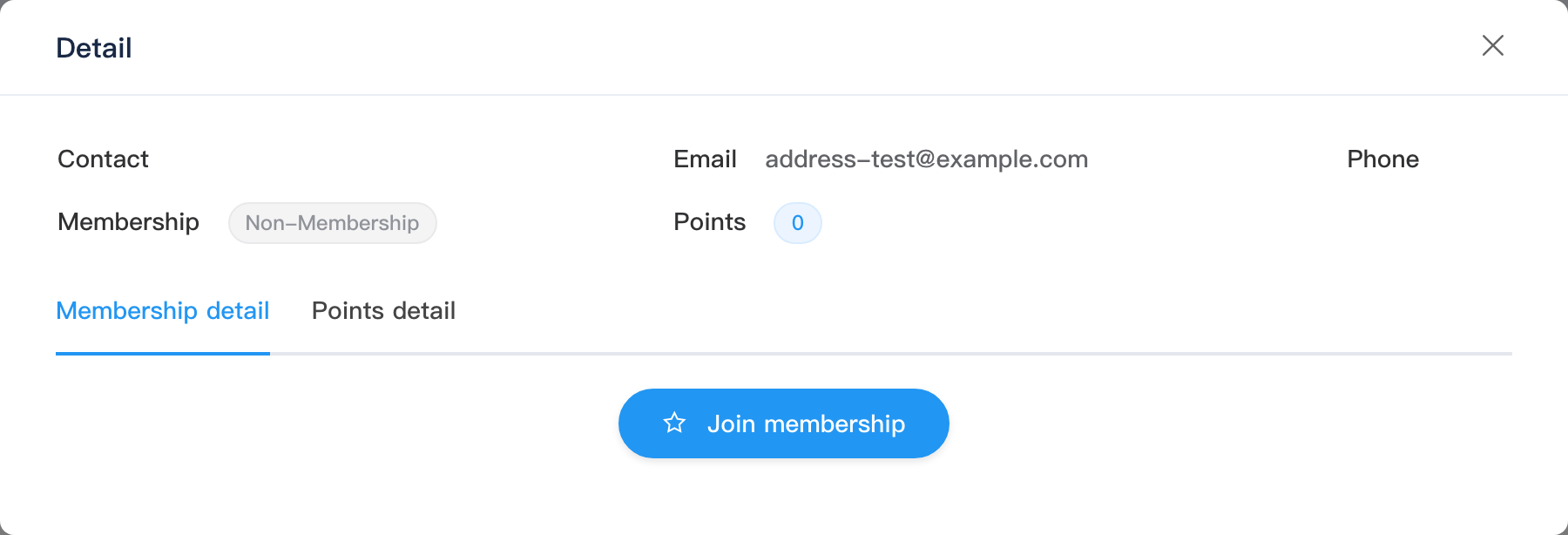
| Section | Description |
|---|---|
| Summary | Contact, email, phone, current membership status, start/end time, points |
| Membership details tab | Purchase/change history; Change tier, Renew (requires loyalty · edit) |
| Points history tab | Points ledger; Manual top-up, Manual spend with notes |
Point change types include: manual top-up/spend, order reward, order deduction, login reward, etc.
Earn Points
Configuration written to settings.earnPoint; bottom Save (saveSettings); keyboard shortcut save supported.
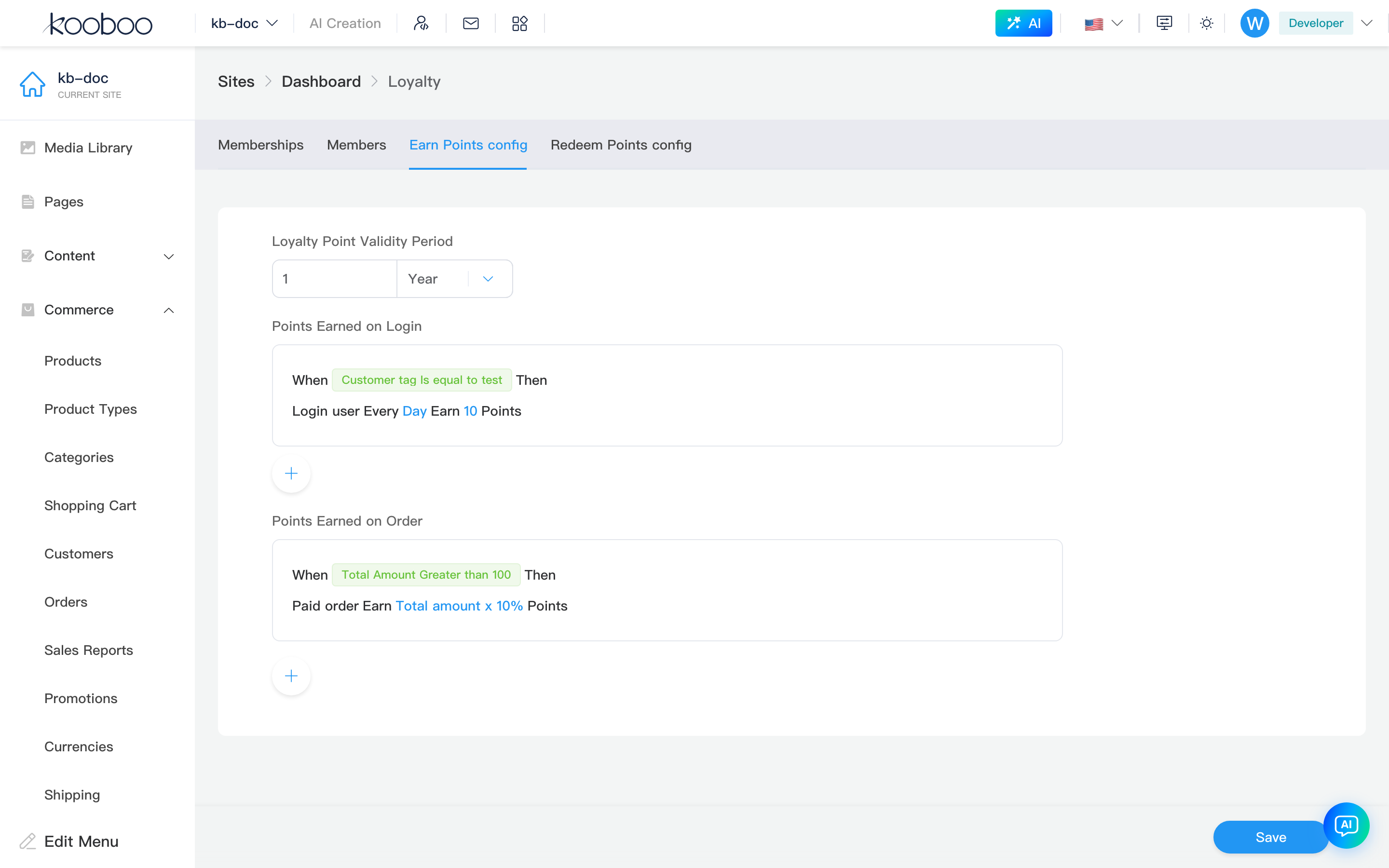
| Section | Description |
|---|---|
| Reward points validity | activeDuration + unit: points valid for this duration from earn date |
| Login earn rules | Multiple rules: fixed points per period (day/week, etc.) + logged-in user conditions; add/delete; click Done after edit |
| Order earn rules | Multiple rules: fixed points or percentage of paid order amount + paid order conditions |
Redeem Points
Configuration written to settings.redeemPoint; bottom Save.
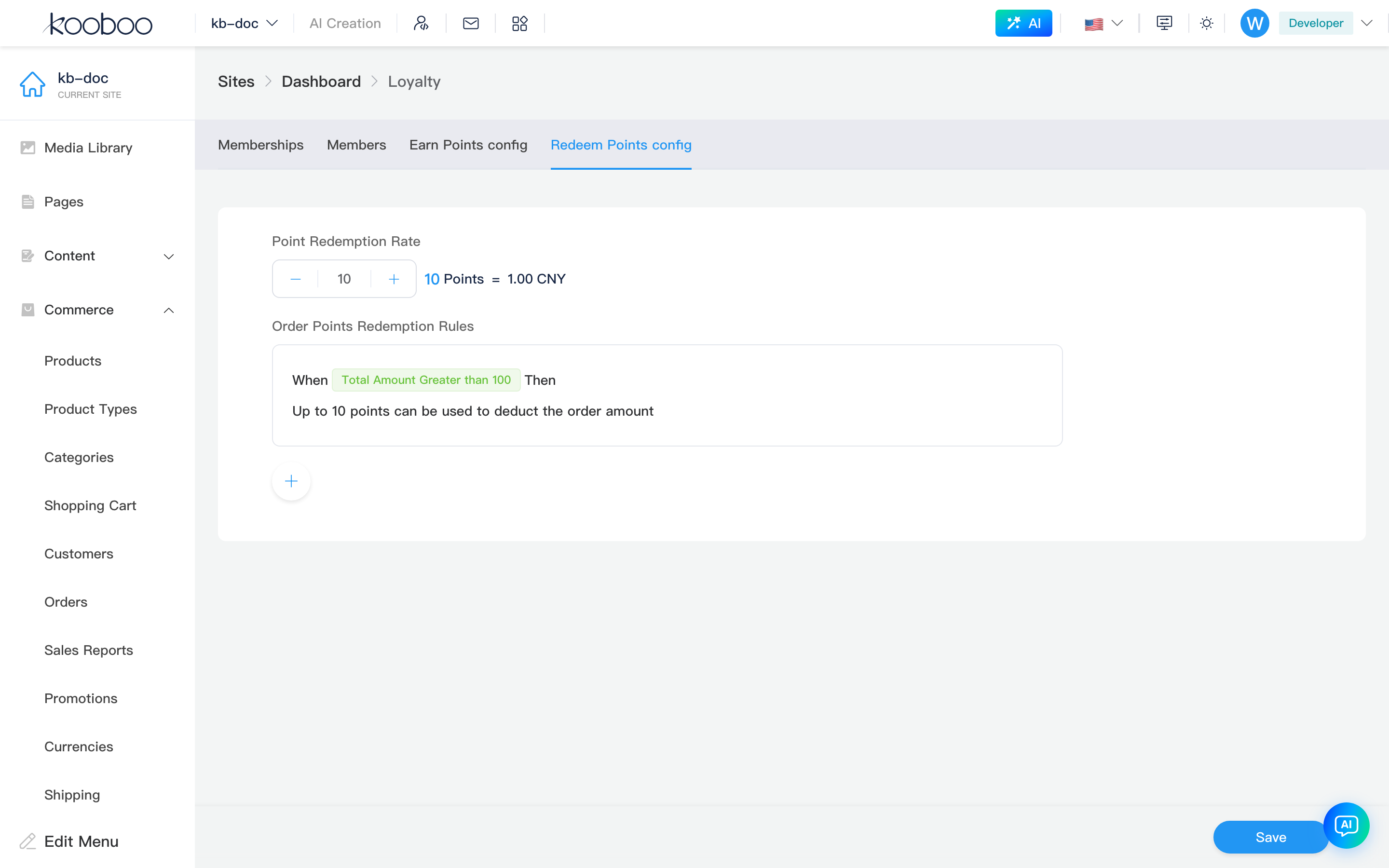
| Section | Description |
|---|---|
| Points to money | exchangeRate: N points = 1 unit default currency (UI example shows 1 currency unit) |
| Points deduction rules | Multiple rules: points deduction at checkout, fixed points or percentage of amount + paid order class conditions |
When cart "Use points" is checked, calculation uses this rate and rules (see points deduction on carts same page).
Related
- Customers — customer profiles; contact card can show membership tag
- Carts, Orders
- k.commerce.loyalty, k.commerce.membership