
Appearance
Key-Value Storage
Menu: Database → Key-Value Storage
Deep link:/_Admin/database/key-value?SiteId={siteGuid}
Key-value storage provides simple site-level key / value pairs: suitable for cache flags, lightweight configuration, temporary state, and other scenarios that do not need a table schema. Values are stored as strings; scripts read and write through k.DB.keyValue (same data source as the admin).
Permissions
List and view: keyValue (view). New and editing values require keyValue·edit; multi-select Delete requires keyValue·delete.
Difference from IndexedDB tables
| Key-value storage | IndexedDB tables | |
|---|---|---|
| Model | Flat key → string value | Multiple columns, types, indexes |
| Admin | Key-value list on this page | IndexedDB tables |
| Script | k.DB.keyValue.set / get | k.DB.indexedDb.{tableName} |
Use IndexedDB tables when you need structured queries or relations; use key-value storage when you only need a few string settings.
How to Open
- In Edit Menu, check Database → Key-Value Storage.
- Open Database → Key-Value Storage in the left sidebar.
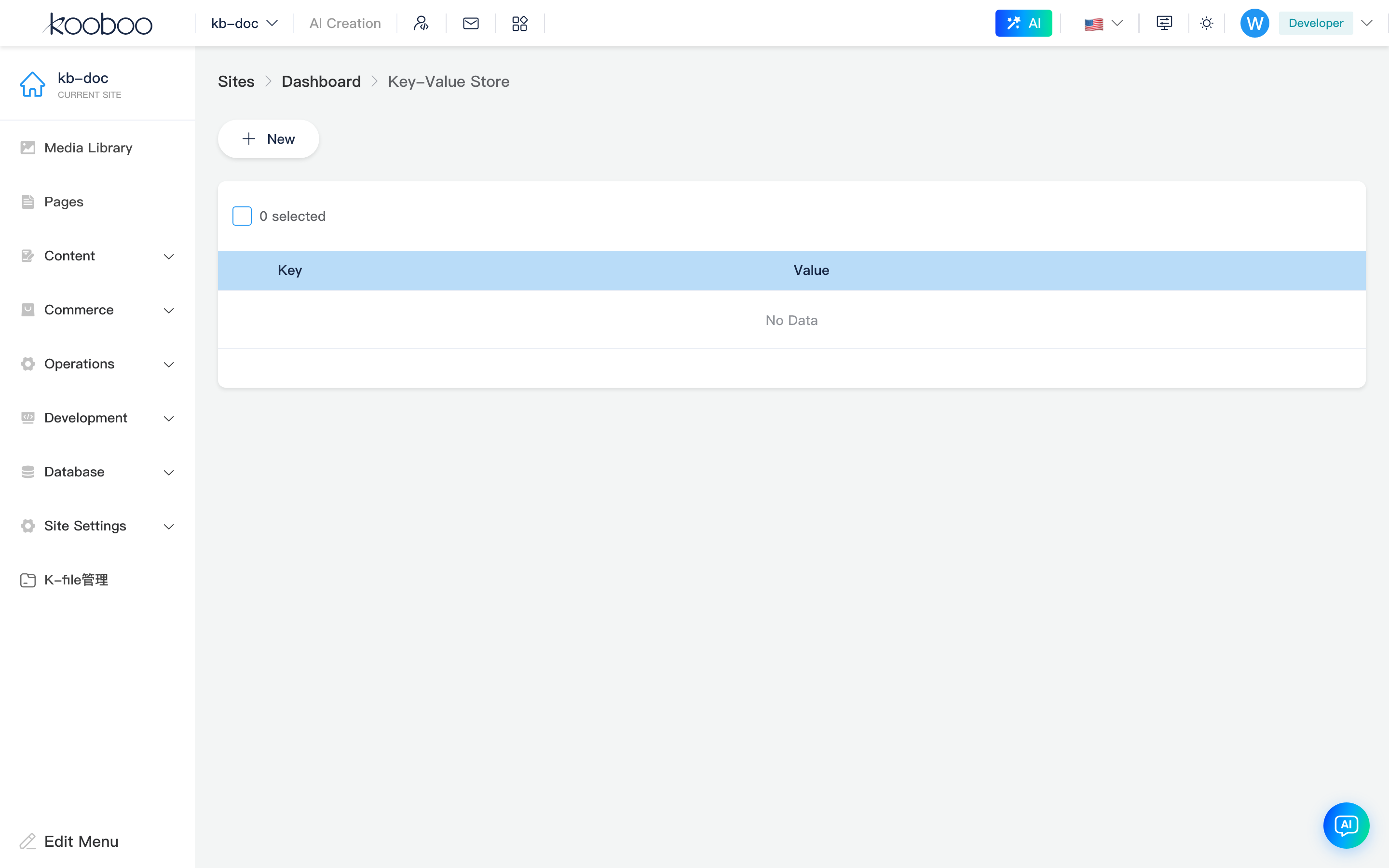
Key-Value List
Toolbar
| Button | Permission | Description |
|---|---|---|
| New | keyValue·edit | Opens the new/edit dialog (empty key) |

List table
| Column | Description |
|---|---|
| Key | Unique identifier; list sorted by key name |
| Value | Currently stored string (summary display in the list) |
| Row Edit | Opens the dialog to change the value (key name cannot be changed) |
Supports multi-select Delete (deletes by key).

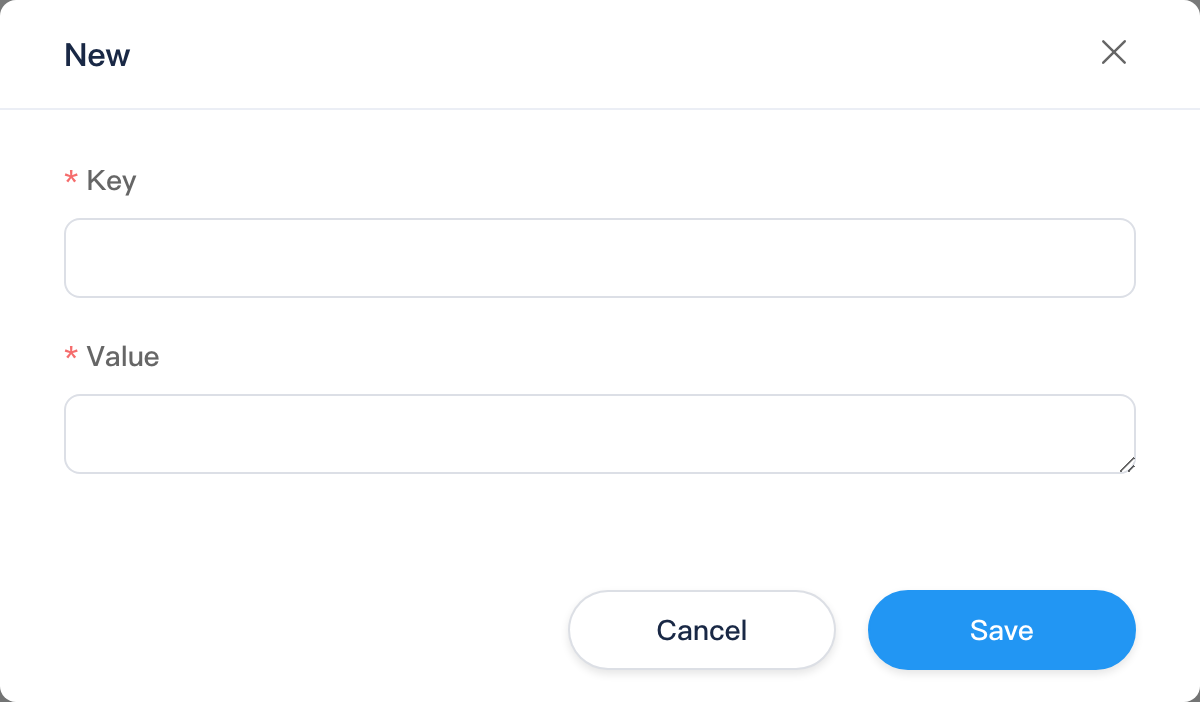
New and Edit Dialog
| Field | Description |
|---|---|
| Key | Required when creating; must start with a letter or digit; unique within the site (prompts if the key is already in use). When editing, the key is disabled; only the value can be changed |
| Value | Required; multiline text. UTF-8 length per value is capped at about 4096 bytes (save fails if exceeded) |
Save calls KeyValue/Update (same endpoint for create and update). The list refreshes after a successful create.
Script access (development)
typescript
k.DB.keyValue.set("lastSync", "2026-05-27T12:00:00Z")
const v = k.DB.keyValue.get("lastSync")
// Or property access (equivalent to get)
const v2 = k.DB.keyValue.lastSync
You can also use top-level k.keyValue (same entry point as k.DB.keyValue). See k.DB.keyValue.
Not Content "Parameter Config"
Site Content → Parameter Config (UserOptions) is a separate structured JSON configuration system, corresponding to k.paramConfig and related APIs. Key-value storage is independent; do not confuse the two menus.
Typical workflow
- New a key-value pair with key name and initial value.
- In Code / scheduled jobs,
get/setto read and write. - Adjust via list Edit or script
setto overwrite. - Multi-select Delete when no longer needed.
Related
| Doc | Description |
|---|---|
| Database overview | Database group |
| k.DB.keyValue | Script API |
| IndexedDB tables | Structured data |
| Parameter config | Structured site parameters (different feature) |