
Appearance
Customers
Menu: Commerce -> Customers
Deep link:/_Admin/commerce/customers?SiteId={siteGuid}
Maintain site customer profiles and shipping addresses for carts and orders association and checkout. Storefront registration/login is handled by k.commerce.customer; see API.
How to Open
- In the Edit menu, enable Commerce -> Customers (and the parent Commerce group).
- Open Commerce -> Customers in the left sidebar.
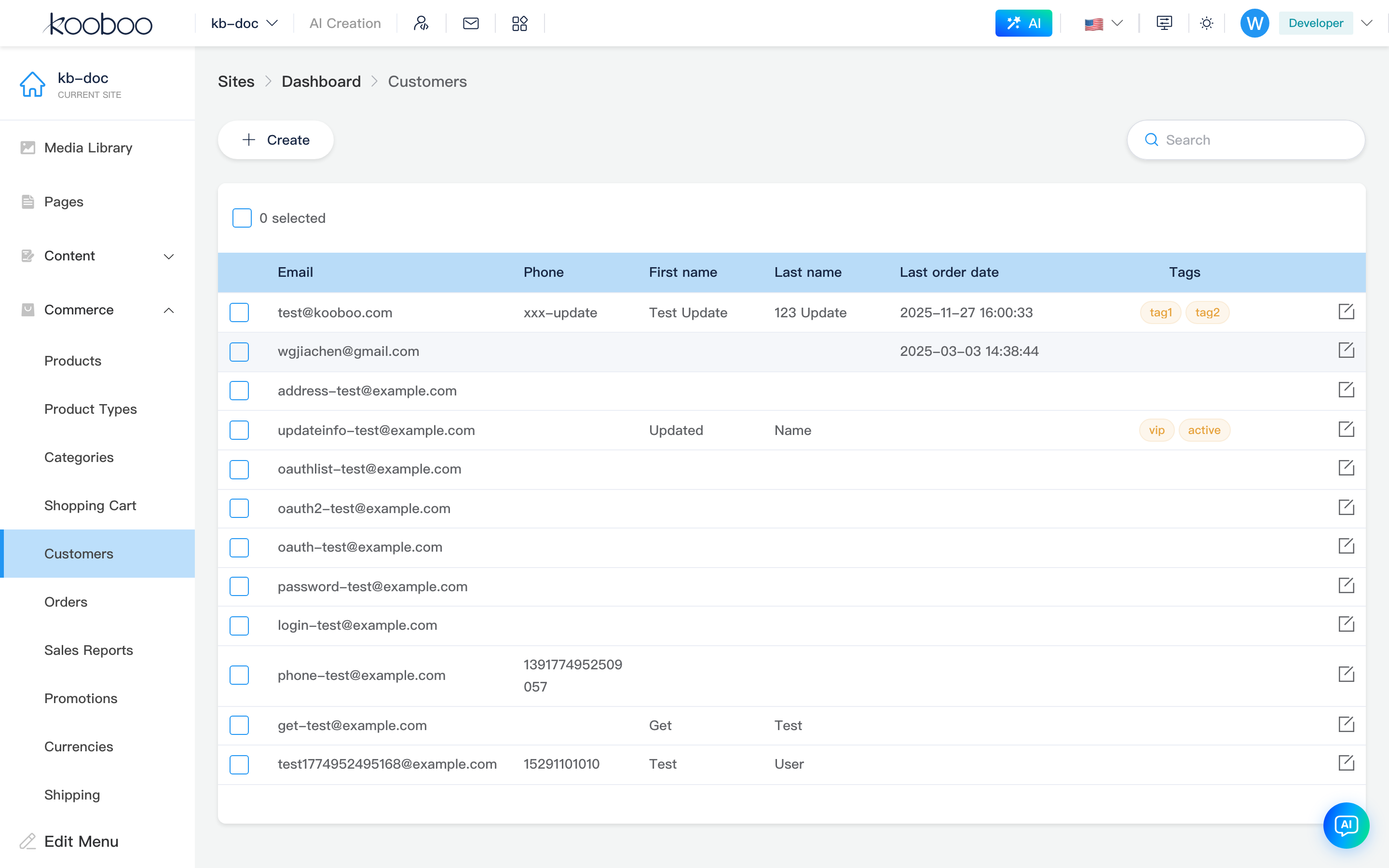
List Page
Path: /_Admin/commerce/customers?SiteId=...
| Column / Action | Description |
|---|---|
| Customer login/contact email | |
| Phone | Contact phone |
| First / Last name | firstName / lastName |
| Last order time | lastPlaceOrderDate; empty when no orders |
| Tags | Customer tags (tag display) |
| Search | Keyword in top-right; press Enter to refresh list |
| Create | Opens Create dialog |
| Edit | Row pencil opens Edit dialog |
| Pagination | 30 rows per page by default |
| Batch delete | Select rows → toolbar Delete → confirm |
Create / Edit Customer Dialog
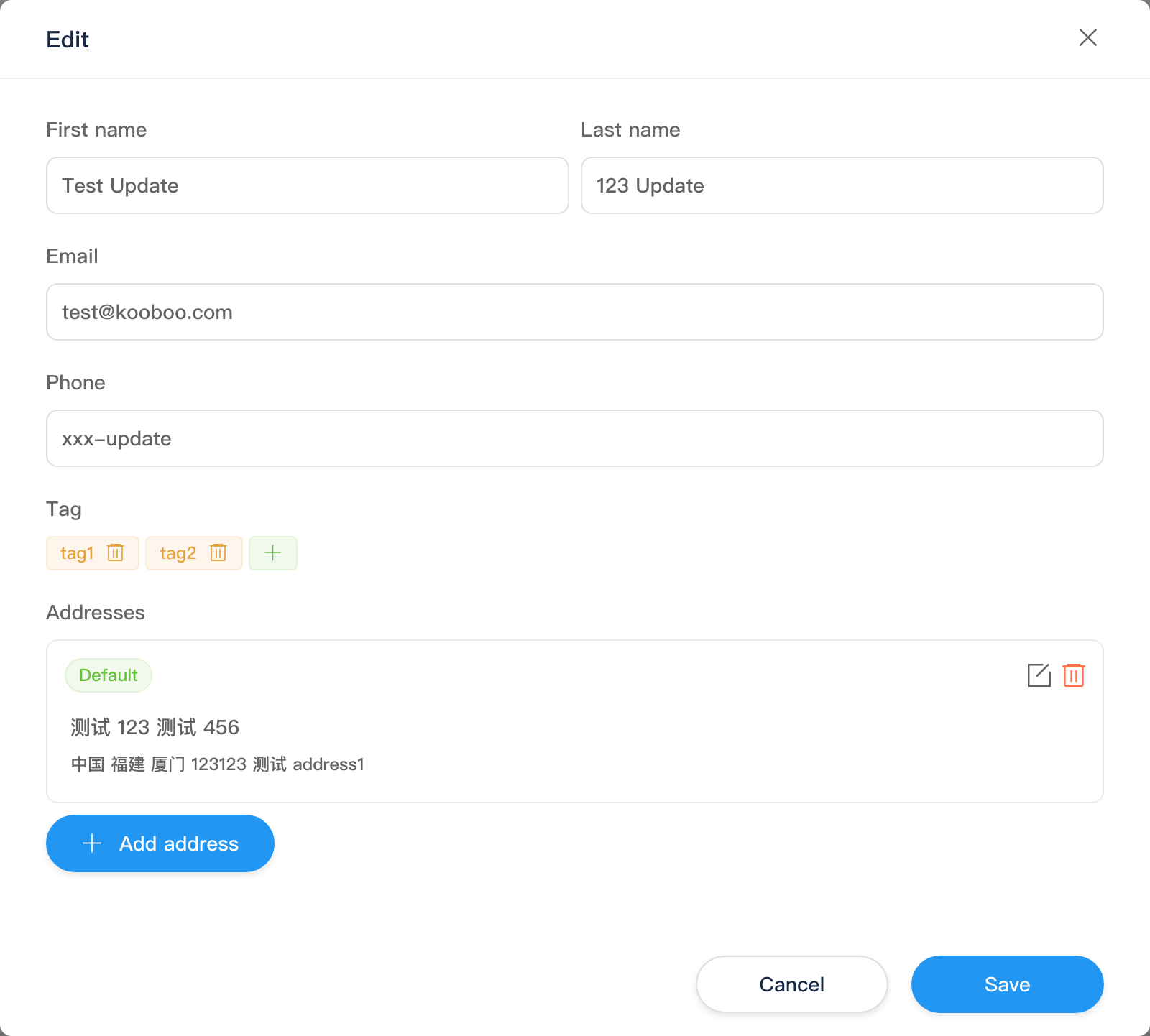
Create and edit share the same form layout (dialog title Create / Edit).
| Field | Description |
|---|---|
| First / Last name | Customer name |
| Contact and login identifier (per site rules) | |
| Phone | Optional |
| Tags | Enter new tags or select existing customer tags; historical tag options can be removed |
| Addresses | See below; multiple addresses can be added when creating |
Confirm Save closes the dialog and refreshes the list; Cancel discards changes.
Addresses (in Dialog)
Lower half of the customer dialog is the Addresses list (AddressesForm); not a separate menu item.
| Action | Description |
|---|---|
| Add address | Opens Add address sub-dialog; on save, appends to list; if set as default, clears default on other addresses |
| Edit | Row pencil modifies that address |
| Delete | Removes address; if no default remains, first address becomes default |
| Set as default | Non-default addresses can click Set as default tag to switch |
Each address card shows: default tag, contact, country/province/city, zip, street (localized region names per site Commerce country data).
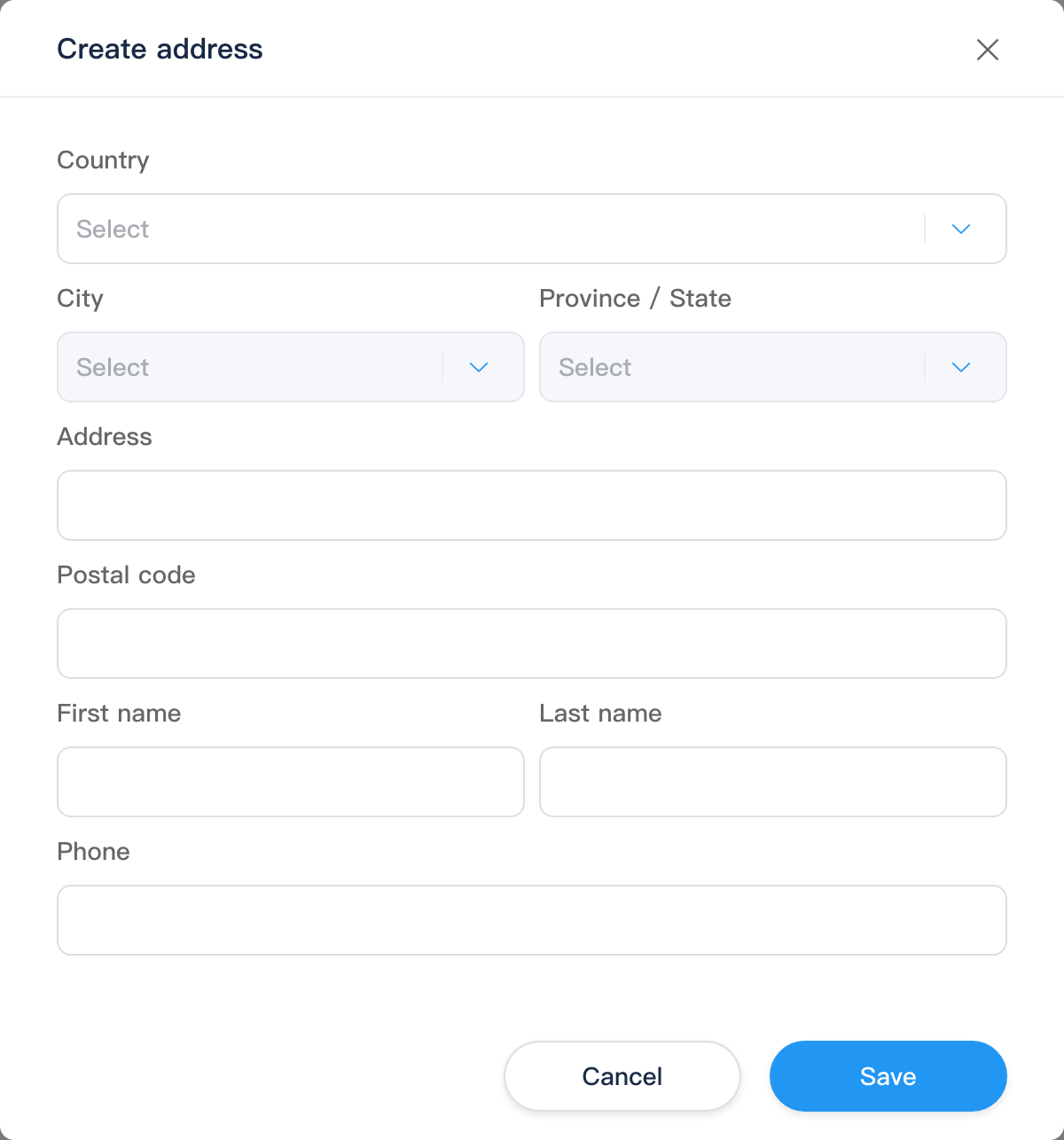
Add / Edit address sub-dialog (AddressForm) common fields:
| Field | Description |
|---|---|
| Country | Dropdown from Commerce country library |
| Province / City | Cascades with country; may be optional or disabled when no hierarchy data |
| Address | Street etc. (address1) |
| Zip | zip |
| First / Last name / Phone | Recipient info for this address |
Saving the customer dialog submits addresses together. Orders snapshot the address at checkout; later customer address changes do not affect historical orders.
Related
- Orders — ordering customer and shipping address snapshot
- Carts — customer association
- Loyalty — points and membership tiers (if enabled)
- k.commerce.customer