
Appearance
Basic · General Tab
Tab: General ·
name=basic
Deep link:/_Admin/system/settings?SiteId={siteGuid}&name=basic
This tab configures public site identity, preview Base URL, HTTPS/SPA behavior, multilingual culture, and import / export of full site packages.
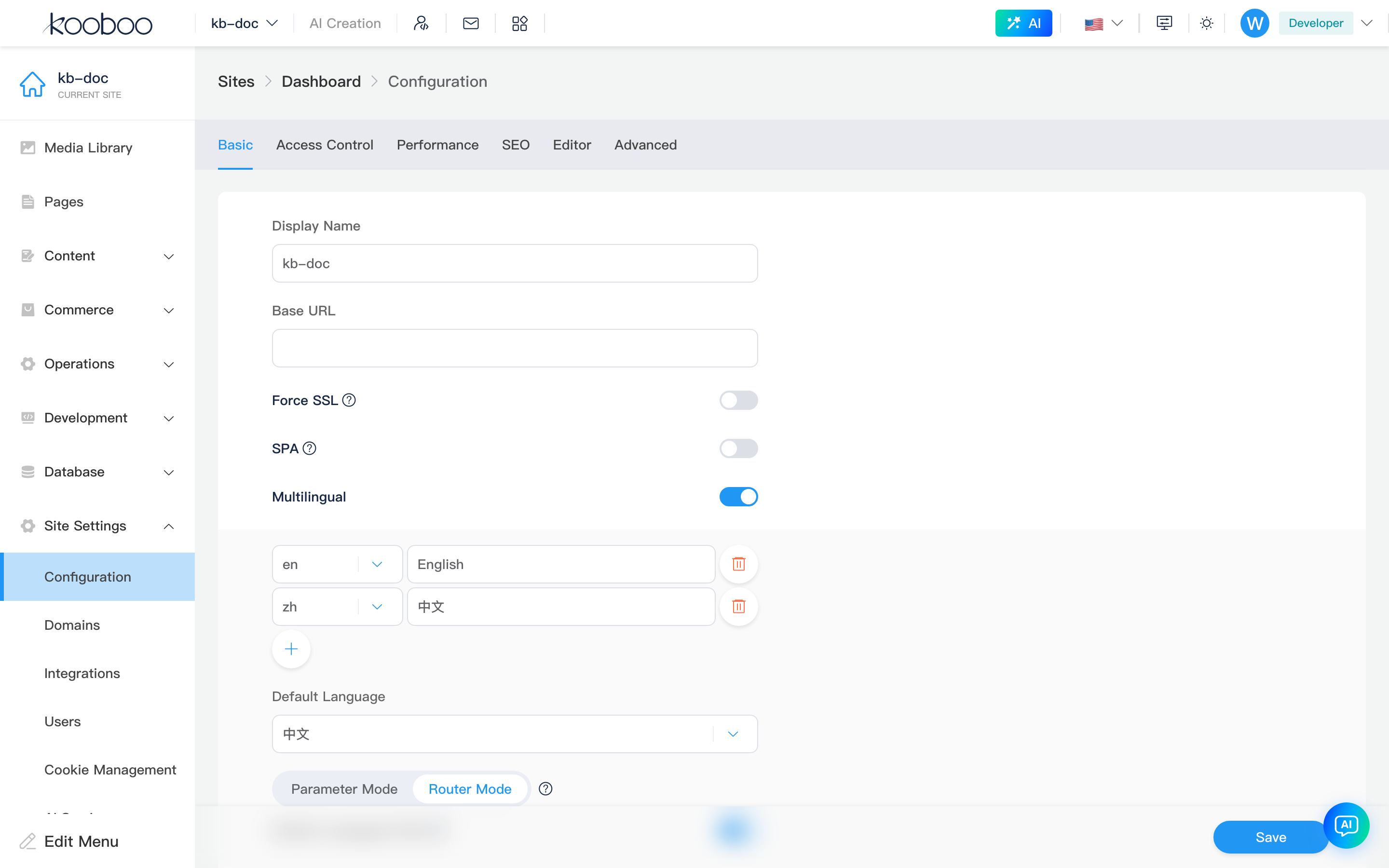
Site Information
| Field | Description |
|---|---|
| Display name | Site name in admin and control panel (displayName) |
| Base URL | Base for preview and absolute links (previewUrl); should match the primary domain in Domains or an alias |
| Force SSL | Redirect HTTP to HTTPS. If CDN/proxy already terminates HTTPS and you see too many redirects, turn this off |
| SPA | 404 redirects to home page for SPA front-end routing |
Multilingual
Enable with the Multilingual panel (enableMultilingual). When disabled on save, cultures collapse to default language only and path-mode options turn off.
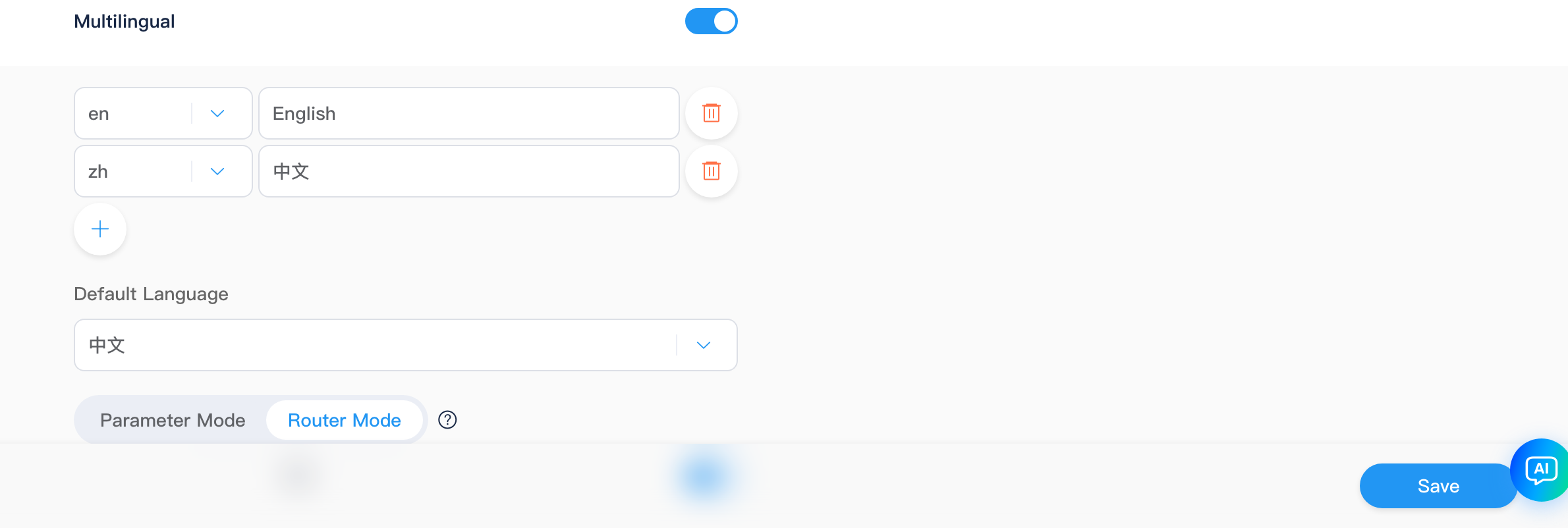
Language List
| Action | Description |
|---|---|
| Add | Pick from built-in cultures or enter custom two-letter code (e.g. en, zh); invalid format shows a warning |
| Display name | Label per language (e.g. “Simplified Chinese”) |
| Delete | Allowed when at least one language remains |
Default Language
Default language lists only current cultures; deleting the default picks the first remaining item.
Path Mode
| Mode | Description |
|---|---|
| Parameter mode | Language via query parameter, etc. (enableSitePath=false) |
| Route mode | Language as URL path prefix (enableSitePath=true) |
In route mode, configure default language prefix: whether default-language URLs include a language prefix.
Other Switches
| Switch | Description |
|---|---|
| Auto-detect language | Pick culture from visitor Accept-Language, etc. |
| HrefLang | Emit hreflang links for search engines |
Distinction from SPA multilingual
This page configures Kooboo site culture (page/content multilingual and URL rules). Development -> SPA multilingual manages front-end SPA language JSON—different data sources; do not mix them.
Scripts and templates often use k.label per culture.
Import / Export Site Package
| Button | Permission | Description |
|---|---|---|
| Import package | site·edit | Upload Kooboo site package (extension per product importAccept); merges into current site |
| Export site | site·export | Export dialog, then download site package |
After import, the page reloads site config. Export differs from Operations sync push/pull.