
Appearance
Request Hooks
Menu: Settings -> Request Hooks (advanced menu)
List:/_Admin/system/front-events?SiteId={siteGuid}
Edit:/_Admin/system/front-events/edit?SiteId={siteGuid}&name={eventName}&display={displayName}
Request Hooks run KScript rules at fixed points in the visitor HTTP request lifecycle (before/after route, page, view resolution) for URL rewrite, conditional redirects, dynamic page/view replacement, etc. Maps to BusinessRule + FrontEvent; requires site enableFrontEvents on.
Permissions
| Action | Permission |
|---|---|
| View hook list and edit page | frontEvents |
| New Hook, edit rules, Save, list Hook switch | frontEvents·edit |
| Multi-select Delete all rules for an event | List delete (removes all rules for that event type) |
Master switch
Besides Hook On on this page, Request Hooks (enableFrontEvents) in Basic Settings · Advanced must be on; either off disables all request hooks.
Distinction from Action Hooks
| Request Hooks (this page) | Action Hooks | |
|---|---|---|
| When they run | Front-end HTTP requests (Route / Page / View) | Backend save, delete, etc. on resources |
| Path | /system/front-events | /system/backend-events |
| Master switch | enableFrontEvents | enableBackendEvents |
How to Open
- In Edit Menu, enable Settings -> Request Hooks.
- Open Settings -> Request Hooks in the left sidebar.
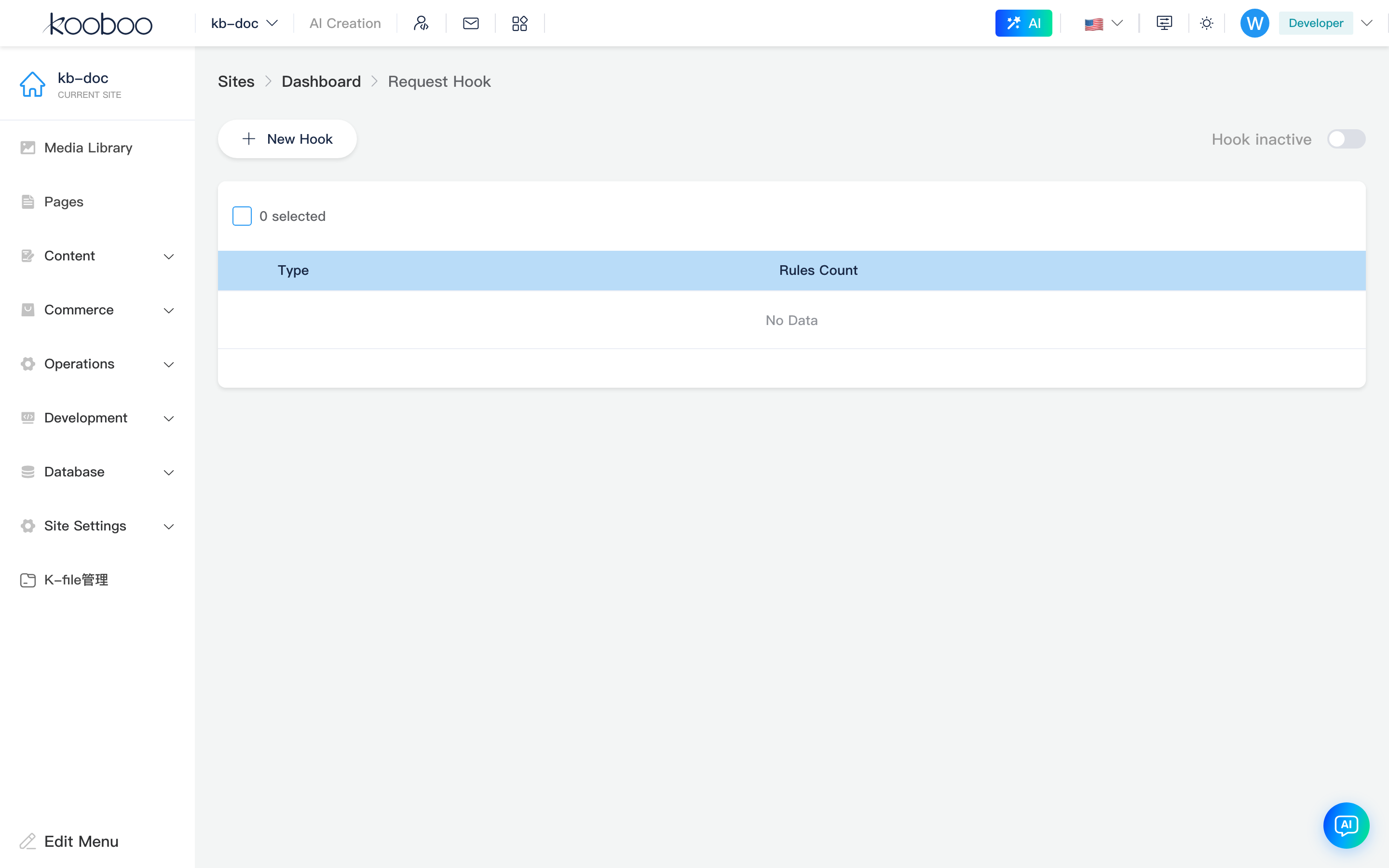
Toolbar
| Control | Description |
|---|---|
| New Hook | Opens hook type picker (configured event types hidden) |
| Hook On / Off | enableFrontEvents; toggling saves site immediately (saveSite) |
| Status text | On: “Hook On” (blue); off: gray “Hook Off” |

Hook List
| Column | Description |
|---|---|
| Type | Localized event name (e.g. RouteFinding; wording per login language) |
| Rule count | Saved rules for that event |
| Edit | Opens rule edit page |
Multi-select Delete removes all rules for selected events (BusinessRule/DeleteEvents), not single rules.

New Hook
Click New Hook for Hook list grouped by category (Route / View / Page); click a type to open edit page (row may appear only after save).
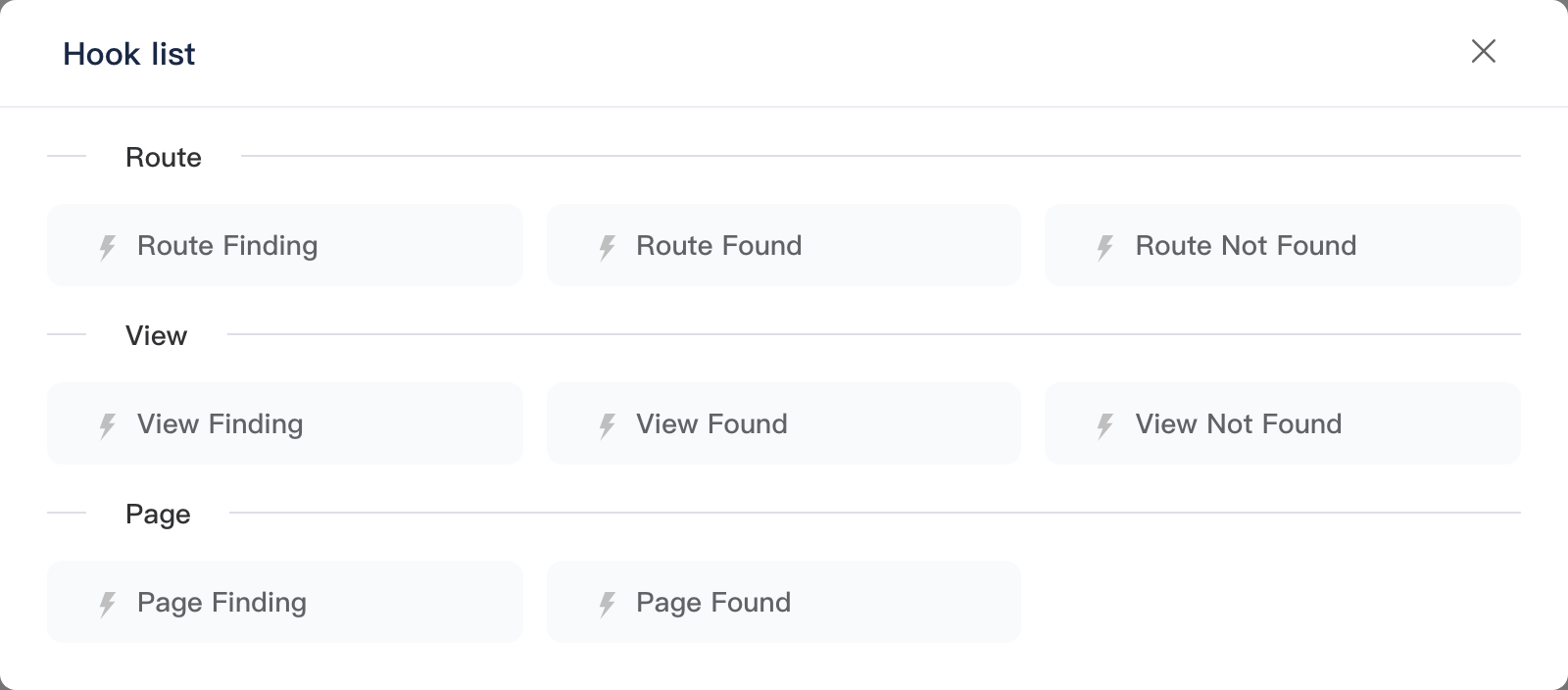
Available Event Types
| Category | Event name (name) | Typical timing |
|---|---|---|
| Route | RouteFinding | Before route resolution (can change k.event.url, etc.) |
RouteFound | Route matched | |
RouteNotFound | No route match | |
| View | ViewFinding | Before view lookup |
ViewFound | View found | |
ViewNotFound | View not found | |
| Page | PageFinding | Before page lookup |
PageFound | Page found |
Display names localized via Hardcoded; use BusinessRule/EventList as source of truth.
Rule Edit Page
Breadcrumb: Request Hooks -> {event display name}. No sidebar item; deep link needs name (required) and display (breadcrumb).
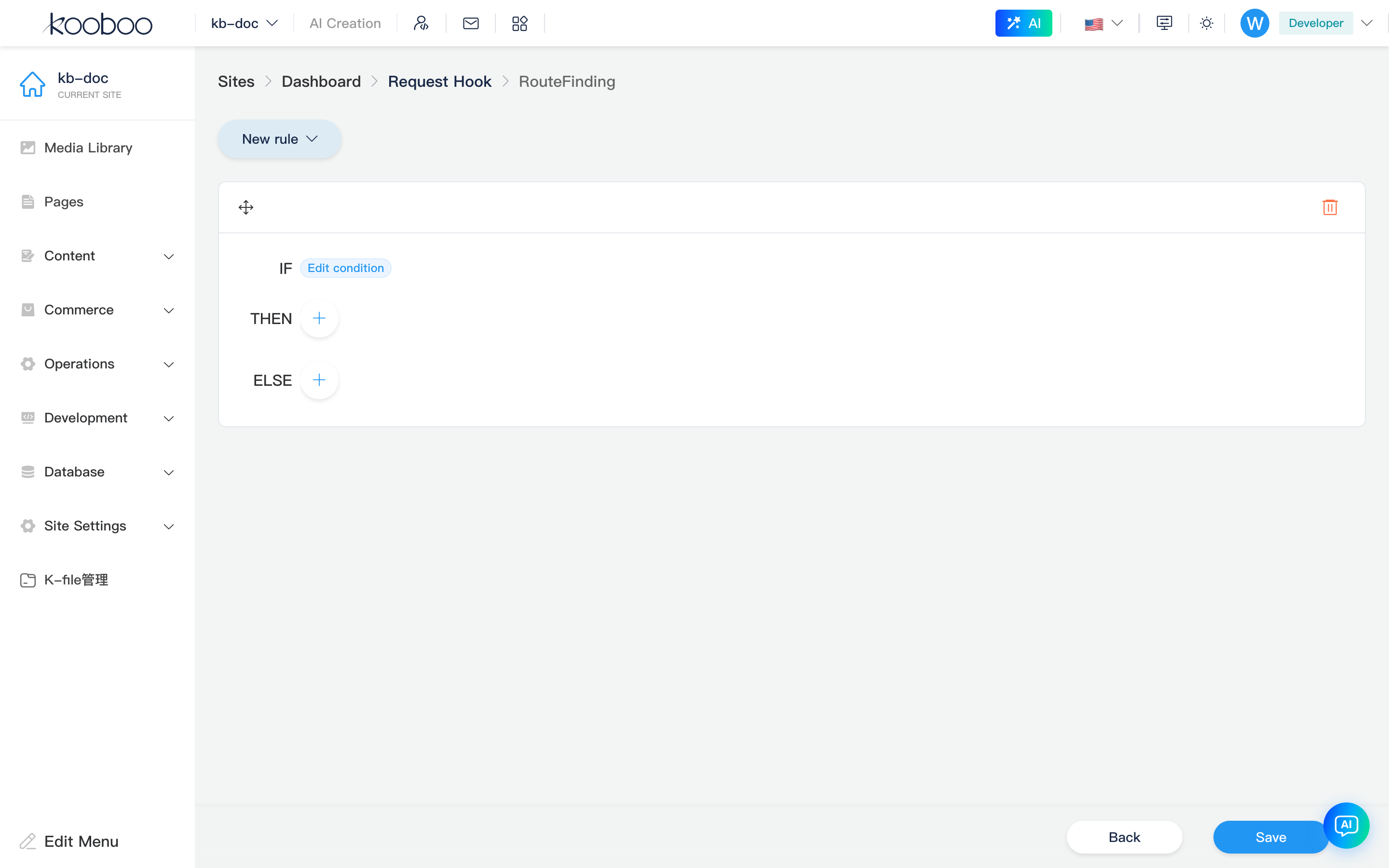
New Rule
New Rule dropdown:
| Type | Value | Structure |
|---|---|---|
| IF-ELSE-THEN | IF-ELSE-THEN | IF + THEN / ELSE (nested rules) |
| DO | DO | One or more Code blocks in sequence |
Default on empty edit page: one IF-ELSE-THEN rule.
Rule Cards
- Drag handle on title bar for execution order within the event.
- Delete on title bar removes the whole rule.
IF-ELSE-THEN
| Area | Description |
|---|---|
| IF | Opens condition editor; conditions shown with && |
| THEN / ELSE | Nested rules; add IF-ELSE-THEN or DO |
DO
Code snippet summaries; + add, pencil edit. Monaco KScript (language: typescript, KScript mode).
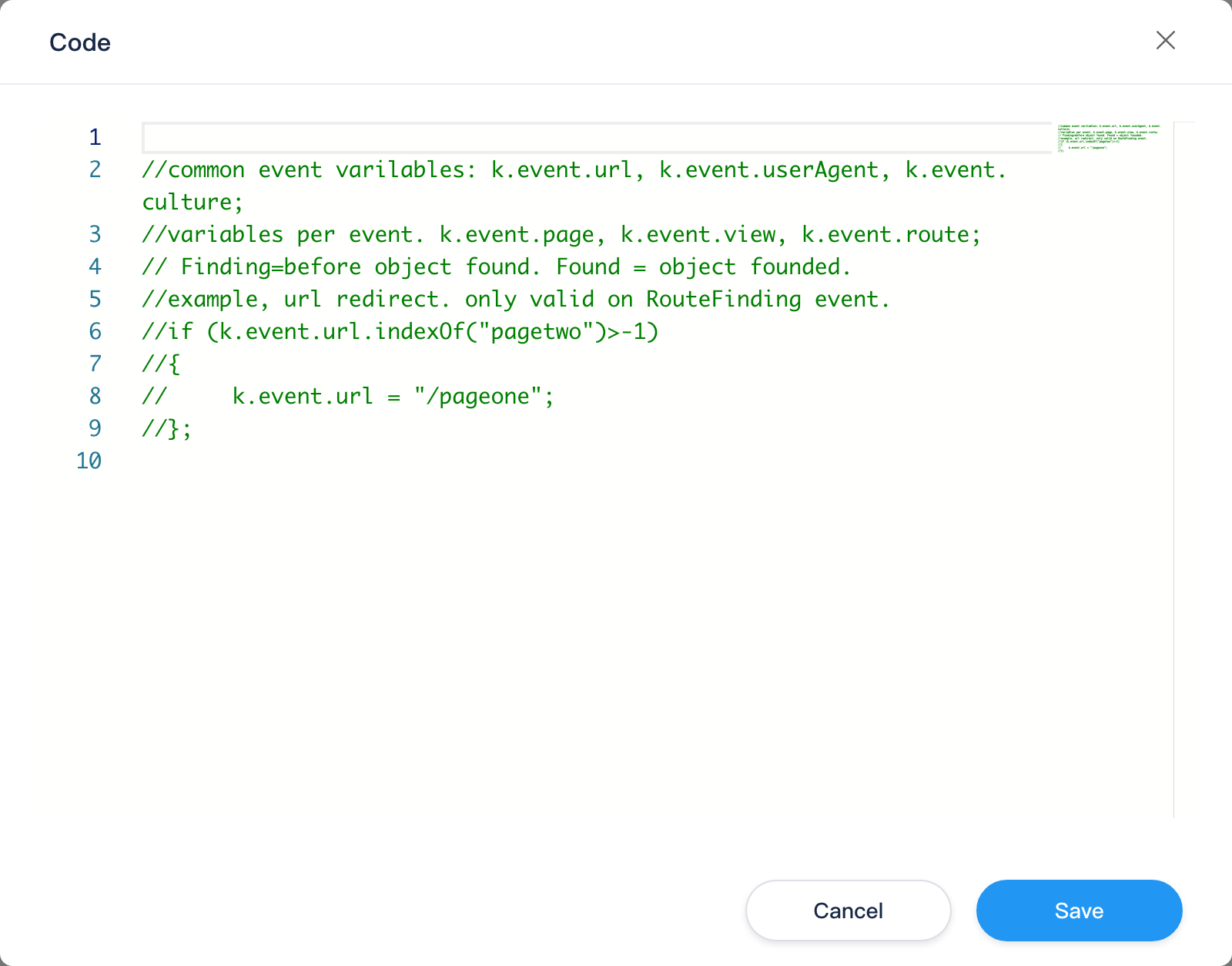
Example variables in editor comments (vary by event):
- Common:
k.event.url,k.event.userAgent,k.event.culture - Route:
k.event.page,k.event.view,k.event.route
Example in RouteFinding: rewrite URL: k.event.url = "/pageone" (valid only in that event).
Edit Conditions
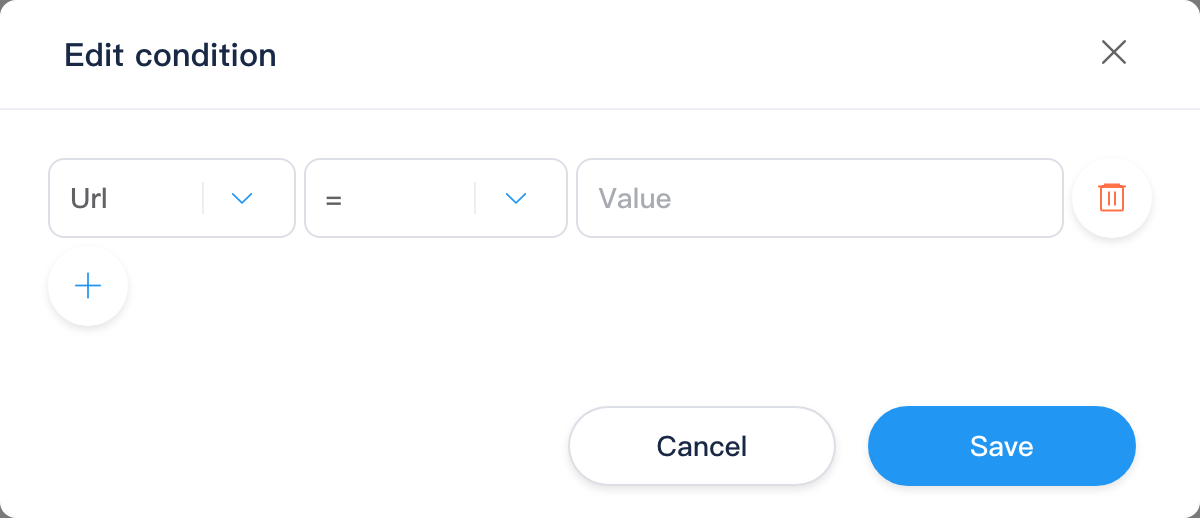
| Column | Description |
|---|---|
| Left value | Fields for current event (BusinessRule/ConditionOption) |
| Operator | Varies (e.g. ==, contains) |
| Right value | Constant or expression fragment |
+ adds rows; confirm writes rule if array. Runtime: ConditionManager.Evaluate.
Save and Leave
Bottom KBottomBar: Back to list; Save calls BusinessRule/post (eventName + rules). Unsaved changes prompt (useSaveTip).
Execution Order (Concept)
- Site
enableFrontEventsis true. - Request enters FrontEvent (e.g.
RouteFinding). - Rules run in list order; IF-ELSE-THEN then DO as described.
Execution is handled by the site's front-end request hook engine, in the order configured on this page.
Typical Workflow
- Confirm Advanced tab and Hook On here.
- New Hook → e.g. RouteFinding.
- Add IF-ELSE-THEN or DO, conditions and Code.
- Save, verify on front end with target URL.
- Collaborative export: BusinessRule in site package.
Related
| Doc | Description |
|---|---|
| Settings overview | Menu and sub-routes |
| Basic Settings · Advanced | enableFrontEvents |
| Action Hooks | Backend operation events |
| Development -> Code | KScript code resources |