
Appearance
Currencies
Menu: Commerce -> Currencies
Deep link:/_Admin/commerce/currencies?SiteId={siteGuid}
Configure the site default currency and additional currencies with exchange rates relative to the default, for multi-currency display and conversion. Carts / orders can switch trial currency when multiple currencies are enabled; product and shipping amounts are based on the default currency, with other currencies converted by rate. Data is stored in Commerce settings (currencyCode, currencySymbol, currencies[]), alongside other global items in settings; default currency is maintained on this page.
How to Open
- In the Edit menu, enable Commerce -> Currencies (and the parent Commerce group).
- Open Commerce -> Currencies in the left sidebar.
List Page
Path: /_Admin/commerce/currencies?SiteId=...
Default Currency
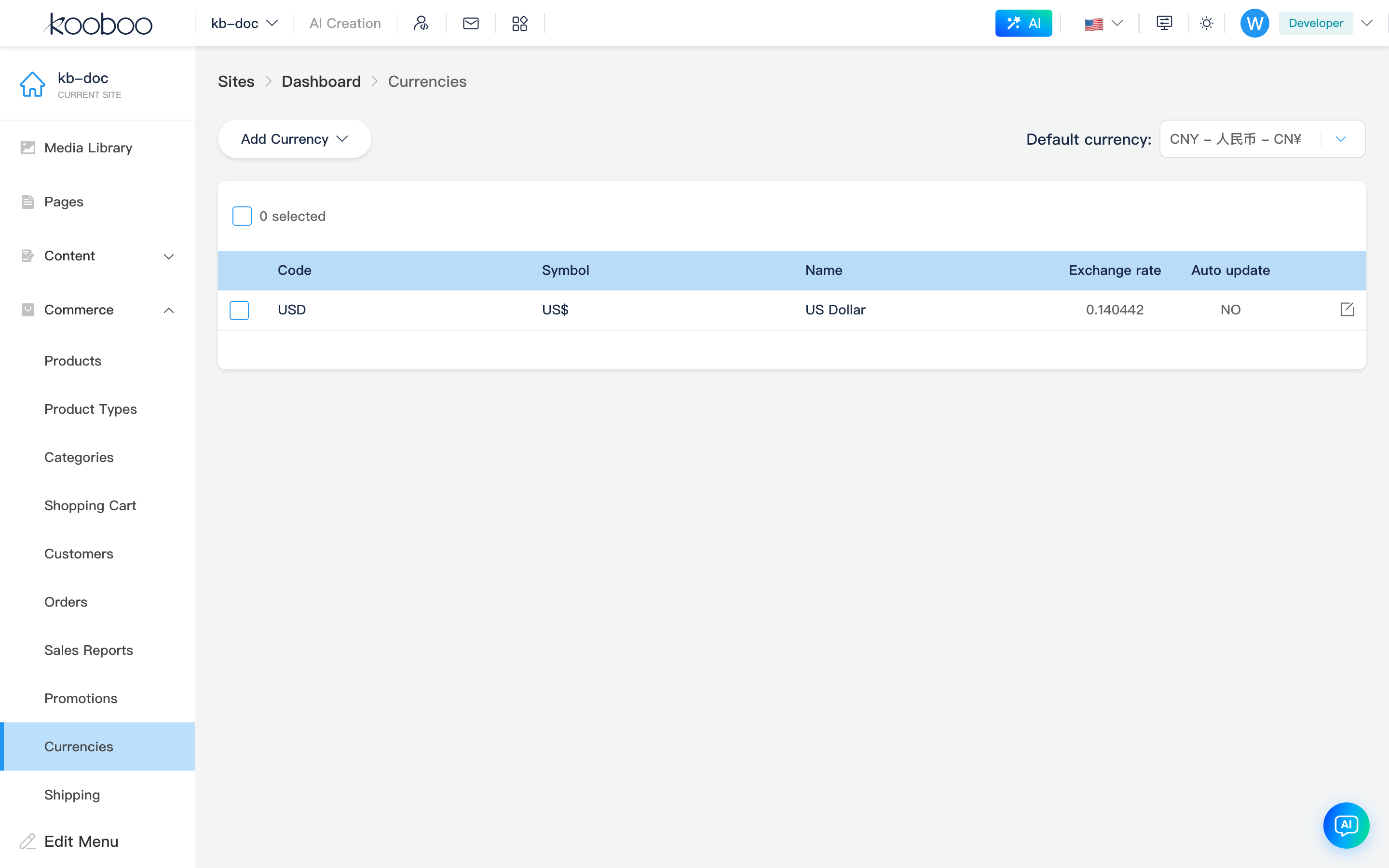
Top-right Default currency dropdown: select currencyCode from the system currency library (options like USD - US Dollar - $). When switching with additional currencies configured, a confirmation appears; on confirm, all additional currencies are cleared, default symbol updates, then settings is saved.
Switching default currency
Changing the default currency removes all currently configured additional currencies; you must re-add them and set exchange rates. Confirm impact on historical order display and storefront multi-currency before proceeding.
Table and Actions
| Column / Action | Description |
|---|---|
| Code | ISO-style currency code, e.g. USD, CNY |
| Symbol | Display symbol |
| Name | Localized name (nameNative) |
| Exchange rate | exchangeRate relative to default currency; list shows 6 decimal places |
| Auto update | Whether to pull latest rate from server (autoUpdate) |
| Add currency | Dropdown: currencies not yet added and not the default; on select, fetches getRate(default, target) as initial rate and opens edit dialog |
| Edit | Row pencil; change rate and auto update |
| Batch delete | Select additional currency rows → Delete → remove from settings.currencies and save (default currency row cannot be deleted) |
Add / Edit Currency Dialog
Opened from Add currency or row Edit (in-page dialog, no separate route).
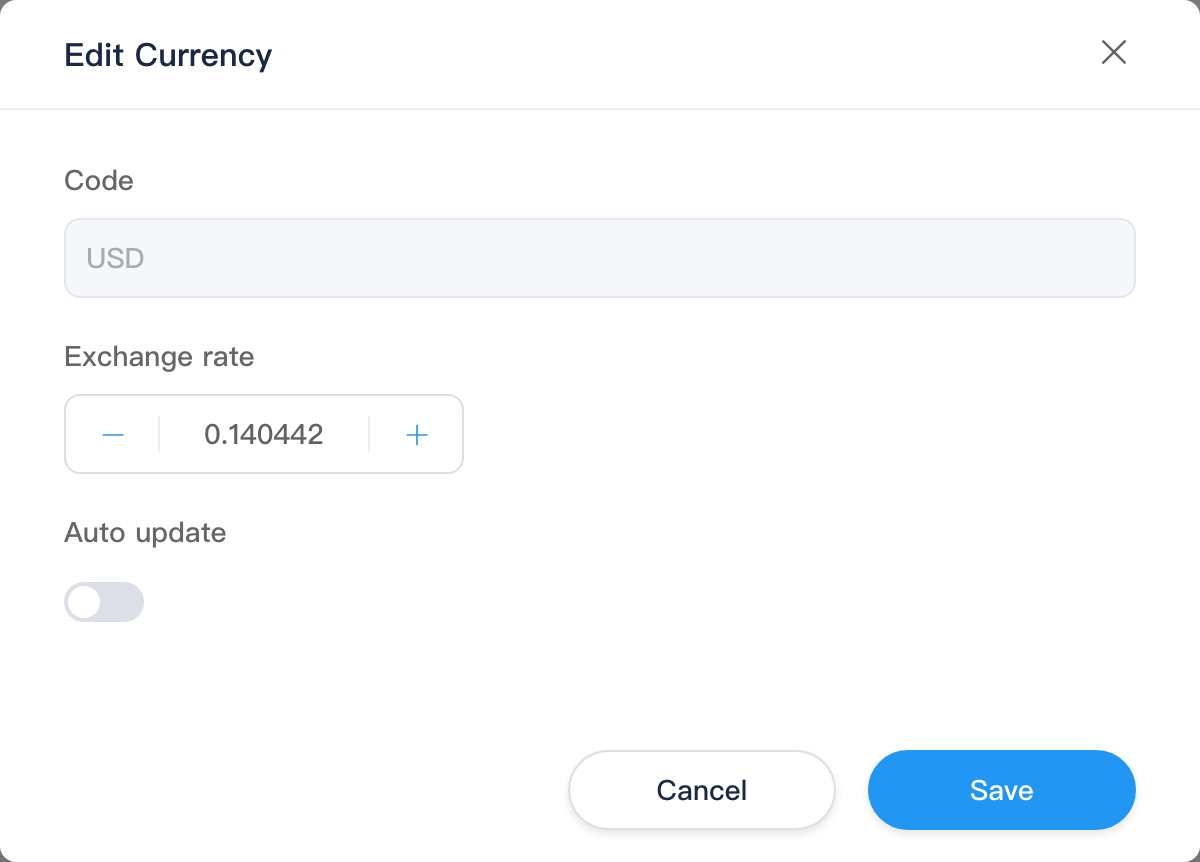
| Field | Description |
|---|---|
| Code | Read-only; matches selected currency |
| Exchange rate | Number, 6 decimal places, minimum 0.000001; disabled when Auto update is on |
| Auto update | When enabled, system periodically updates rate from default currency (saved to settings.currencies) |
Confirm Save writes site settings and refreshes the list; Cancel closes the dialog.
Relationship with Other Modules
| Module | Description |
|---|---|
| Carts / Orders | When additional currencies exist, create/edit/checkout pages may show currency switcher; trial uses corresponding exchangeRate |
| Shipping | Base shipping fee suffix uses current default currencyCode |
| Settings | Weight unit, payment methods, custom fields, etc.; default currency is maintained on this page |
Script API: k.commerce.currency.