
Appearance
Notification
Menu: Commerce -> Notification
Deep link:/_Admin/commerce/notification?SiteId={siteGuid}
Configure commerce email notifications and webhooks: send email or callback external URLs on events such as order created, payment succeeded. Settings stored in Commerce settings. Bottom Save writes to site (saveSettings); after save, Monaco script cache refreshes (email template editor IntelliSense).
How to Open
- In the Edit menu, enable Commerce -> Notification (and the parent Commerce group).
- Open Commerce -> Notification in the left sidebar.
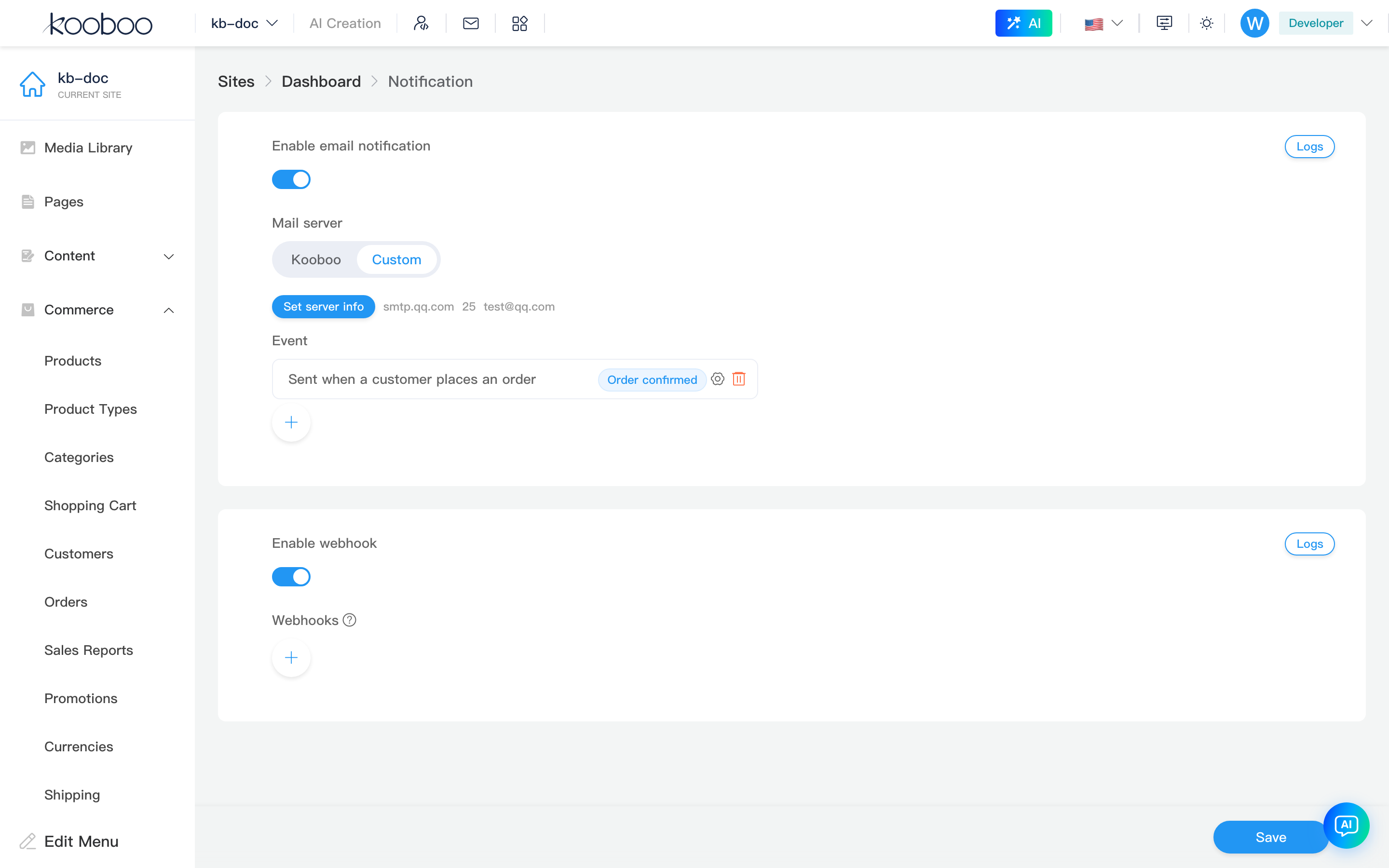
Email Notification
Toggle and Delivery Method
| Item | Description |
|---|---|
| Enable email notification | enableEmailNotification master switch |
| Mail server | Kooboo: platform mail address; Custom: self-hosted SMTP |
| Kooboo sender address | Dropdown of site mail addresses (wildcard addresses excluded) |
| Custom SMTP | Click Set server info to open SMTP settings dialog; after save shows server/port/account summary |
| Events | Configured email rule list; see below |
| Logs | Card top-right Logs → email log dialog |
Email Event Rules
Each list item shows: event description, event tag (display), Settings (edit), Delete.
Click round + or row Settings to open email notification dialog:
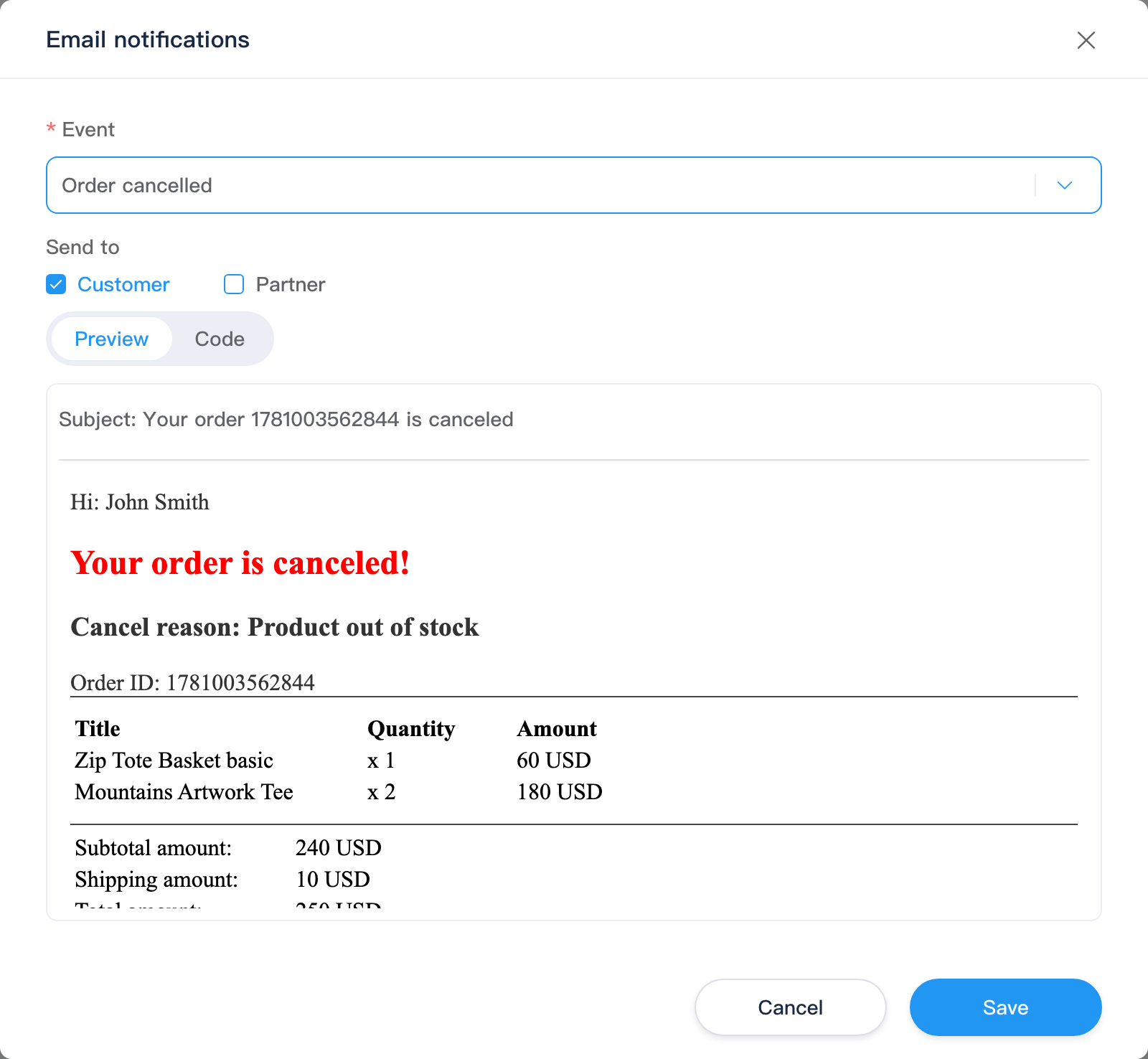
| Field | Description |
|---|---|
| Event | Dropdown from getEmailEvents() (e.g. order-related events) |
| Send to | Customer (sendToCustomer); Partners can enter multiple emails (SelectInput) |
| Preview / Code | After selecting event: Preview calls emailPreview for subject/body; Code edits subjectTemplate, bodyTemplate (Monaco HTML + KScript) |
| Switch event | Auto-loads default subject/body templates for that event |
On confirm, writes to settings.emailNotifications list; must click page bottom Save to take effect.
SMTP Settings Dialog
Set server info appears only for Custom mail server.
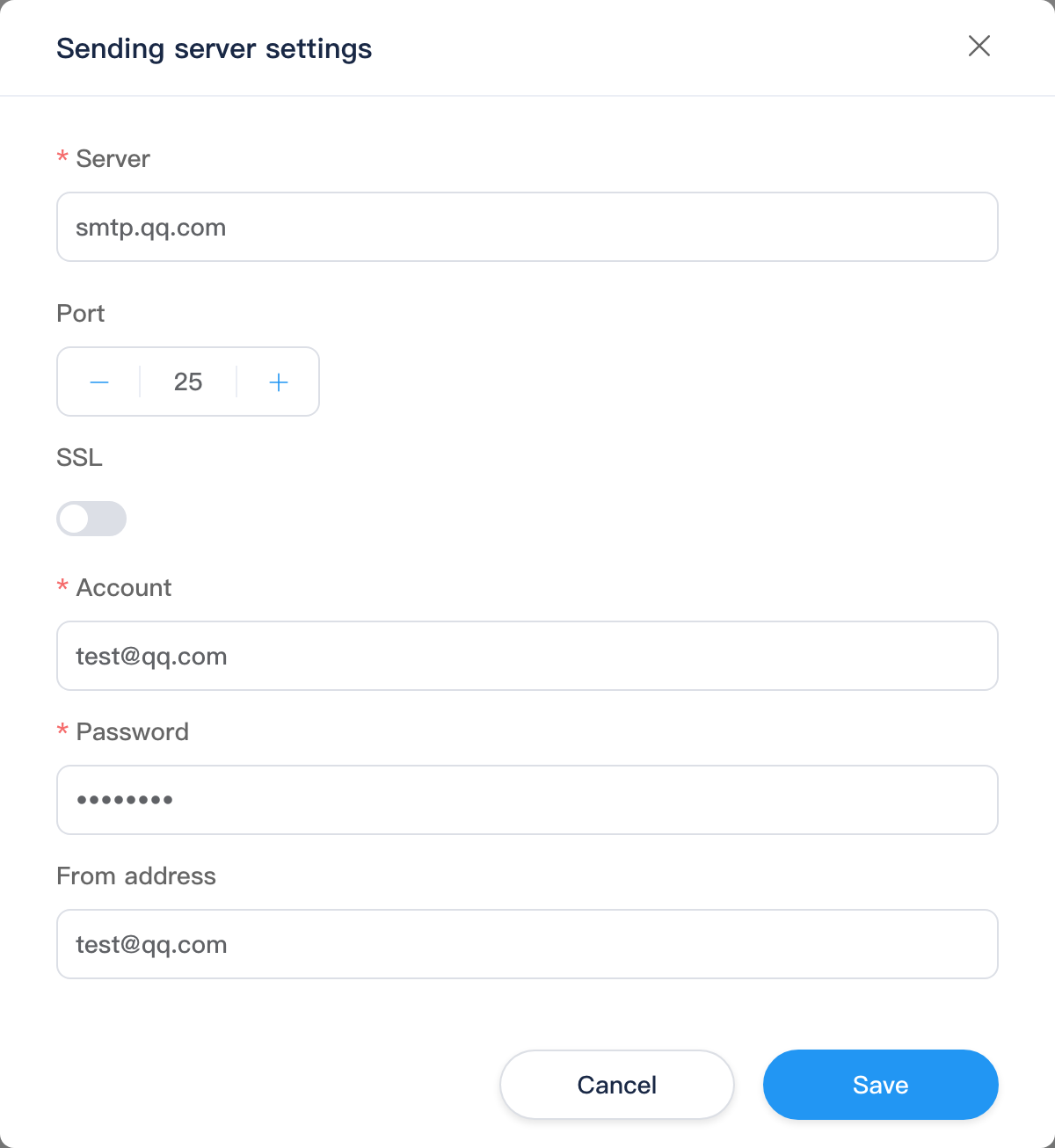
| Field | Description |
|---|---|
| Server | SMTP host |
| Port | Number |
| SSL | Toggle |
| Account / Password | Login credentials |
| Sender address | from |
Save updates settings.customMailServer (still requires page bottom Save).
Email Log Dialog
| Column | Description |
|---|---|
| Recipient address | |
| Event | Trigger event name |
| Content | Subject; click to expand details |
| Time | Send time |
| Status | Success/failure; hover for error on failure |

Webhook
Toggle and Configuration
| Item | Description |
|---|---|
| Enable Webhook | enableWebhook |
| Webhooks | Rule list; ? next to tag shows webhookSecret and signature verification: SHA256Hash(request.body+secret) == request.header["X-Kooboo-Hmac-SHA256"] |
| Logs | Card top-right Logs → Webhook log dialog |
Click + or row Settings to open Webhook dialog:
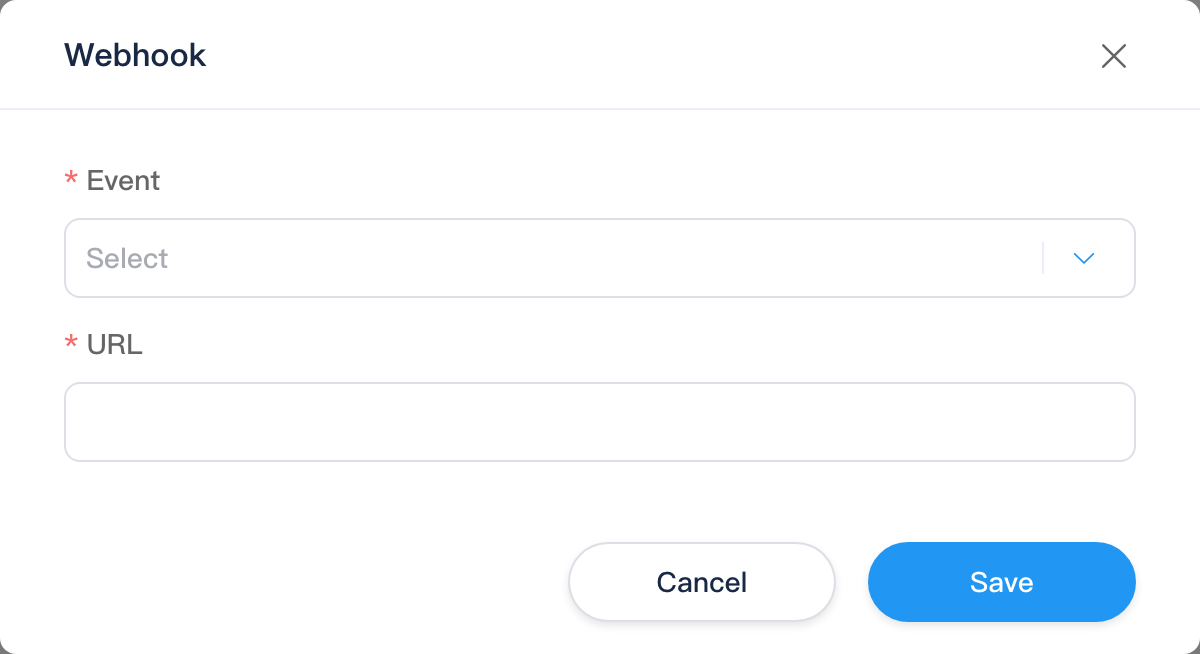
| Field | Description |
|---|---|
| Event | Event from getWebhookEvents() |
| URL | Callback address; must pass URL validation |
Webhook Log Dialog
| Column | Description |
|---|---|
| URL | Callback URL (row.address) |
| Event | Trigger event name (row.event; matches configured webhook event) |
| Content | Request body summary; click for full content (JsonTree) |
| Time | Call time |
| Status | Success/failure; hover for error on failure |
