
Appearance
Dashboard
Menu: top-left Home after entering a site
Deep link:/_Admin/site?SiteId={siteGuid}
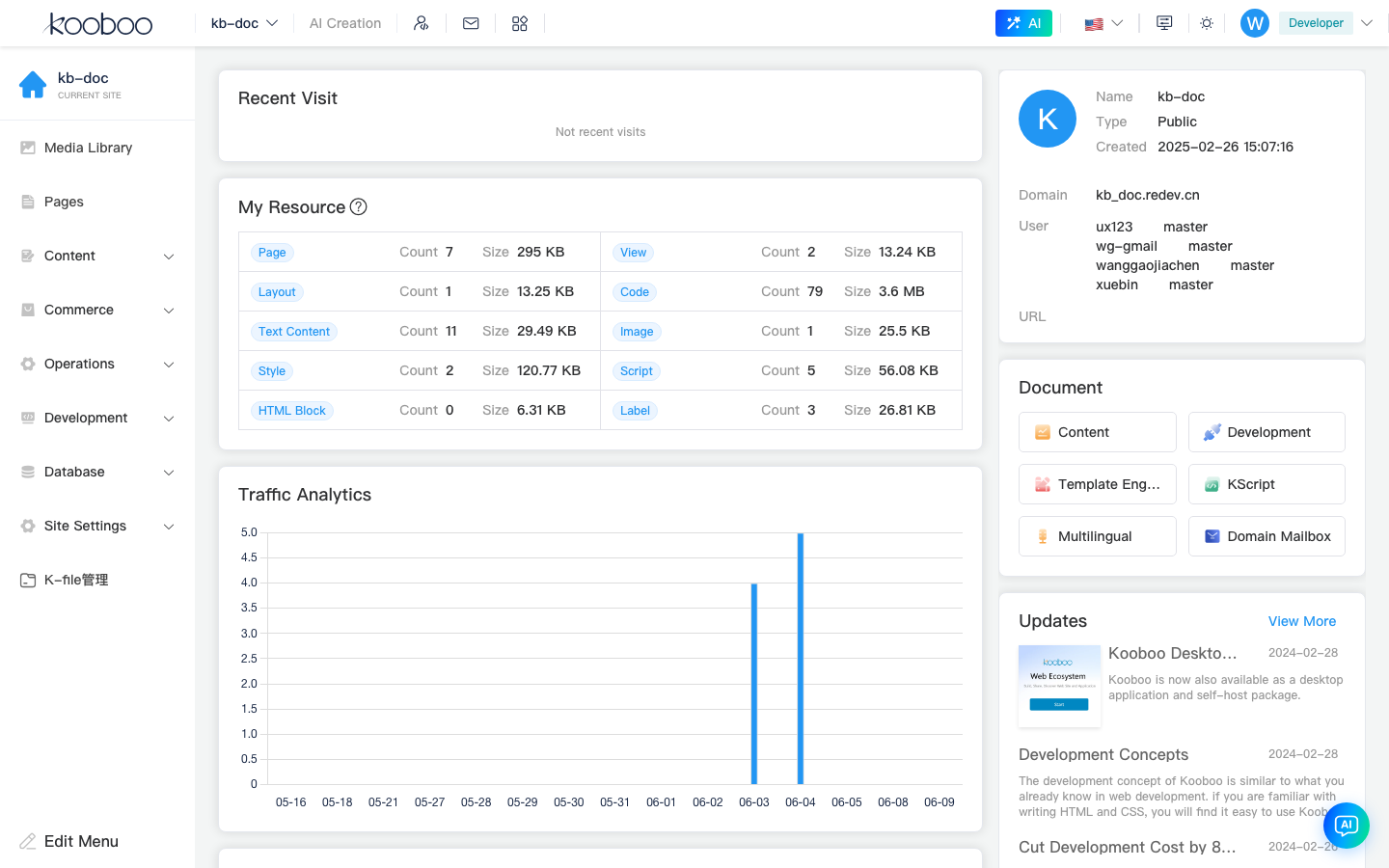
The dashboard is the default landing page inside a site admin. It gives you a quick overview of site resources, traffic, and recent work, and links you into the most common CMS areas.
Prerequisite
You should already have completed Login and site list and entered a site.
Open the page
- In My Sites, click Manage for a site.
- The URL is
/_Admin/site?SiteId=.... - Use the Home icon in the left toolbar any time you want to return here.
Main areas
Recent visits
Shows the admin pages you opened recently, so you can jump back into tasks such as basic settings, product management, or domain management.
My resources
Summarizes resource counts and storage usage across the current site.
| Common type | Meaning |
|---|---|
| Pages | Number of pages in the site |
| Views | Reusable view components |
| Content | Content entries |
| Code | CodeBlock and related resources |
| Images | Media library assets |
| Scripts / Styles | Site-level JS and CSS resources |
Traffic overview
The chart shows page-view trends for a recent time range. For deeper analytics, open Visitor logs.
Hot pages and hot referrers
- Hot pages ranks the most-visited page paths.
- Hot referrers shows where visitors came from.
Recent edits
Lists objects changed recently in the admin so you can continue unfinished work.
Site information
Shows the current site name, type, creation time, bound domains, and authorized users. Detailed configuration still happens under Settings.
Docs and product news
Provides links to Kooboo documentation and product updates. These are informational and not part of site configuration.
Related
| On the dashboard | Read next |
|---|---|
| My resources -> Pages / Views | Pages |
| My resources -> Images | Media library |
| My resources -> Content | Content |