Appearance
Orders
Menu: Commerce -> Orders
Deep link:/_Admin/commerce/orders?SiteId={siteGuid}
Detail:/_Admin/commerce/order-detail?SiteId=...&id={orderId}
View and process site orders: filter, export, detail, mark paid, ship, cancel, and maintain notes. Orders are usually created from cart checkout or storefront API; development integration: k.commerce.order.
How to Open
- In the Edit menu, enable Commerce -> Orders (and the parent Commerce group).
- Open Commerce -> Orders in the left sidebar.
List Page
Path: /_Admin/commerce/orders?SiteId=...
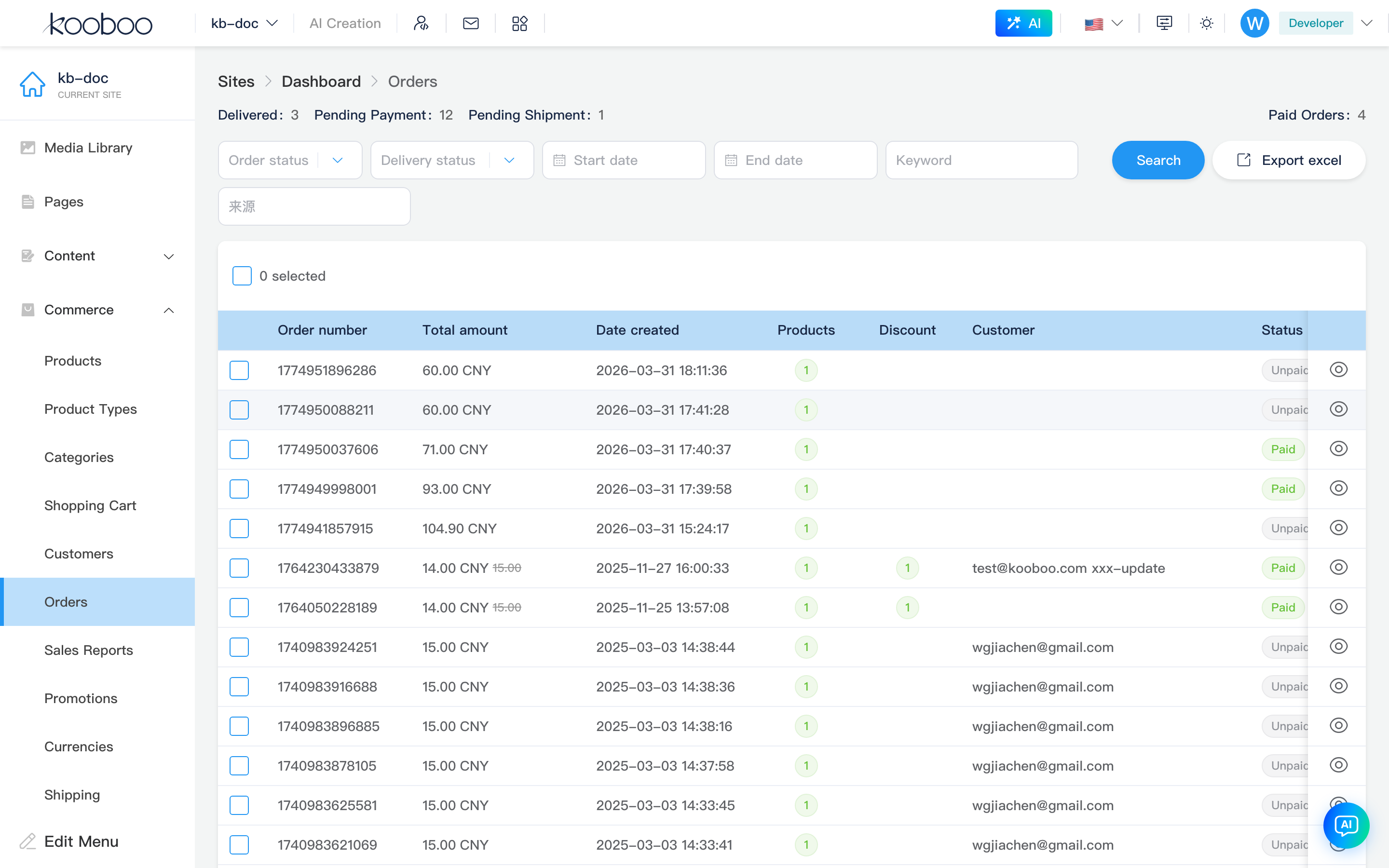
Summary Statistics
Summary above list for current filter (refreshes with query):
| Item | Description |
|---|---|
| Delivered | delivered count |
| Awaiting payment | waitPay |
| Awaiting shipment | waitDeliver |
| Paid order count | order |
| Paid amount | totalAmount (shown only when site is single-currency) |
Filters and Actions
| Control | Description |
|---|---|
| Order status | In progress Normal, paid Paid, unpaid Unpaid, canceled Canceled |
| Delivery status | Delivered / partially delivered / not delivered |
| Start / End date | Filter by creation time range |
| Keyword | Click Search or change filters to refresh |
| Order extension fields | filterable order extension fields from settings show extra filters |
| Export Excel | Export by current filter; download via hidden iframe |
| Search | Apply filters and return to page 1 |
Table
| Column / Action | Description |
|---|---|
| Order ID | Order Id |
| Extension summary columns | Order extension fields with isSummaryField (configured in settings) |
| Total amount | Current/original price (CurrencyAmount) |
| Created | createdAt |
| Products | Tag shows line count; hover previews each line thumbnail, title, variants |
| Discounts | Count tag when allocated; hover table lists title, code, amount |
| Customer | Email, phone |
| Status | Canceled / unpaid / paid (OrderStatus) |
| Delivery status | Delivered / partially delivered / not delivered |
| Country | Order country |
| Source | source |
| Details | Row eye icon → order detail |
| Pagination | 30 rows per page by default |
| Batch delete | Select rows → Delete → confirm |
Order Detail
Path: /_Admin/commerce/order-detail?SiteId=...&id=...
Breadcrumb: Orders -> Order detail. Bottom bar: Back; Pay, Ship, Cancel shown by status (plus optional extension buttons).
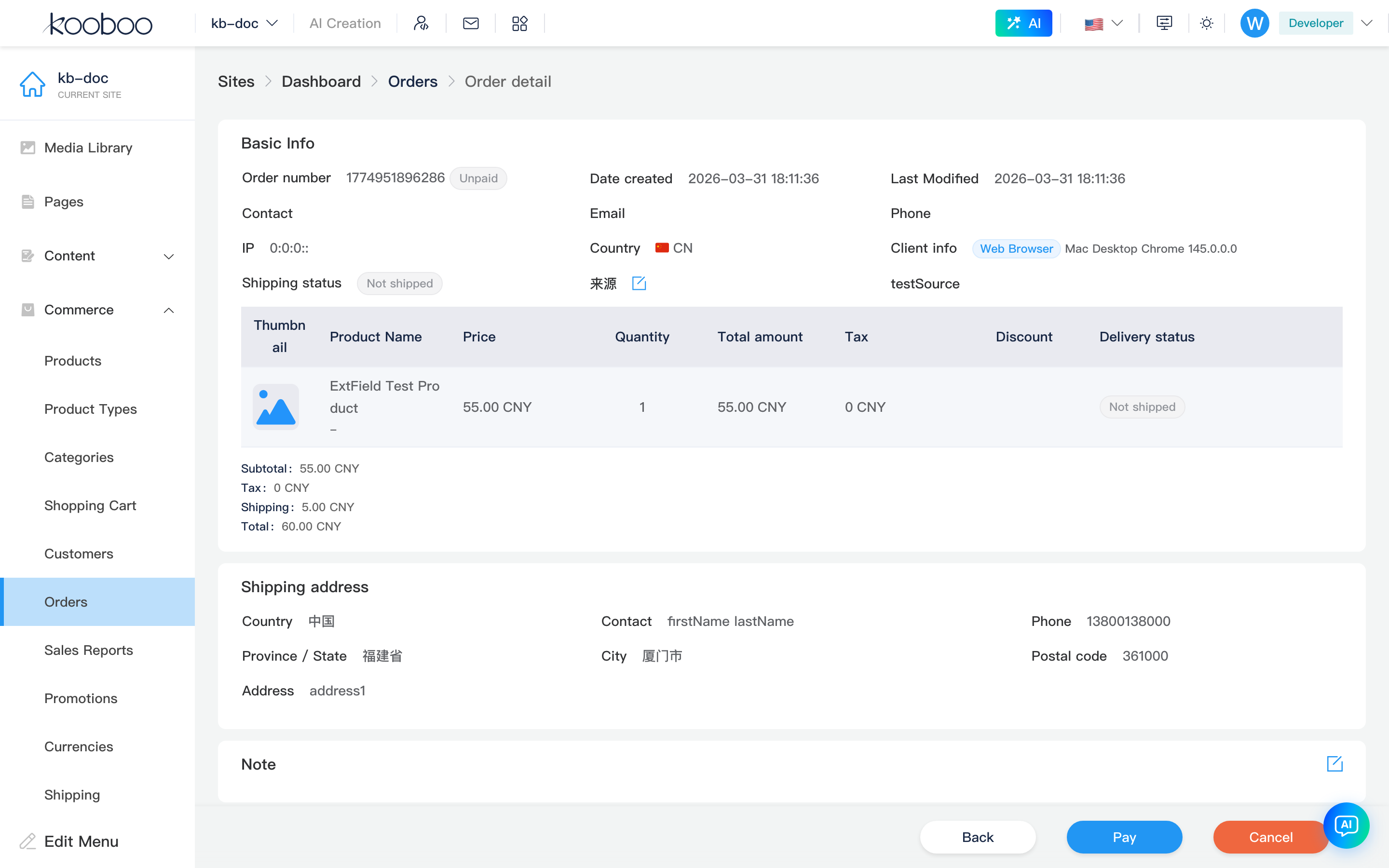
Basic Information
el-descriptions area common fields:
| Field | Description |
|---|---|
| Order ID | Id with order status tag |
| Created / Last modified | |
| Contact / Email / Phone | Ordering customer |
| IP | Order IP |
| Country | |
| Source | Shown when present |
| Scheduled delivery time | scheduledDeliveryTime (if any) |
| Client info | Browser tag + UA summary |
| Payment method | Shown as tag when recorded |
| Delivery status | Order-level: delivered / partially delivered / not delivered |
| Order extension fields | Defined in settings; editable fields can be edited via pencil dialog |
Product Lines
Table columns: featured image, title (with variants), unit price, quantity, line amount, tax, line-level discount tags; plus Delivery status column:
| Line status | Description |
|---|---|
| Not delivered | Gray tag |
| Delivered | Green; hover for details |
| Failed | Red with error message |
For delivered physical products, hover shows carrier and tracking number; for digital products, hover shows each digital delivery item (file size or link/text value). Bundle products expand as parent/child rows.
Below line items, amount totals (similar to cart trial): order discounts, subtotal, tax, insurance (if any), points deduction, shipping (with allocation), Total; may show points earned for this order.
Shipping Address
When physical delivery applies, shows snapshot address at order time (country/province/city/zip/street, etc.; localized region names per Commerce data). Later customer address changes do not affect this order.
Notes
Notes section shows note; pencil next to title to edit and save.
Payment
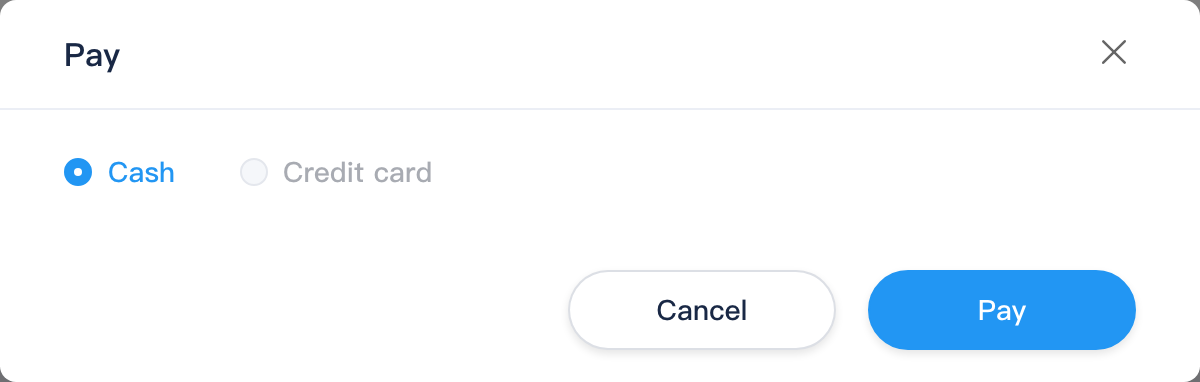
When unpaid and not canceled, bottom Pay opens dialog:
| Item | Description |
|---|---|
| Method | Default Cash; Credit card option currently disabled |
| Confirm | Calls payOrder to mark paid and refresh detail |
Shipment
When paid, not canceled, and undelivered lines remain, bottom Ship opens dialog:
| Item | Description |
|---|---|
| Physical products | Tracking number (carrier may match shipping rule regex), carrier dropdown, pending shipment preview |
| Digital products | Lines grouped; digital rows can edit digital delivery items (file/link/text; see product detail) |
| Partial shipment | When multiple lines, can check to submit selected lines only |
| Confirm | deliveryOrder then refresh detail |

Cancel Order
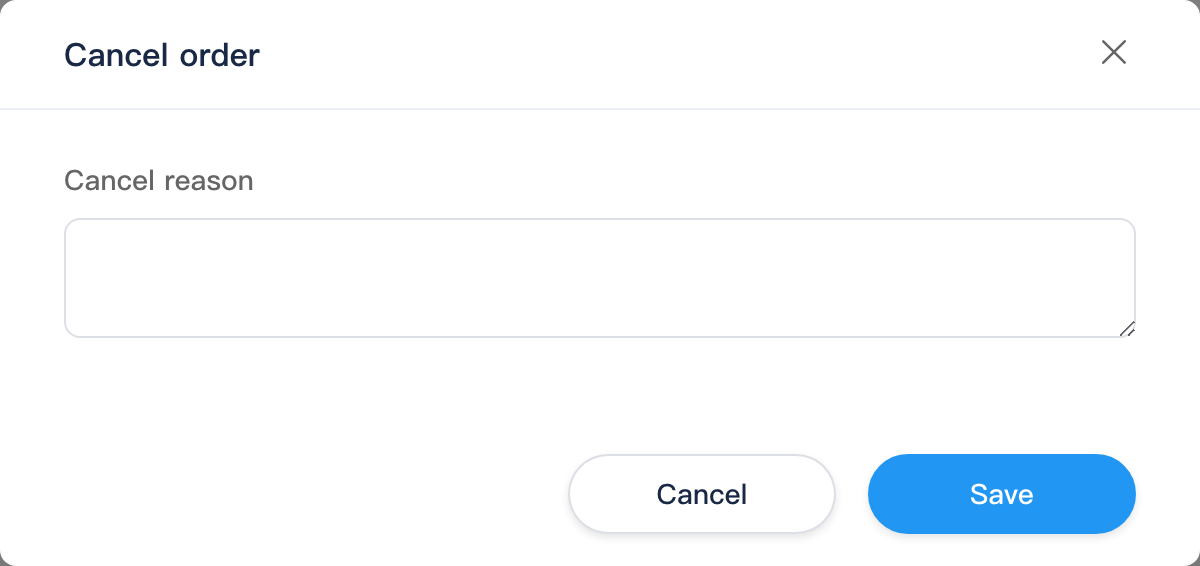
When not canceled, bottom Cancel opens dialog; enter cancel reason and confirm (cancelOrder).