
Appearance
Jobs
Menu: Development → Jobs
Deep link:/_Admin/development/jobs?SiteId={siteGuid}
Jobs run KScript / TypeScript on the Kooboo server on a schedule: configure one-time or recurring runs for sync, cache cleanup, batch notifications, etc. Task scripts run in the site's server-side script context with k.content, k.DB, k.mail, etc. (similar to Code in Development → Code, but triggered by the scheduler, not HTTP).
Permissions
View list and logs: job (view). Add task, edit, save, Run require job·edit; multi-select Delete requires job·delete.
Difference from module tasks and mail tasks
| Development → Jobs | Module module.config task | Mail migration, etc. | |
|---|---|---|---|
| Config | Inline Monaco script on this page | task in module package | Other built-in admin features |
| Scope | Current site | Module context | Mail site |
| Script trigger | k.site.runJob (see k.site.runJob) | Module events | — |
Scheduler runs automatically only after site is Published; when unpublished, only manual Run for debugging.
How to Open
- In Edit Menu, enable Development → Jobs.
- Open Development → Jobs in the left sidebar.
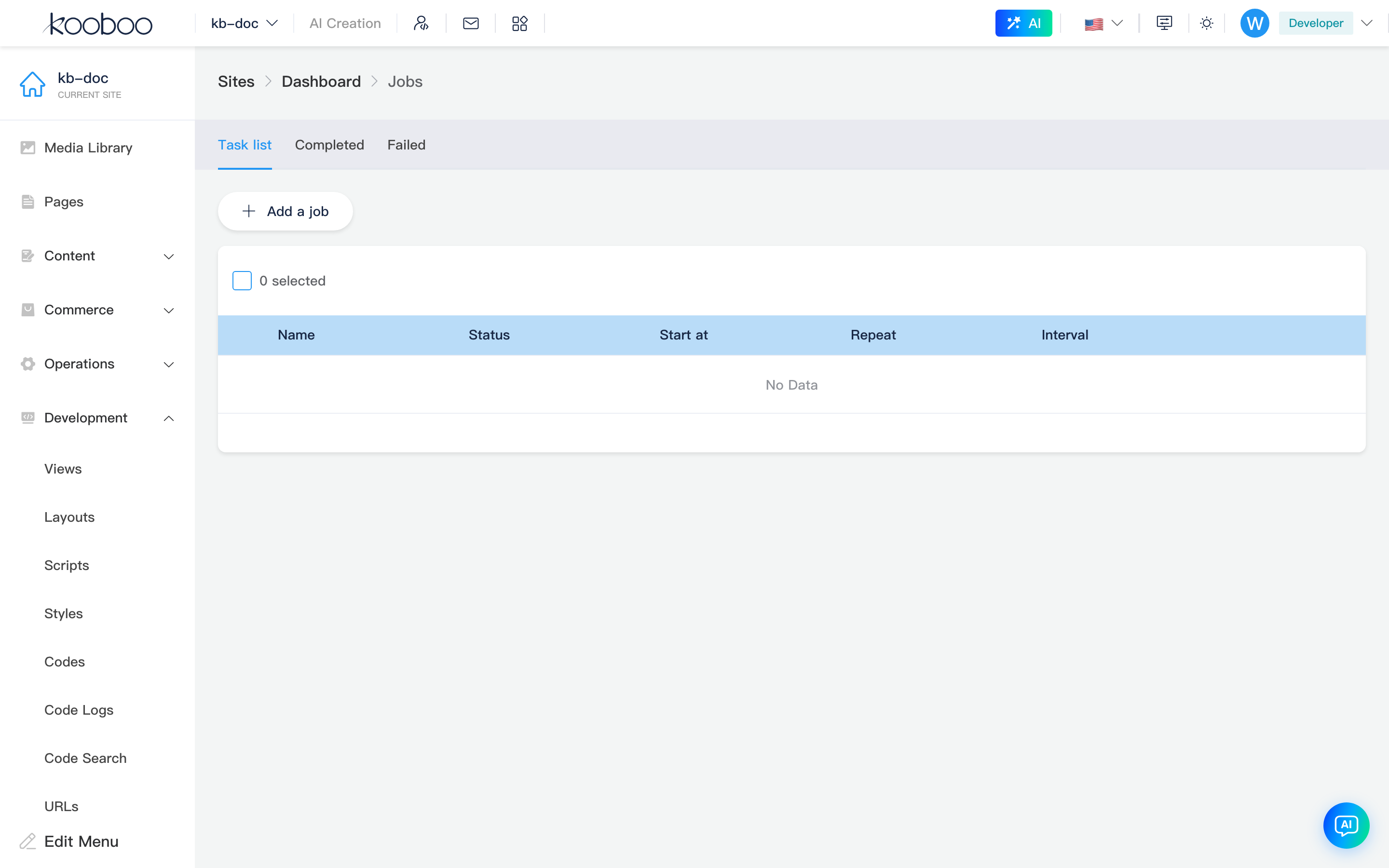
Tabs
| Tab | Description |
|---|---|
| Task list | All SiteJob definitions; create, edit, manual run, delete |
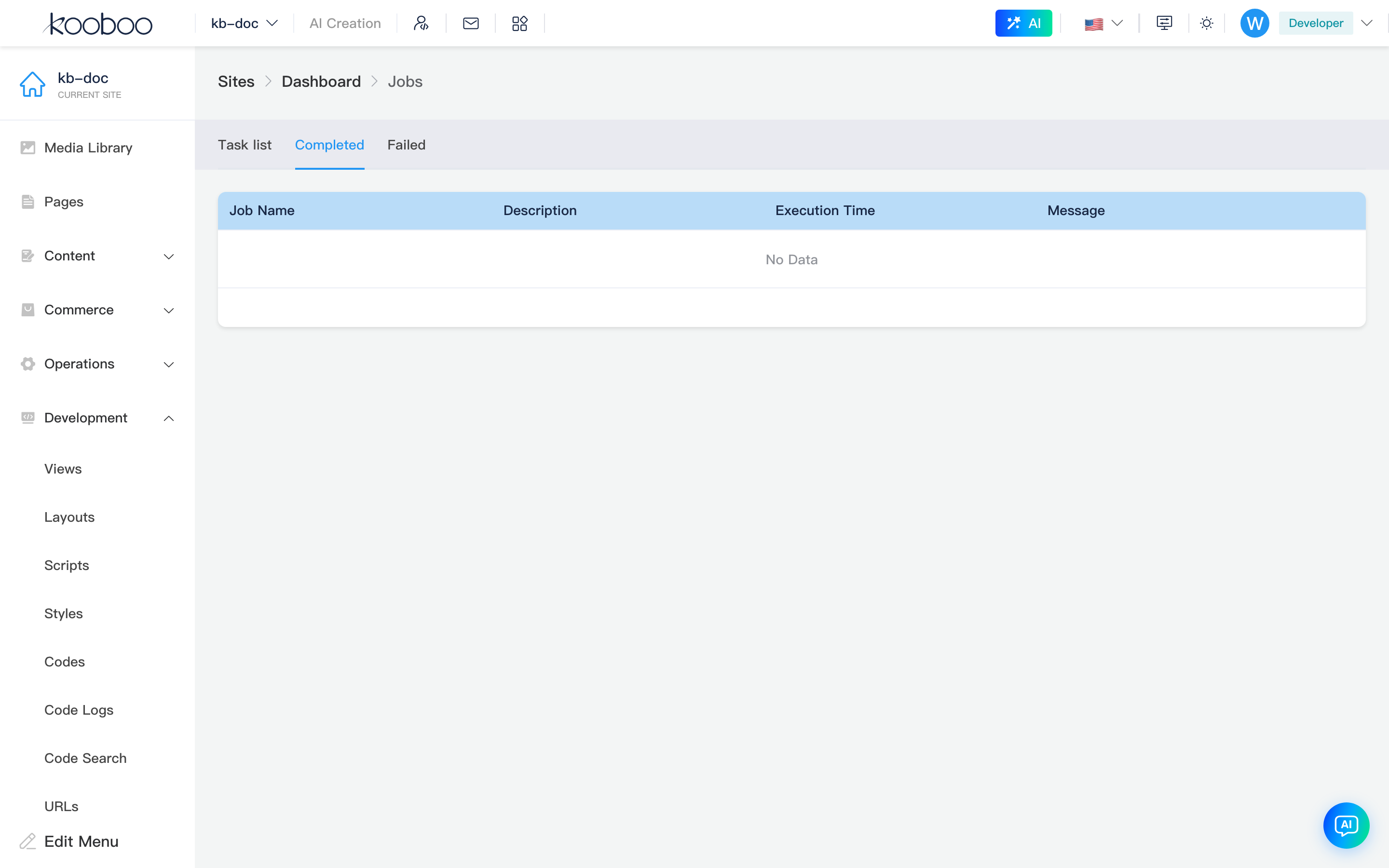
| Completed | Recent successful runs (up to ~100) |
| Failed | Recent failed runs |
Logs are in central JobLog: task name, description, run time, return message or exception stack.
Task list
Toolbar
| Button | Permission | Description |
|---|---|---|
| Add task | job·edit | Open task edit dialog (new) |

List table
| Column | Description |
|---|---|
| Name | Unique task name; cannot rename in dialog after create |
| Status | Running / Completed (one-time, already fired) / Enabled (active) / Disabled |
| Start time | First schedule reference (UTC storage, local display) |
| Repeat | Whether recurring |
| Interval | When repeating: "Every N second/minute/hour/day/week/month" |
| Row Edit | Open dialog to change script and schedule |
| Multi-select Run | With one row selected, toolbar Run executes once async |
| Multi-select Delete | job·delete |

Task edit dialog
| Field | Description |
|---|---|
| Name | Required on create, 1–50 chars, unique in site; disabled when editing |
| Start time | Schedule start; one-time runs once after this time when site is published |
| Enable | active: scheduler skips when off; can still Run manually |
| Repeat | When on, loop by interval; when off, one-time |
| Every | When repeating: frequenceUnit (positive int) + unit (second / minute / hour / day / week / month) |
| Execution code | Monaco editor, KScript; saved to SiteJob.Code, not a reference to Development → Code entries |
Save via Job/post: new writes full model; update refreshes code, schedule fields, sets finish to false so one-time tasks can schedule again (adjust start time or manual run to re-trigger).
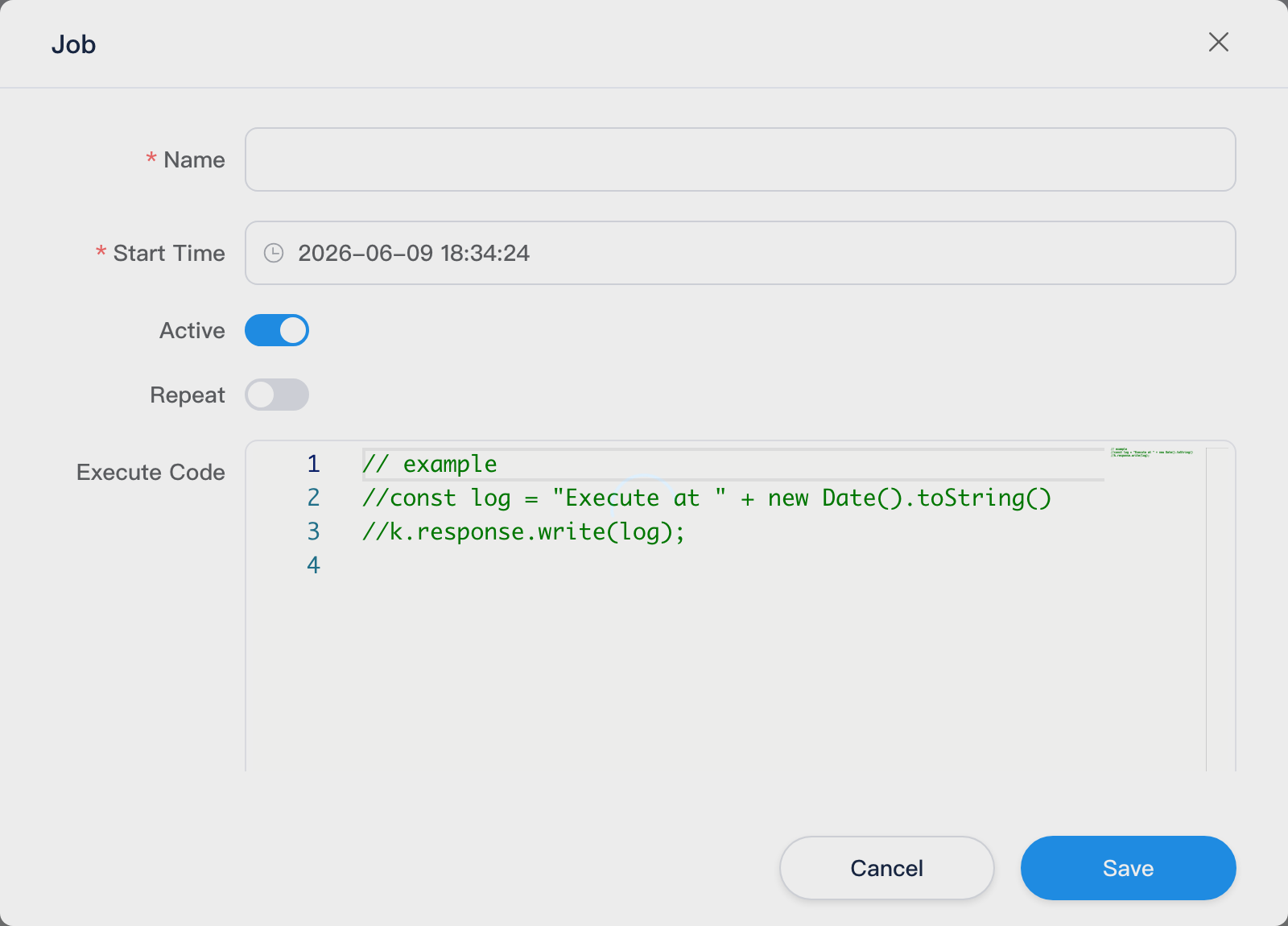
Example script (default comment in dialog):
typescript
// const log = "Execute at " + new Date().toString()
// k.response.write(log)
At runtime JobService compiles and runs this as a long task; return value or output goes to log Message.
Scheduling behavior (server)
Kooboo admin JobService scans in-memory tasks every second:
| Type | Condition | Behavior |
|---|---|---|
| Recurring | active, past startTime, interval since last run elapsed, site published, not currently running | Auto run, update last run time |
| One-time | Past startTime, not finish, site published | Set finish true then run once |
Manual run (list Run or k.site.runJob) does not require published; still async; log notes manual trigger.
Interval maps to RepeatFrequence: day, hour, minute, week (×7 days), month (×30 days), second.
Completed / Failed logs
Both tabs share columns:
| Column | Description |
|---|---|
| Task name | jobName |
| Description | e.g. auto schedule, manual trigger username |
| Run time | |
| Message | Success: script return; failure: exception |
| Details | Dialog with full message |
Typical workflow
- Add task, name, start time, execution code.
- Enable Repeat and interval for recurring; otherwise one-time.
- After save, Run once and check logs (Failed tab for stack).
- Ensure site published, wait for schedule, or call
k.site.runJob('task name')from other Code. - Edit to adjust logic; multi-select Delete when no longer needed.
Related
| Doc | Description |
|---|---|
| k.site.runJob | Manual trigger from script |
| Code | Reusable Code resources (task inline script is separate) |
| Modules | Module task and k.module |
| Operations · Operation logs | Site object change history (not job execution logs) |