
Appearance
AI Service
Menu: Settings -> AI Service (advanced menu) Same page from: Operations Center -> AI Service Deep link:
/_Admin/system/ai-service?SiteId={siteGuid}Tab deep links:name=settings/functions/vectorSearch/llms/markdown/jsonld
AI Service configures site-level AI capabilities: vector search, MCP server, AI functions, llms.txt, automatic Markdown output, and global JSON-LD mapping. It appears under both Settings and Operations Center but is the same page; this doc is the single source of truth.
Permissions
| Action | Permission |
|---|---|
| Open AI Service | ai |
| View custom AI function list | ai·view |
| Add, edit, delete AI functions | UI checks mcp·edit; backend mcp/PostTool, mcp/DeleteTools check ai·edit |
| Run custom AI functions | UI checks mcp·view |
| Save MCP Service and Vector Search settings | Bottom save checks mcp·edit and saves site AI settings |
Save llms.txt, Markdown, JSON-LD config | Requires access to this page; Markdown / JSON-LD toggles save site AI settings |
Scope
Tabs with UI and server APIs today: MCP / AI Functions, llms.txt Generator, Automatic Markdown Engine, Global JSON-LD Mapping. Pay-per-crawl is not exposed in the UI and is omitted here.
How to Open
- In Edit Menu, enable Settings -> AI Service or Operations Center -> AI Service.
- Open the matching left menu item. Both go to
/_Admin/system/ai-service.
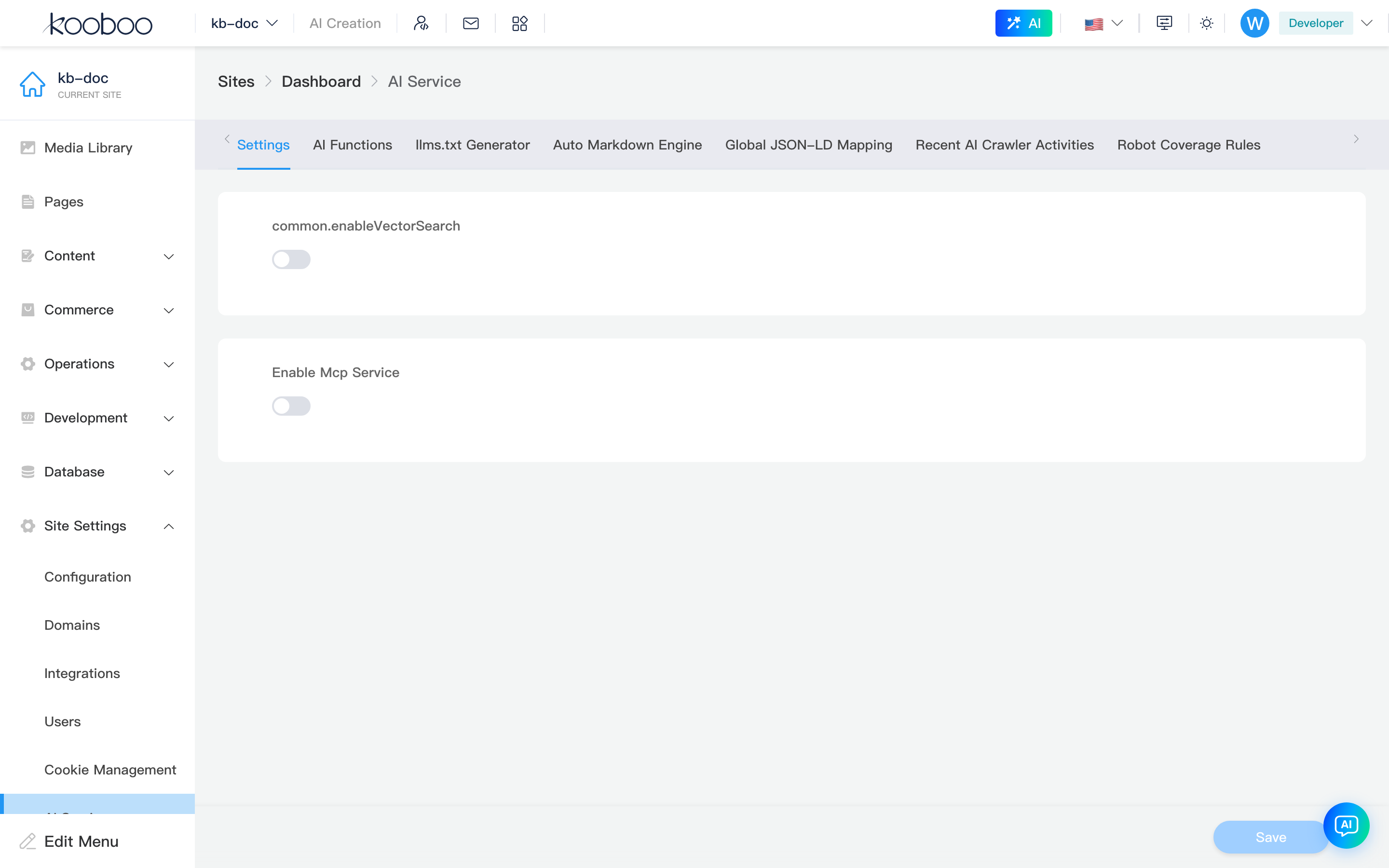
Page Structure
Tabs update the URL name parameter when switched.

| Tab | Purpose | Notes |
|---|---|---|
| Settings | Enable vector search, pick Embedding Provider / Model, enable MCP service | Default tab |
| AI Functions | Manage custom functions, view built-ins, trial-run custom functions | Writes to site AIFunction store |
| Vector Search | Index status by object type, sync or rebuild | Shown only after vector search is enabled under Settings |
| llms.txt Generator | Generate, edit, save site root /llms.txt | Builds index from live pages |
| Automatic Markdown Engine | Enable .md route output and override rules | Saves site AI.MarkdownEngine |
| Global JSON-LD Mapping | Map content / database fields to Schema.org properties | Saves site AI.JsonLD and mappings |
Settings
Configure underlying capabilities here before using other tabs.
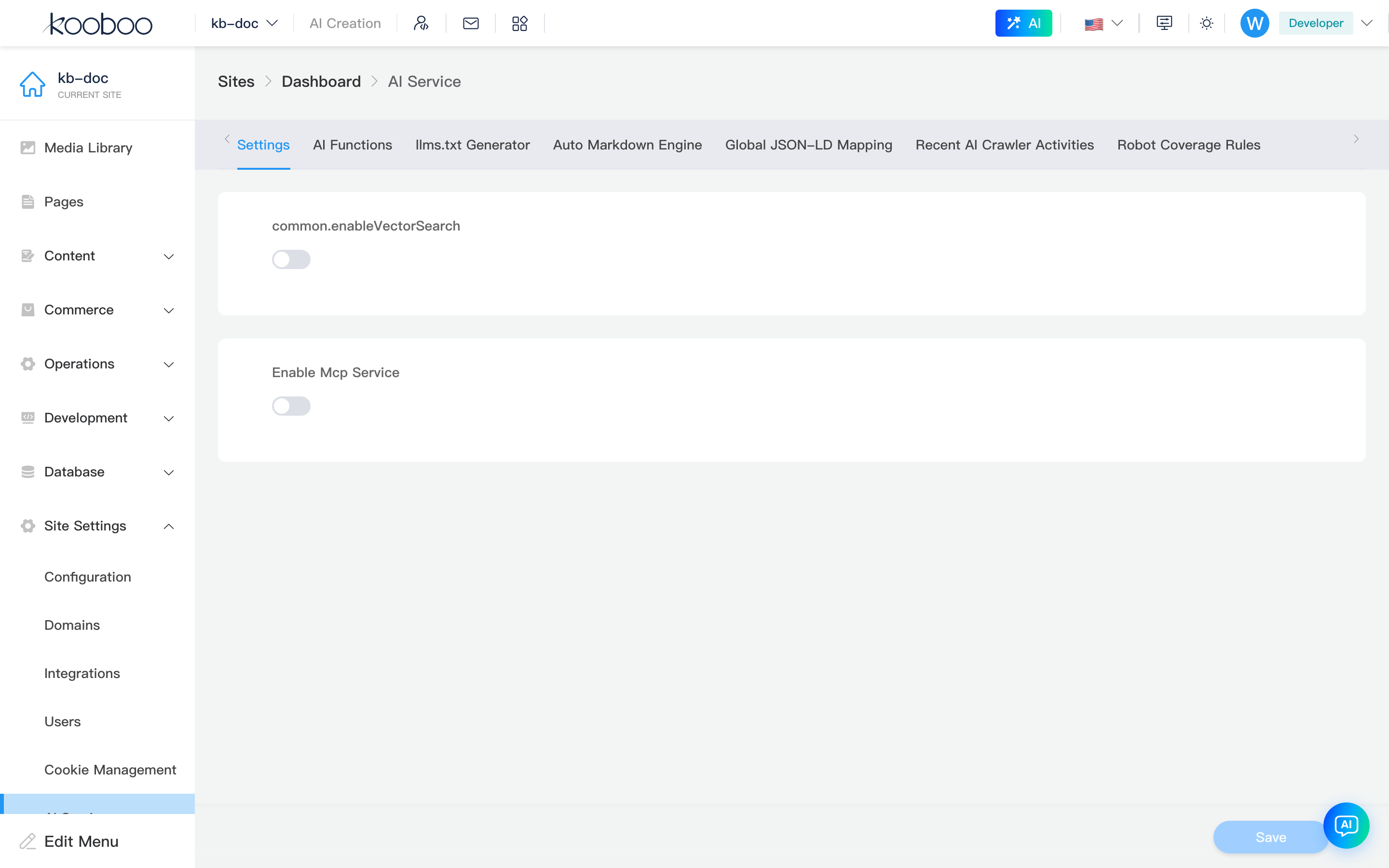
Vector Search
| Item | Description |
|---|---|
| Enable vector search | Saves ai.vectorSearch.enable; shows Vector Search tab |
| Provider | AI Provider that supports Embedding Models; if empty, check org-level AI Providers |
| Model | Embedding model for that Provider; switching Provider picks the first available model |
After save, new/updated content is indexed per vector search rules; run sync or rebuild on Vector Search for existing objects.
MCP Service
| Item | Description |
|---|---|
| Enable MCP service | Enables site MCP Server for external MCP clients |
| Development Connection Information | On non-production servers: Endpoint and Authorization Header |
| Disable built-in AI tools | Hides system tools; only user-created AI functions are exposed |
Endpoint is derived from site Base URL with _mcp appended; http Base URLs are shown as https in the UI. The Bearer token in dev connection is the current login credential—debug only; do not put it in docs, screenshots, or repos.
AI Functions
The AI Functions tab has Custom and Built-in sections. Custom functions can be exposed via MCP and called from site AI; built-ins are system-provided (name and description only).
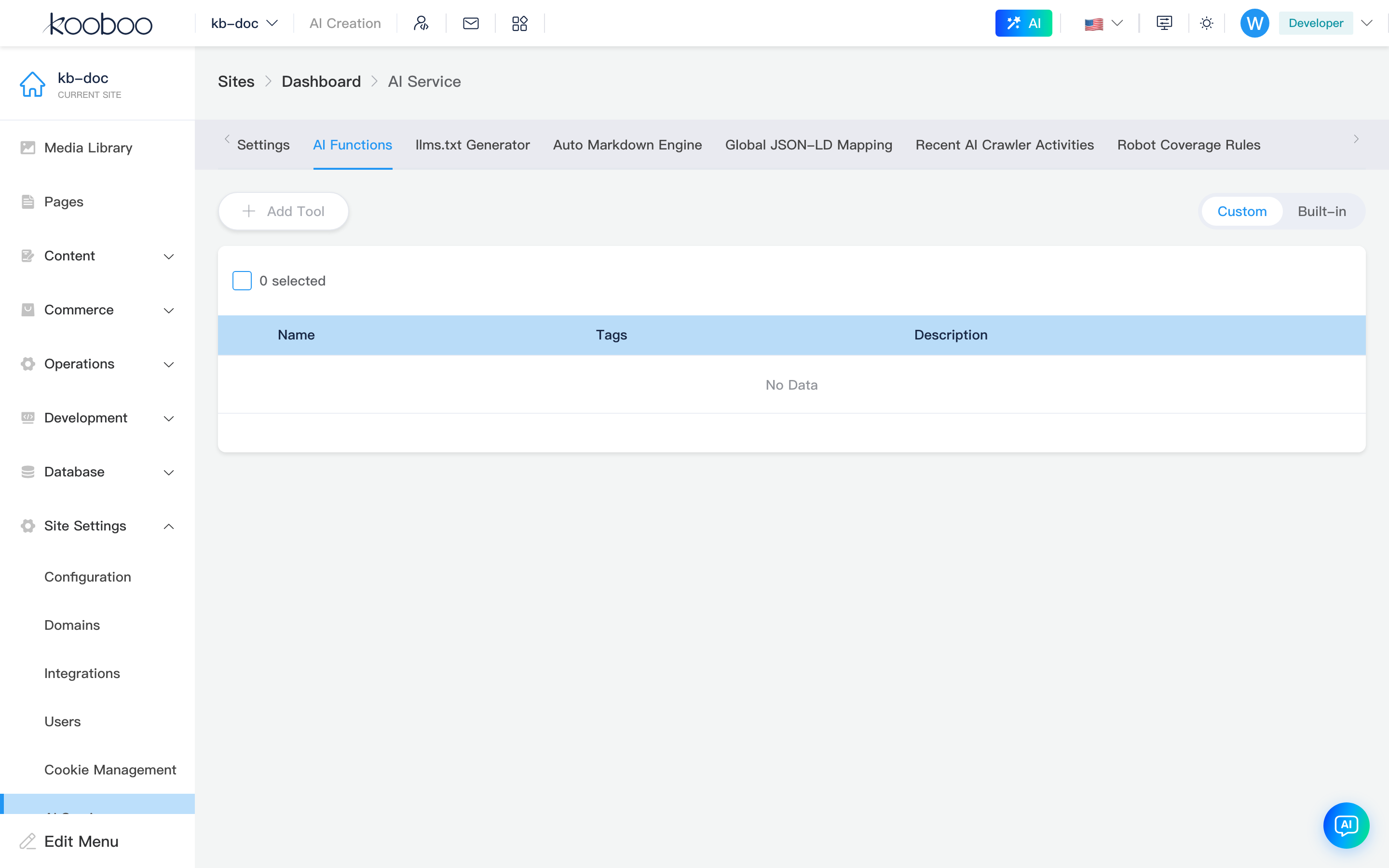
Without mcp·edit, Add Tool is disabled; assign permissions in Roles first.
Custom List
| Control / column | Description |
|---|---|
| Add Tool | Opens AI tool dialog |
| Custom / Built-in | Toggle list in the top-right |
| Name | Custom tool name; avoid renaming after first save |
| Tags | From mcp/FunctionTags; used for categorization and discovery |
| Description | Natural language for AI / callers |
| Run | Shown when exactly one row is selected; opens params and result dialog |
| Edit / Delete | Edit tool or multi-select delete |
AI Tool Dialog
| Field | Description |
|---|---|
| Name | Required on create, unique, 1–50 chars; disabled when editing |
| Description | What it solves, when to call, what it returns |
| Tags | Multi-select for discovery |
| Execution code | Monaco TypeScript with KScript mode; API details in related links |
| Input Schema | JSON Schema for run parameters; run dialog generates sample input |
Description and Input Schema affect call quality more than code. Define boundaries, required params, and return shape before code; never hardcode secrets, external tokens, or long-lived credentials.
Run Check
Run reads Input Schema and builds JSON parameters. Adjust and Run; backend calls mcp/RunTool and shows the result. If Schema has no properties, the dialog runs immediately and shows results.
Built-in Tools
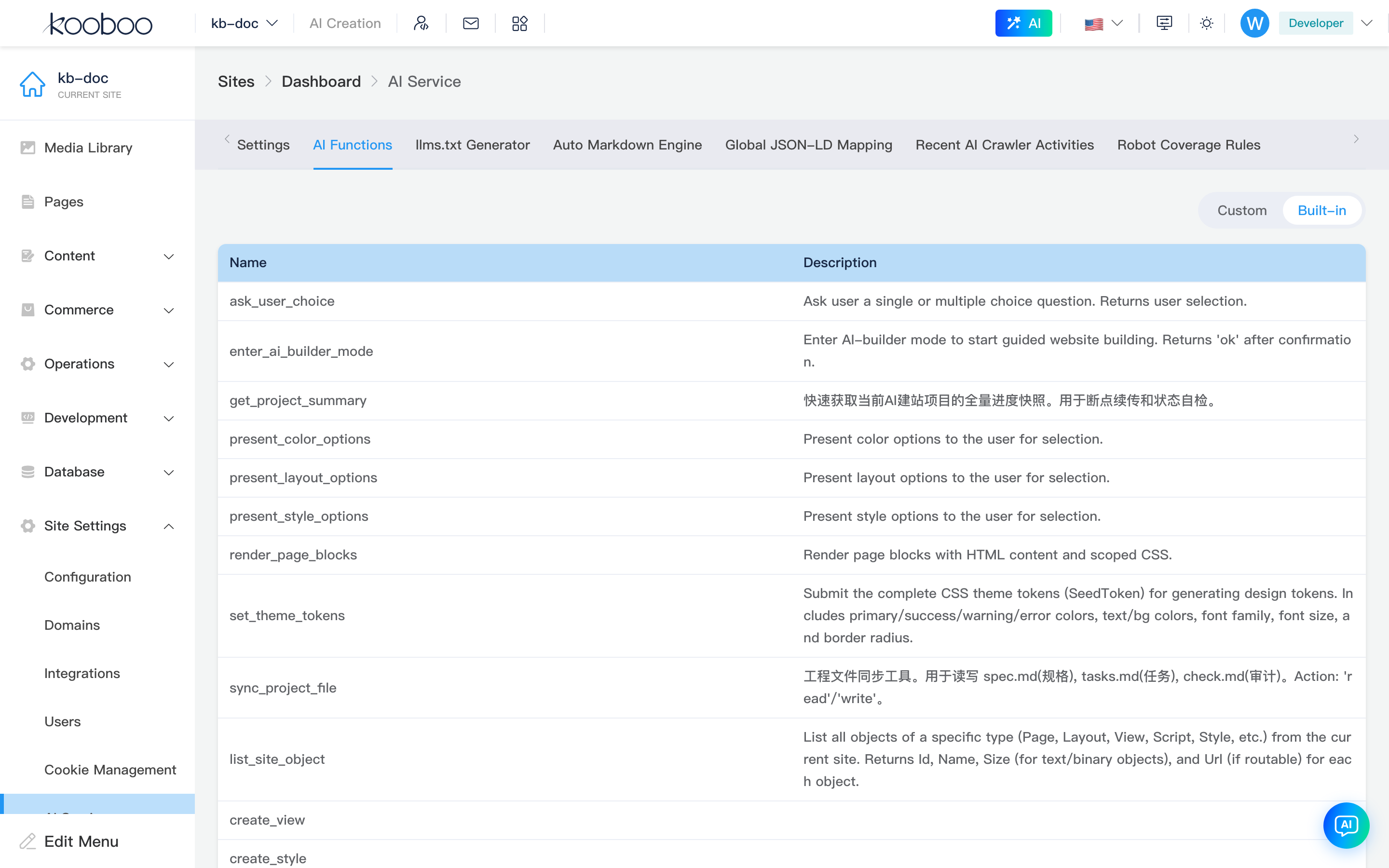
Built-ins list Name and Description only. To block MCP clients from built-ins, enable Disable built-in AI tools under Settings.
Vector Search
The Vector Search tab appears only after Settings -> Enable vector search is saved. Lists index status by object type.
| Column / action | Description |
|---|---|
| Name | Object type: product, page, view, content, etc. |
| Total | Count of indexable objects |
| Unsynced | No vector yet, or object updated / model mismatch |
| Queued | Submitted but incomplete index jobs |
| Status | Running, error, pending sync, or complete |
| Sync | Process unsynced items for selected types |
| Rebuild | Delete existing vectors for selected types and re-index all |
After changing Embedding Provider or Model, Rebuild key object types when models no longer match.
llms.txt Generator
llms.txt gives AI crawlers a site content index. The admin reads and saves /llms.txt.
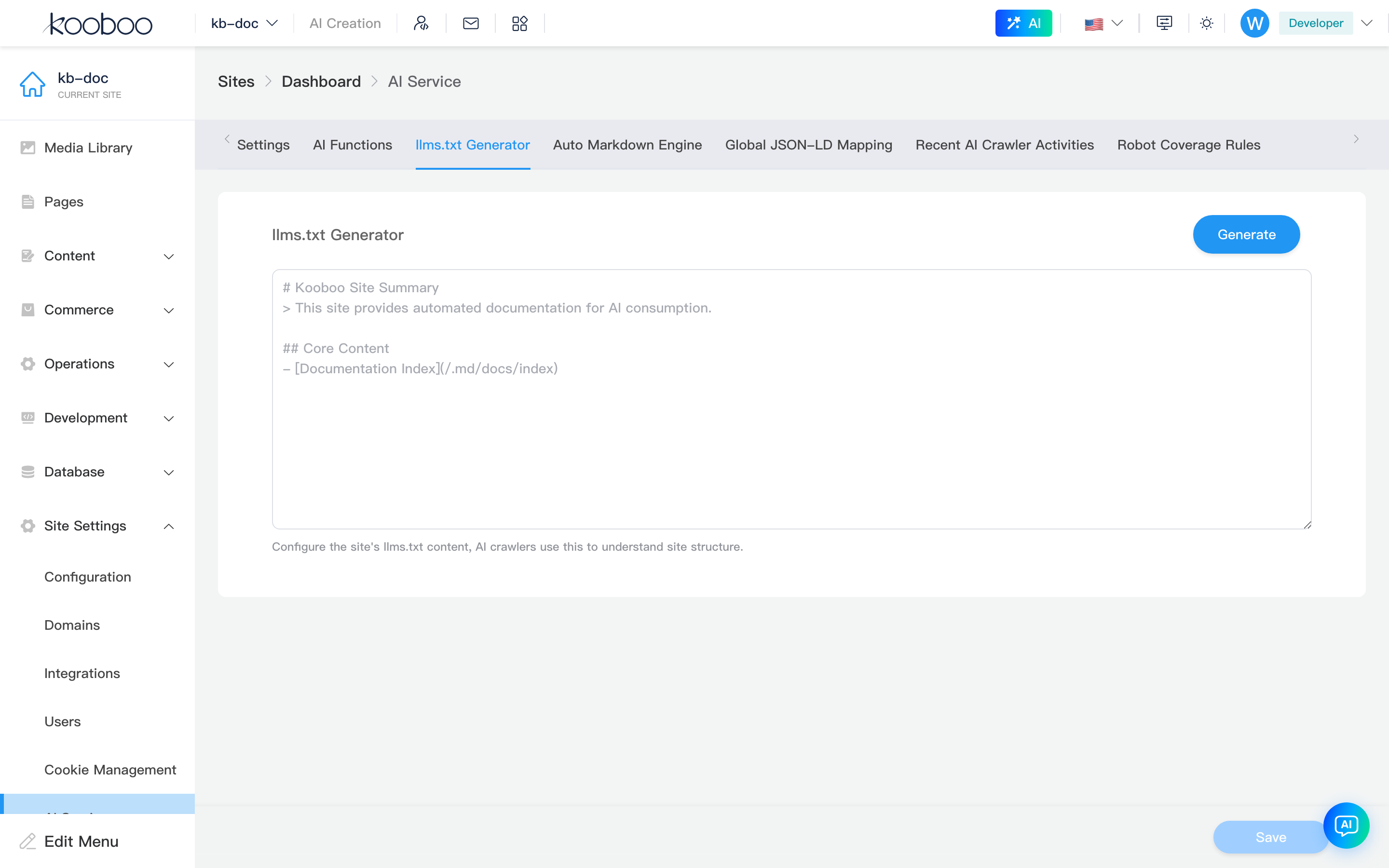
| Control | Description |
|---|---|
| Generate | Draft llms.txt from live pages; each page links to its .md URL |
| Text area | Manual edit of final content |
| Save | Writes text area to root /llms.txt |
Before generating, confirm pages are live, routes are correct, and Automatic Markdown Engine is enabled if you want .md links to work for AI clients.
Automatic Markdown Engine
When enabled, appending .md or index.html.md to a page path finds the original route and converts rendered HTML to Markdown.
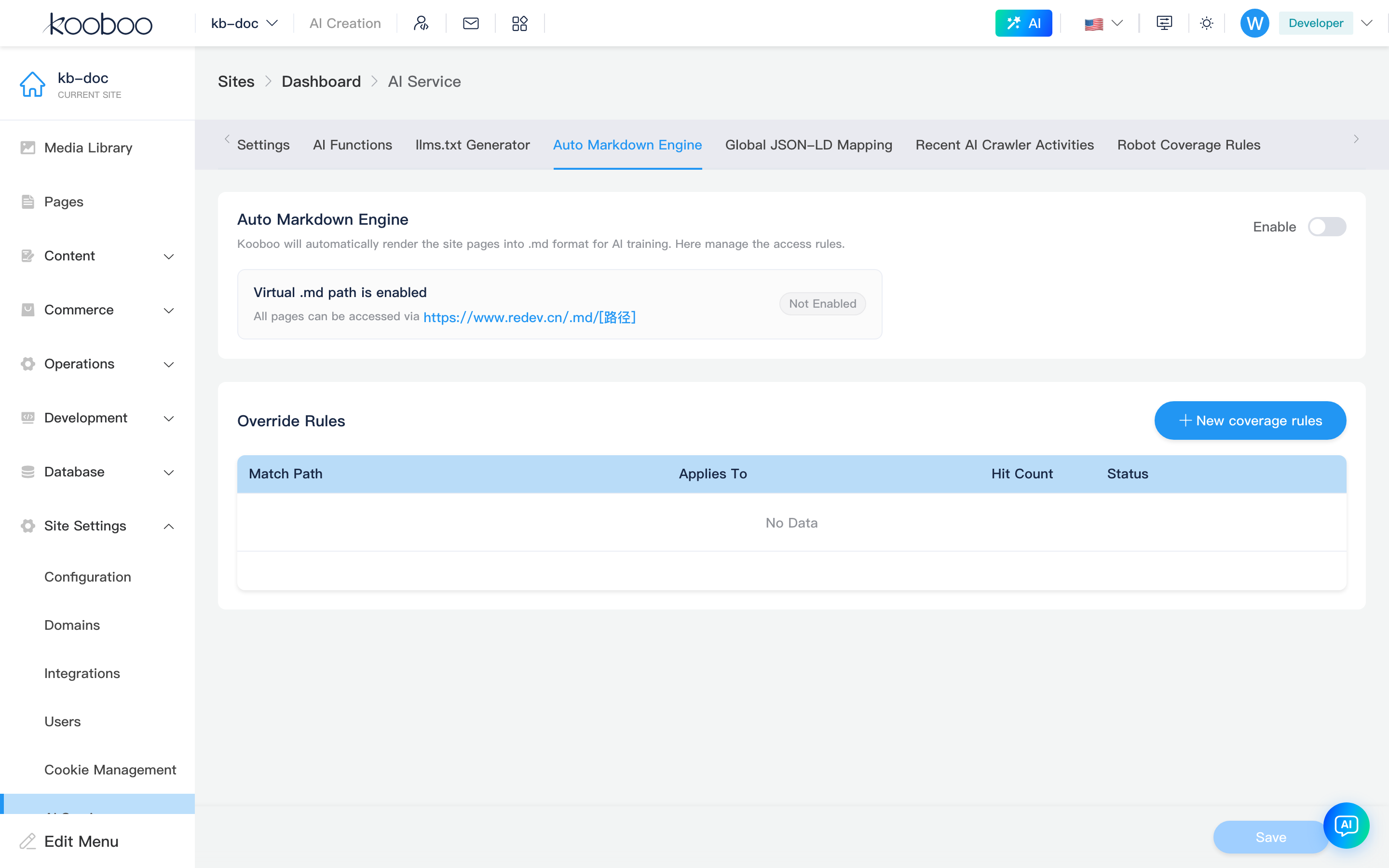
Enable Toggle
Top-right Enable saves AI.MarkdownEngine.Enable immediately. When off, .md routes are not rendered as Markdown.
Override Rules
Override rules assign objects or disable rules for specific paths.

| Field | Description |
|---|---|
| Match path | Front-end path to override; use real URLs to match page routes |
| Applicable object | Object id for that path |
| Status | Enable or disable the override |
Add, edit, delete rules update the form only; click bottom Save to persist to the site.
Global JSON-LD Mapping
Maps Kooboo content or database fields to Schema.org types and properties. When enabled, pages emit application/ld+json structured data.
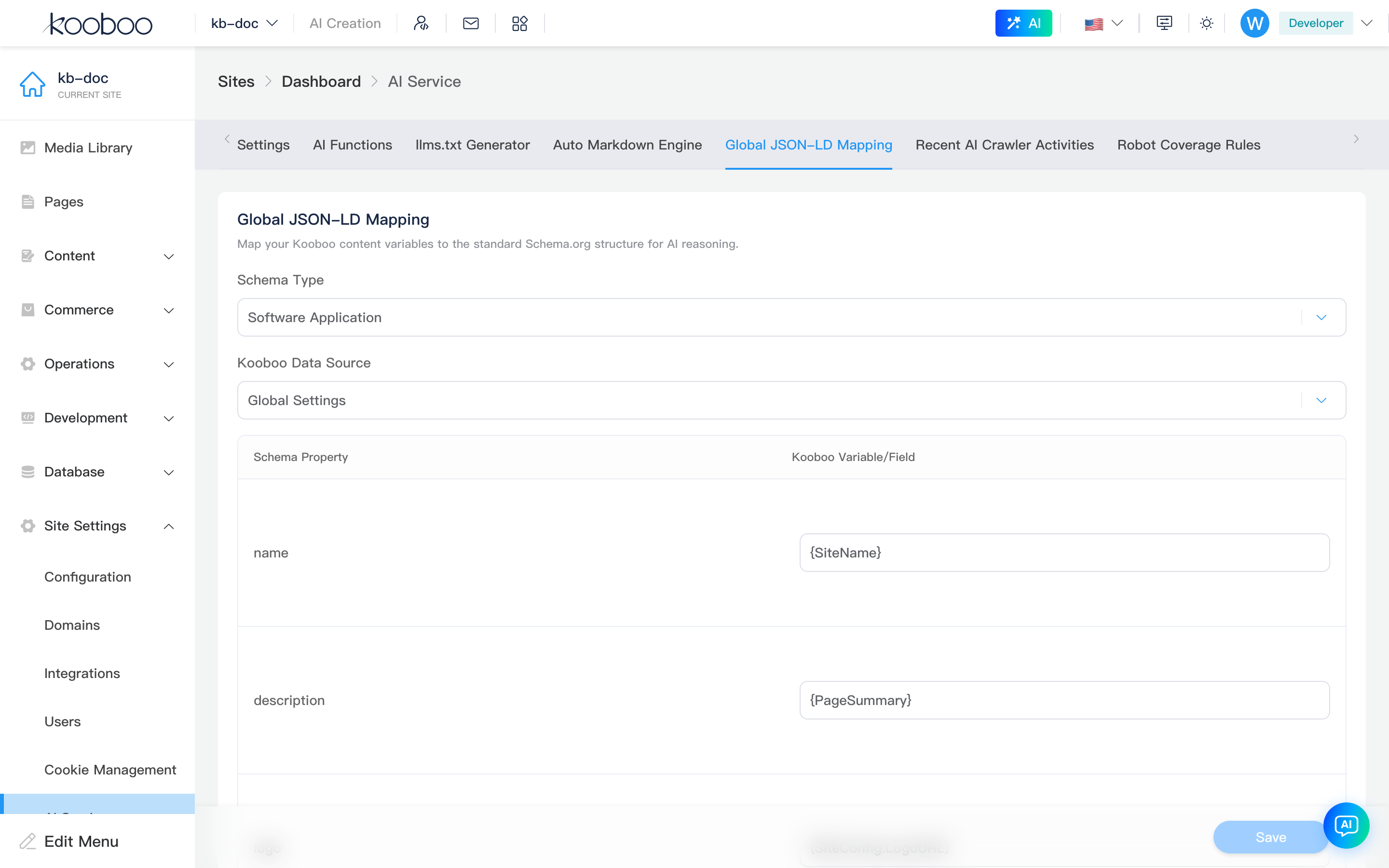
Enable Toggle
Top-right Enable saves AI.JsonLD.Enable. Complete at least one data source mapping before enabling on production.
Data Sources and Field Mapping
| Area | Description |
|---|---|
| Kooboo data source | content, indexeddb, sqlite, mysql, sqlserver, mongo, etc. |
| Data | Content folder or table |
| Schema type | From Schema.org tree: Article, Product, Organization, etc. |
| Kooboo variable/field | Fields from the data source |
| Schema property | Schema.org property per field |
Content fields come from Content Types; database fields come from table structure. If expected fields are missing, verify models in Content or Database first.
Typical Workflow
- Confirm site Base URL and AI Provider / Embedding model availability.
- Under Settings, enable MCP service and/or vector search; save.
- Under AI Functions, create tools: name, description, tags, Input Schema, then code and Run to verify.
- If vector search is on, Sync or Rebuild on the Vector Search tab.
- For AI crawlers: enable Automatic Markdown Engine, then generate and save
/llms.txt. - For structured data: prepare fields in content types or tables, then map in Global JSON-LD Mapping.
CMS vs API / Template Engine
| Scenario | CMS | API / Template Engine |
|---|---|---|
| Enable MCP, copy dev connection info | Settings on this page | — |
| Create AI functions, descriptions, Input Schema | AI Functions on this page | Development -> Code, k.site Code API, KScript API |
| Read content, database, commerce in functions | Function entry only on this page | k.content, k.DB, k.commerce |
Page Markdown or llms.txt output | Toggles and save paths on this page | Page, View, Template binding |
| JSON-LD fields from content or tables | Data source and mapping on this page | Content Types, Database, k-data |
Related
| Doc | Description |
|---|---|
| Settings overview | Settings menu and sub-routes |
| Operations Center | Same-page entry for AI Service |
| Basic Settings · General | Base URL and site info |
| Development -> Code | KScript / TypeScript code resources |
| Content Types | JSON-LD content field sources |
| Database | JSON-LD database field sources |
| KScript API | APIs available in AI function code |