
Appearance
Page Settings
Open from a row in Pages with Settings
HTML page:/_Admin/page/setting?SiteId={siteGuid}&id={pageId}
Layout page:/_Admin/page/layout-setting?SiteId=...&id=...&layoutId={layoutId}
Page settings manage route, meta, page-level assets, and cache beside a live preview. This page does not edit the HTML body itself.
Open the page
- Open Pages.
- Find a page row and click Settings.
- The route becomes
page/settingorpage/layout-setting.
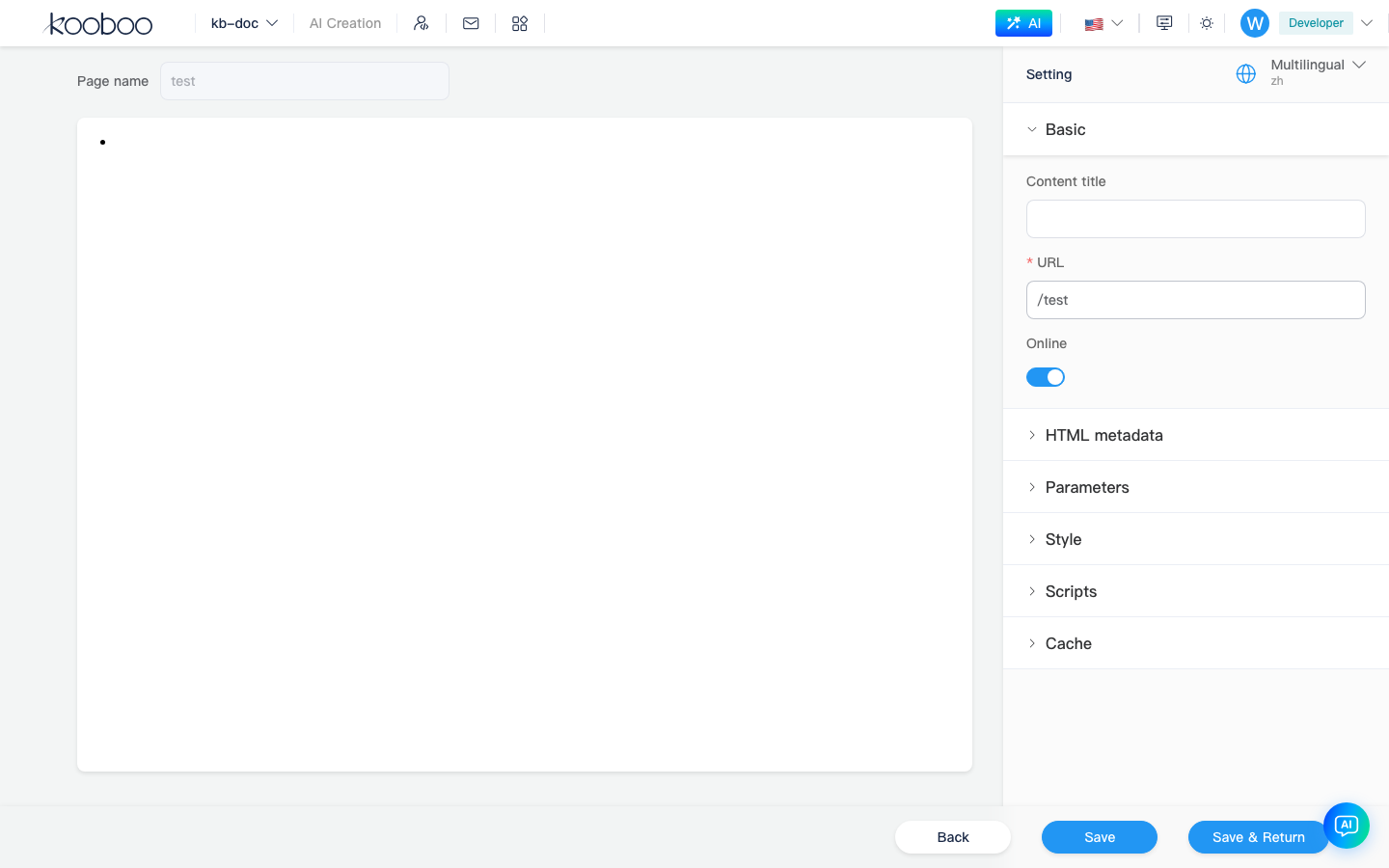
Layout
| Area | Description |
|---|---|
| Left panel | Live preview of the current page |
| Header | Page name |
| Right sidebar | Settings panels and language switching when multilingual is enabled |
| Footer | Back, Save, Save and Back |
Setting groups
Basic
| Field | Description |
|---|---|
| URL | The default-language route, which must be unique |
| Multilingual URL | Per-language routes when multilingual is enabled |
| Content title | Page title values used by the page and metadata |
| Publish | Whether the page is live |
HTML Meta
Manage <head> metadata such as description, keywords, or Open Graph tags.
Parameters
Configure URL parameters and bindings used by the page.
Styles
Attach site style resources to this page only. You can sort, insert, and remove them.
Scripts
Attach site script resources to this page only.
Cache
| Option | Description |
|---|---|
| Enable cache | Whether this page output is cached |
| Device / language / version | Cache-key dimensions |
| Cache minutes | Expiration time |
| Query keys | Query parameters included in the cache key |
Choose the right editor
| Need | Use |
|---|---|
| URL, title, meta, publish, cache | Page Settings |
| HTML structure, layout placeholders, views | Edit code |
| Visible text, images, links, simple style adjustments | Inline edit |
Related
| Doc | Description |
|---|---|
| Pages | Entry and list actions |
| Edit code | Edit the page body in Monaco |
| Template Engine -> Page | Page and layout syntax |