
Appearance
Views
Menu: Development → Views
Deep link:/_Admin/development/views?SiteId={siteGuid}
Views are reusable HTML template fragments in the site, referenced by pages, layouts, etc. Maintain View name and template body in admin; syntax and rendering: View template engine.
Permissions
Menu permission: view (view). Create, edit, delete, copy require view·edit / delete. Row Version requires site·log.
How to Open
- In Edit Menu, enable Development → Views.
- Open Development → Views in the left sidebar.
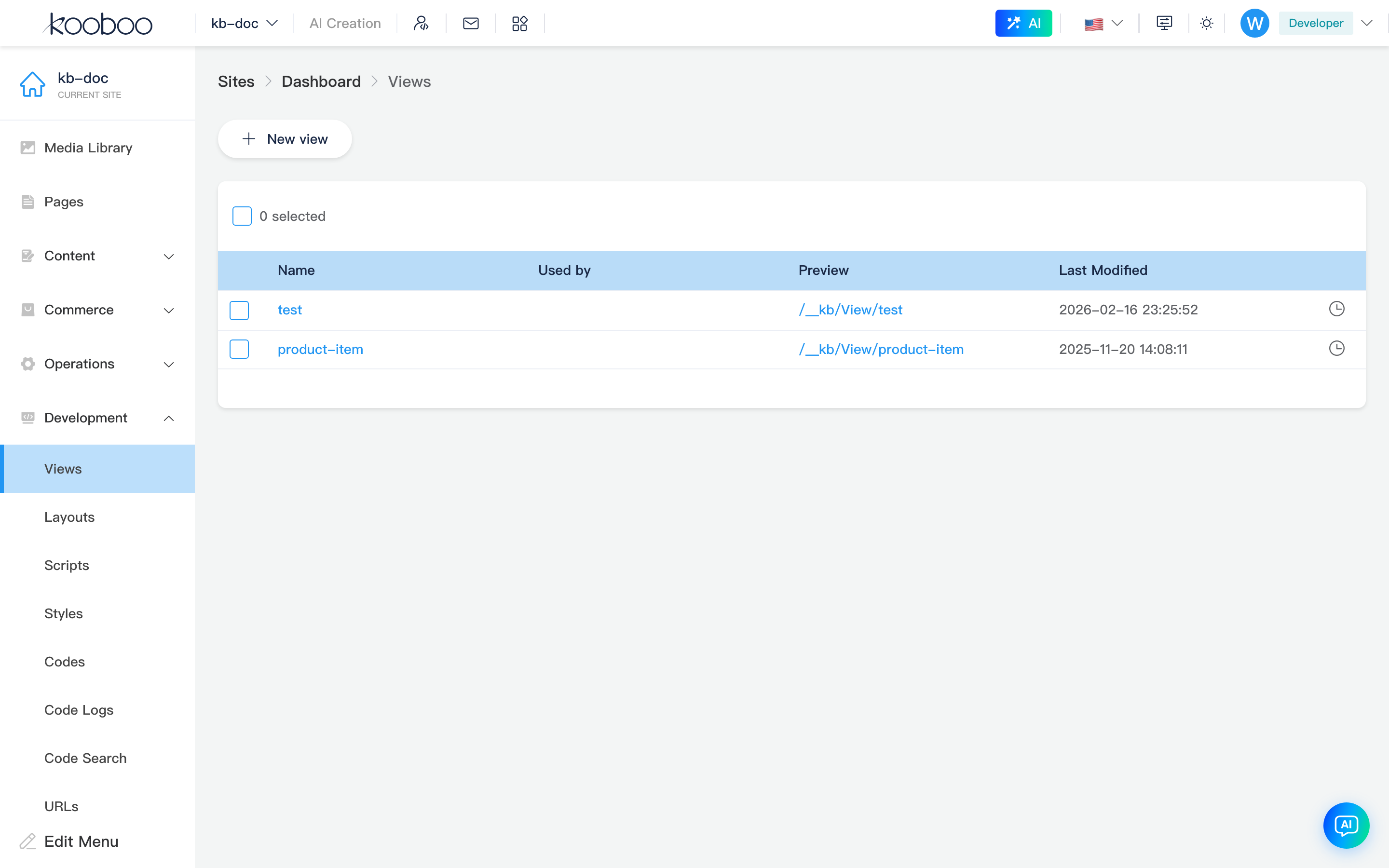
Toolbar
| Button | Permission | Description |
|---|---|---|
| New view | view·edit | Enter edit page (new, empty id) |

List table
| Column | Description |
|---|---|
| Name | Click name to edit; name locked on edit page after save |
| Referenced by | Tags for pages, Layouts, etc. referencing this View |
| Preview | Relative preview path; click opens full preview URL in new tab |
| Last modified | Last save time |
| Version | Version history (site·log) |
Supports multi-select Delete (view·delete). With one row selected, toolbar shows Copy (copy view dialog).

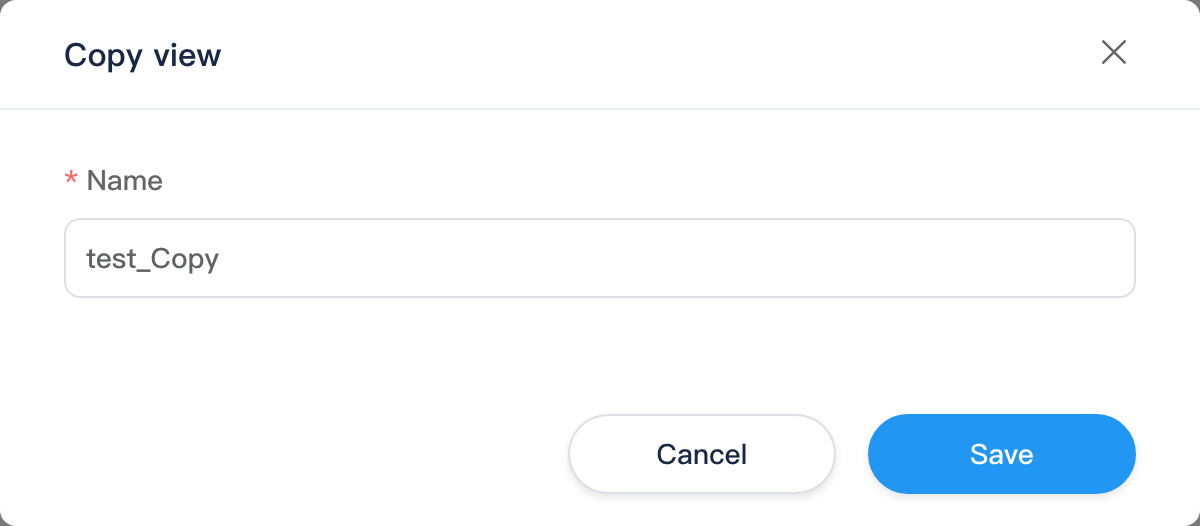
Copy view dialog
Select one row, click Copy, enter new Name (default _Copy suffix), confirm to duplicate and refresh.
Edit view
Path: /_Admin/development/view/edit?SiteId=... (new without id; edit with &id={ViewId})
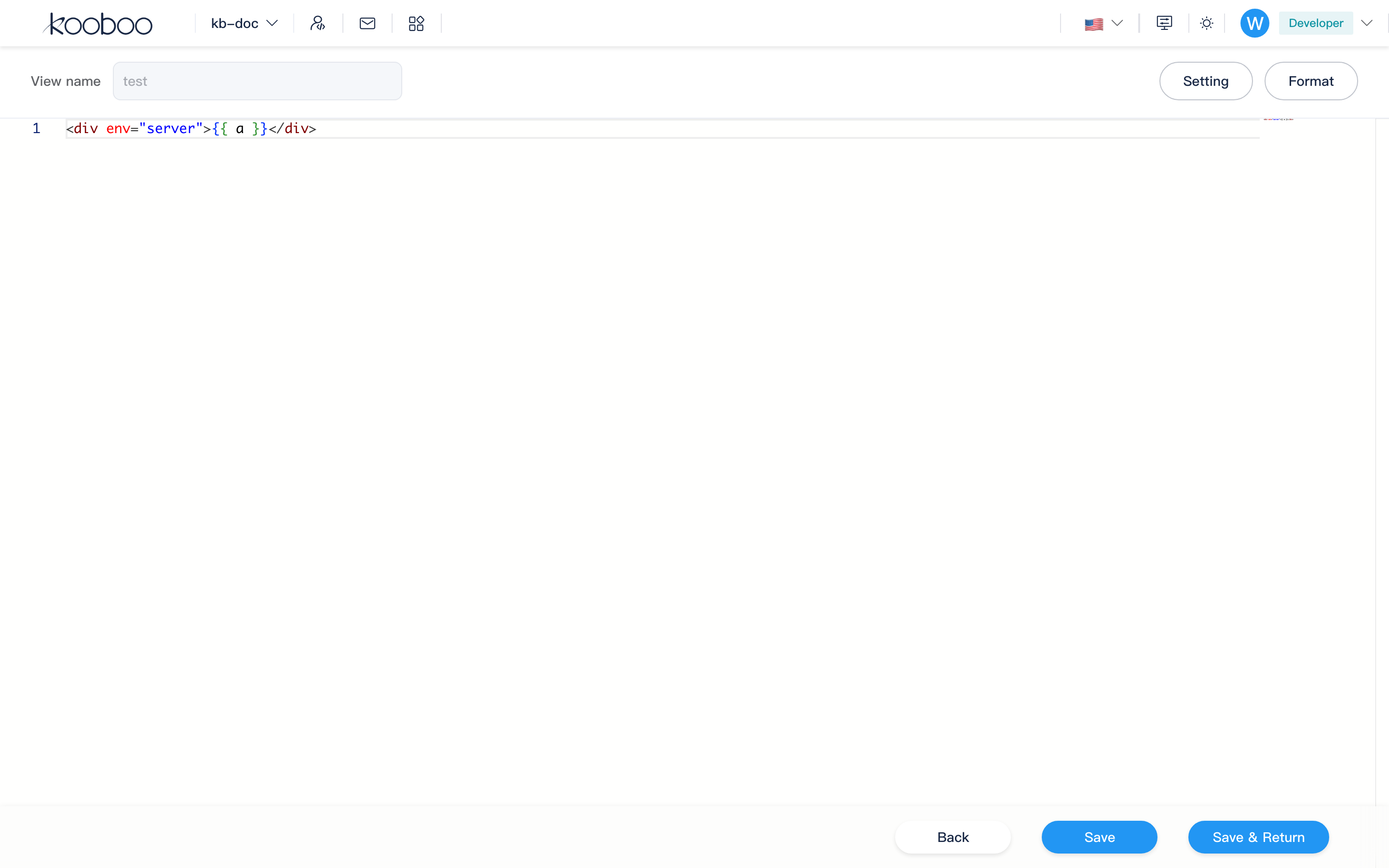
From list name or New view. Full-screen development edit (no left site menu): header properties and actions, code editor, save bar.
Header
| Control | Description |
|---|---|
| View name | Required on create, unique (1–50 chars, same naming as site resources); locked after save |
| Settings | Open settings dialog (page element, fields, cache, etc.) |
| Format | Format HTML in editor |

Code editor
- Language: HTML, supports KScript and code references (
code-reference-type: view). - Shortcut: Save (same as footer save).
- Unsaved leave prompts.
Footer
| Button | Description |
|---|---|
| Return | Back to view list |
| Save | Save; first save on new adds id to URL |
| Save and return | Save then return to list |
Settings dialog
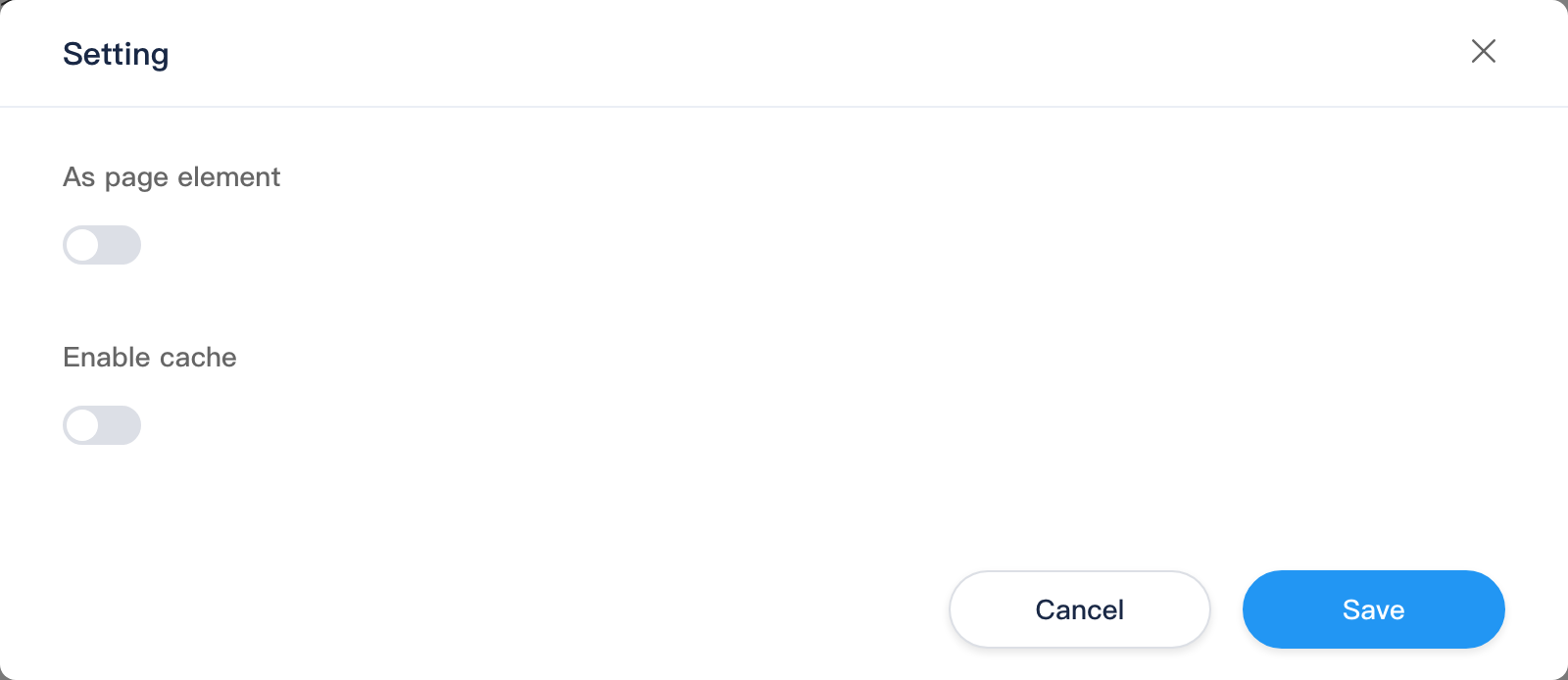
Settings on edit page; confirm writes to current edit model (footer Save still required to persist).
| Area | Description |
|---|---|
| As page element | When on, usable as draggable block in page designer |
| Display name / Preview image | Only when "as page element": name and cover in designer |
| Fields | When page element: field editor for designer-configurable properties (defaults, dynamic options, etc.) |
| Enable cache | When on: cache dimensions and duration |
| Cache by device | Separate cache per device type (hover tooltip explains rules) |
| Cache by language | Multilingual sites: per culture |
| Cache by version | All / Self / Custom; custom can check Development, Content, Commerce, etc. |
| Cache time (minutes) | Cache TTL |
| Cache query keys | Query string params in cache key (hover tooltip) |
Related
| Doc | Description |
|---|---|
| Development overview | Development menu and sub-items index |
| Pages | Page tree and View references |
| Inline edit | Inline HTML on pages |
| View template engine | View syntax and concepts |
| Layouts | Page shell and @RenderBody() |