
Appearance
Cookie
Menu: Settings -> Cookie Management
Deep link:/_Admin/system/cookie?SiteId={siteGuid}
Tab deep links:tab=basic/categories/content/scripts/reports
Cookie Management configures the front-end Cookie consent banner: enable scope, display style, multilingual copy, Cookie categories, external resource classification, and consent analytics. The admin saves site-level CookieConsentSetting; for reading/writing individual Cookies in scripts, see k.cookie.
Permissions
| Action | Permission |
|---|---|
| Open Cookie Management | site·edit |
| Bottom Save, Save and preview | site·edit |
| Add / edit categories, content, resources, and Cookie items | site·edit (writes to current form; still requires bottom save) |
| Resource list multi-select Delete | Page requires site·edit; delete button also checks cookie·delete |
Save behavior
Save / Create in category, resource, and Cookie item dialogs only updates the current page form. Before leaving, click bottom Save; for immediate front-end check, use Save and preview—saves then opens site Base URL in a new tab.
How to Open
- In Edit Menu, enable Settings -> Cookie Management.
- Open Settings -> Cookie Management in the left sidebar.
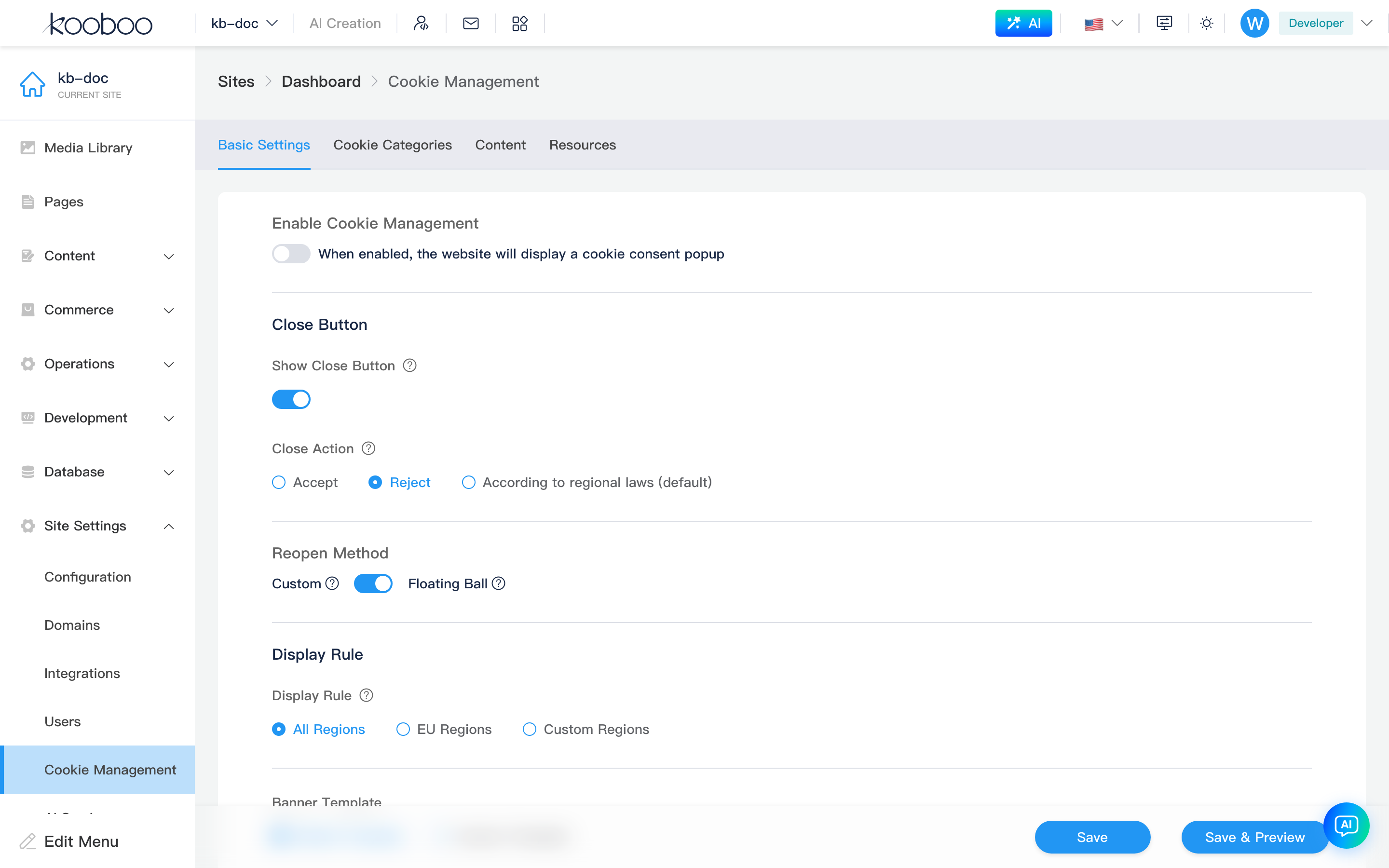
Page Structure
Cookie Management uses tabs; switching sets URL tab.

| Tab | Purpose | Bottom save bar |
|---|---|---|
| Basic settings | Enable switch, close button, reopen method, display region, Banner template | Yes |
| Cookie categories | Required / optional categories and default selection | Yes |
| Content | Multilingual consent copy, buttons, policy links | Yes |
| Resource management | Bind external resources to categories and list Cookies they set | Yes |
| Reports | Consent decisions and category trends by date | No |
Basic Settings
Confirm basic settings last: configure categories, copy, and resources first, then enable and preview.
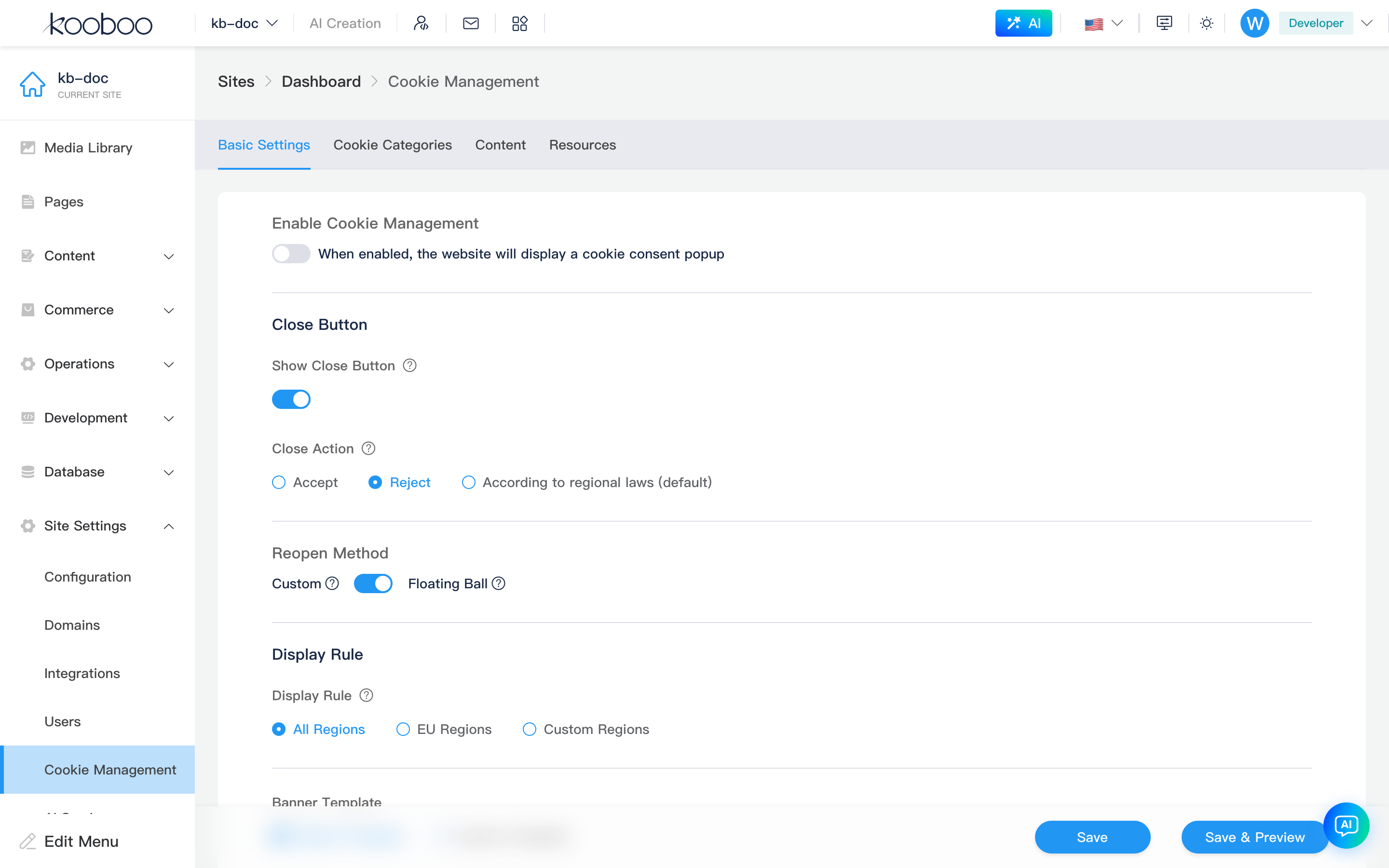
Enable and Close Button
| Item | Description |
|---|---|
| Enable Cookie management | Shows consent banner on the front end; hidden when off |
| Show close button | Top-right close control on the banner |
| Close behavior | When the user closes without choosing: Accept, Reject, or Per regional law (default) |
Panel Reopen Method
| Method | Description |
|---|---|
| Custom | Place any element with class kc-reopen-btn on the front end to reopen settings |
| Floating button | Floating button bottom-right reopens the panel |
For ops-maintained custom button text or links, use Tag attributes or template resources rendered on the front end.
Display Rules
| Rule | Description |
|---|---|
| All regions | Show consent banner to all visitors |
| EU regions | Show only in EU regions |
| Custom regions | Include or Exclude rule, then pick countries |
Country list comes from the admin API, grouped by continent.
Banner Template
| Template | Options |
|---|---|
| Default template | Banner type and position; theme Light / Dark / Custom; custom theme: primary, background, text, button, button text colors |
| Custom template | HTML editor for full template snippet; start from system minimal template and keep required IDs and data-* attributes |
Goals of Custom Templates
Custom templates adjust visuals, layout, copy layout, and branding: e.g. bottom banner to side panel, button order, brand copy, Cookie category layout. They do not reimplement consent logic; save state, button events, category sync, resource restore, and analytics are handled by built-in front-end scripts.
Front-end load order:
| Step | System behavior | Developer action |
|---|---|---|
| 1 | Admin saves CookieConsentSetting | Configure categories, copy, resources, template on this page |
| 2 | Front end requests /_api/cj/client | System renders custom template with Kooboo template syntax |
| 3 | Built-in script injects template | Keep required containers, button IDs, category checkboxes |
| 4 | Visitor clicks accept | Built-in script writes consent Cookie, restores allowed resources, records stats |
Data Available in Templates
Template render reads current site Cookie config:
| Admin area | Typical template use |
|---|---|
| Cookie categories | Category name, description, required flag, default checked |
| Content | Title, description, intro, button labels, privacy and Cookie policy links |
| Resource management | Resources and Cookie items per category in details |
| Basic settings | Close button, floating button, banner type and position |
Avoid hardcoding business copy beyond category IDs; multilingual sites should use Content and Cookie categories multilingual fields.
Required DOM Conventions
Built-in scripts bind by these IDs/attributes. You may change tags, hierarchy, and styles, but keep these identifiers unique.
| Identifier | Role |
|---|---|
kb-cookie-banner | Banner container; show/hide |
kb-cookie-accept-all | Banner Accept all |
kb-cookie-save | Banner Save selection |
kb-cookie-reject | Banner Reject non-essential |
kb-cookie-settings | Open settings modal from banner |
kb-cookie-close | Banner close; behavior from Close behavior |
kb-cookie-modal | Settings modal container |
kb-cookie-modal-overlay | Modal overlay |
kb-cookie-modal-close | Close settings modal |
kb-cookie-modal-accept-all | Modal Accept all |
kb-cookie-modal-save | Modal Save selection |
kb-cookie-modal-reject | Modal Reject non-essential |
data-category-id="{categoryId}" | Category checkbox; sync and read visitor choice |
data-tab / data-tab-content | Tab switch inside settings modal |
data-expand-category / data-resources-category | Expand category details and resource list |
kc-reopen-btn | Custom reopen button class when not using floating button |
For light branding, change CSS, copy layout, and button order first; if restructuring DOM, keep all identifiers above and verify step by step.
Behaviors Handled by Built-in Scripts
| Behavior | Description |
|---|---|
| First visit display | Per typeAndPosition: banner, modal, or inline |
| Category checkbox sync | Same category in banner and modal syncs via data-category-id |
| Required category protection | Required categories stay on; visitors cannot uncheck |
| Consent persistence | Writes kb_cookie_consent; later visits respect saved state |
| Resource restore | kc-src / kc-href revert to real src / href after category consent |
| Iframe placeholder | Iframe placeholder content until consent; then original URL |
| Analytics | Consent results feed Reports |
Custom templates should not write consent Cookies themselves, load blocked third parties, or bypass Resource management categories.
Development Checklist
| Check | Description |
|---|---|
| Button IDs | Accept all, save, reject, settings, close all work |
| Category checkboxes | Each optional category has data-category-id; required categories cannot be unchecked |
| Reopen entry | Floating button or kc-reopen-btn present |
| Mobile | Banner, modal, buttons usable on small screens |
| Resource restore | Third parties blocked on reject; restore after consent |
| Multilingual | Title, buttons, categories, policy links per site language |
Cookie Categories
Categories define what visitors can choose; used by resource management and reports.
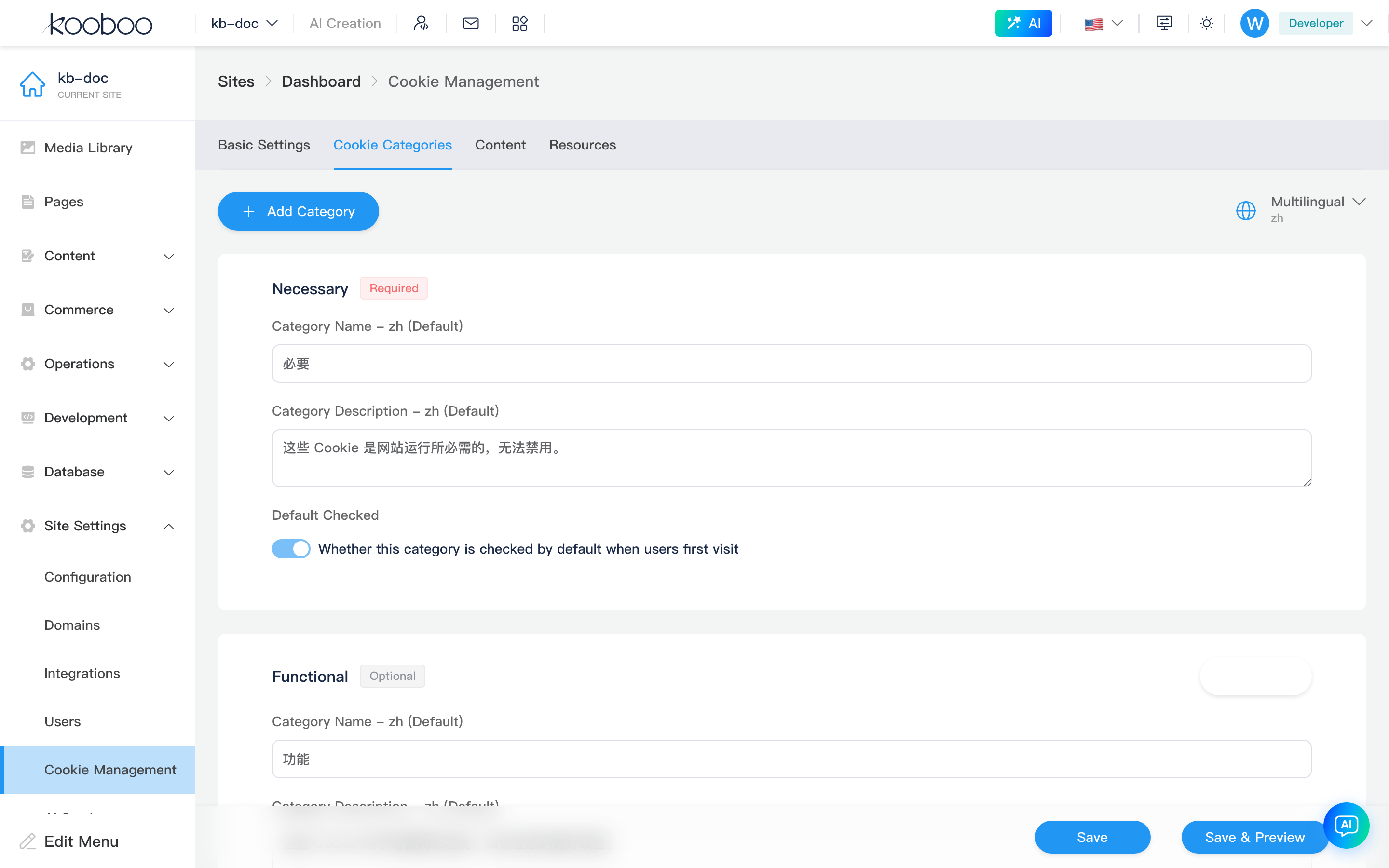
| Area | Description |
|---|---|
| Add category | Dialog; name and description per supported language |
| Language selector | Edit language; list from site multilingual config |
| Category cards | Required first, optional after |
| Required / Optional | Required cannot be unchecked by default; optional can be deleted |
| Default selected | Pre-checked on first open; required always selected |
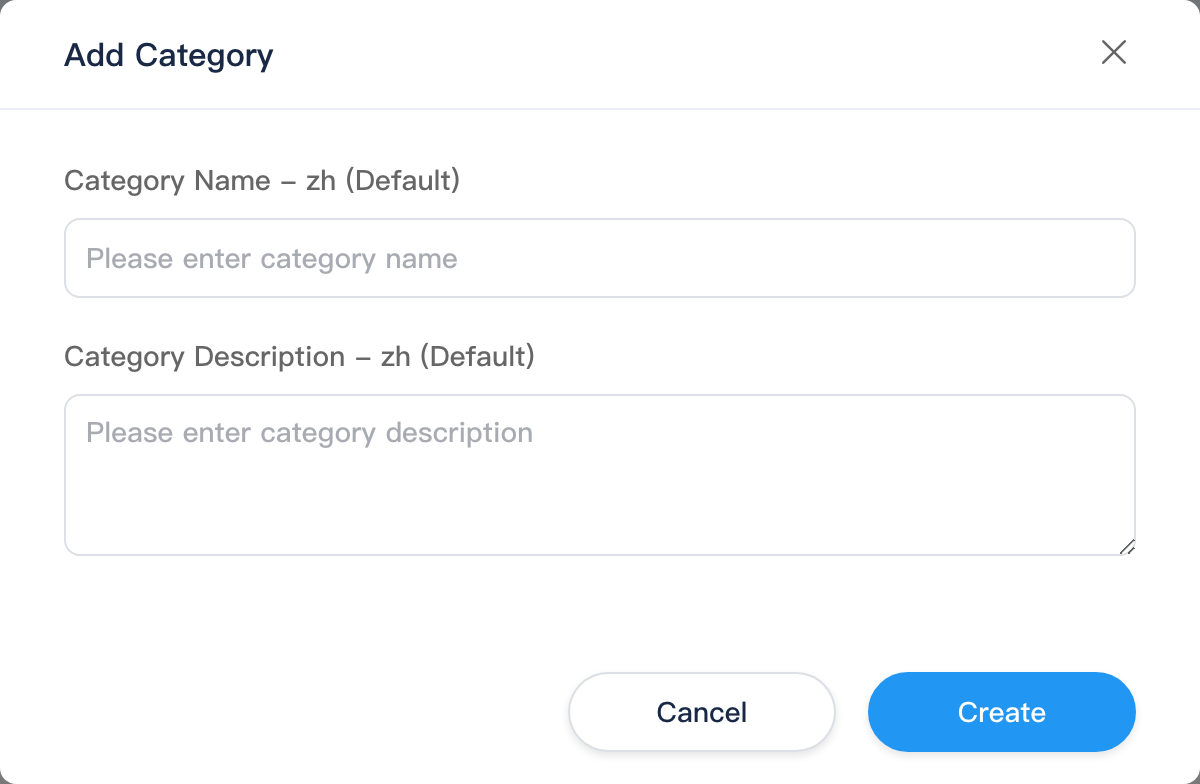
New categories default to optional, not pre-selected. Still in form until bottom Save.
Content
Copy visitors see. For multilingual sites, check each language.
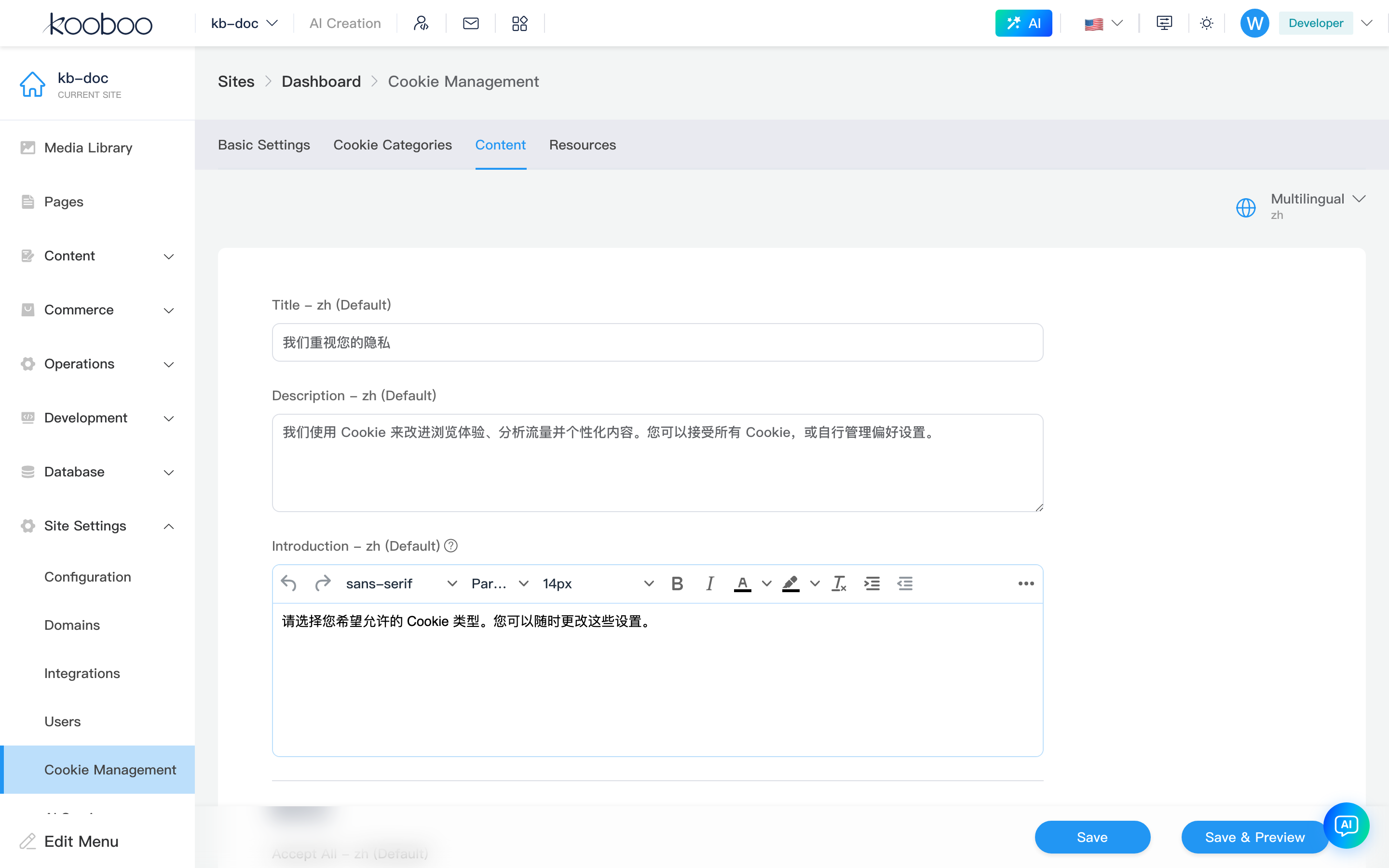
| Field | Where shown |
|---|---|
| Title | Consent dialog title |
| Description | Main explanation |
| Introduction | Settings panel intro |
| Accept all | Accept all Cookies button |
| Accept selected | Save current category selection |
| Reject all | Reject non-essential Cookies |
| Privacy policy link | Privacy policy URL and link text |
| Cookie policy link | Cookie policy URL and link text |
| Iframe placeholder content | HTML shown in iframe until category consent |
Resource Management
Tells the system which external script, img, iframe, or link belongs to which category and which Cookies it may set.
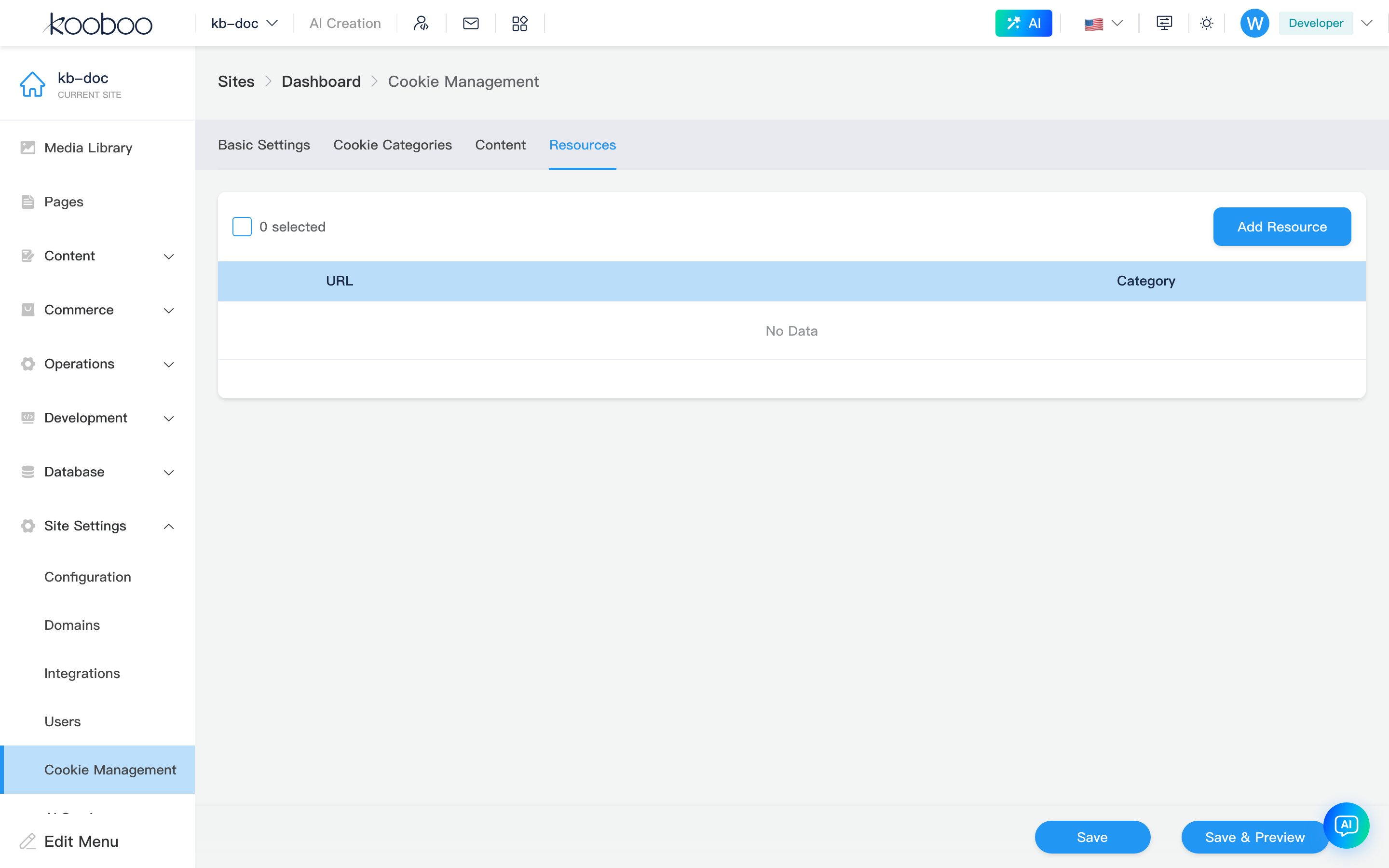
Resource List
| Column / action | Description |
|---|---|
| URL | External resource address |
| Category | Cookie category |
| Expand row | Cookies for resource; Add Cookie, edit, delete |
| Edit | URL, type, category, Cookie list |
| Delete / multi-delete | Remove from config; still requires bottom save |
Add Resource
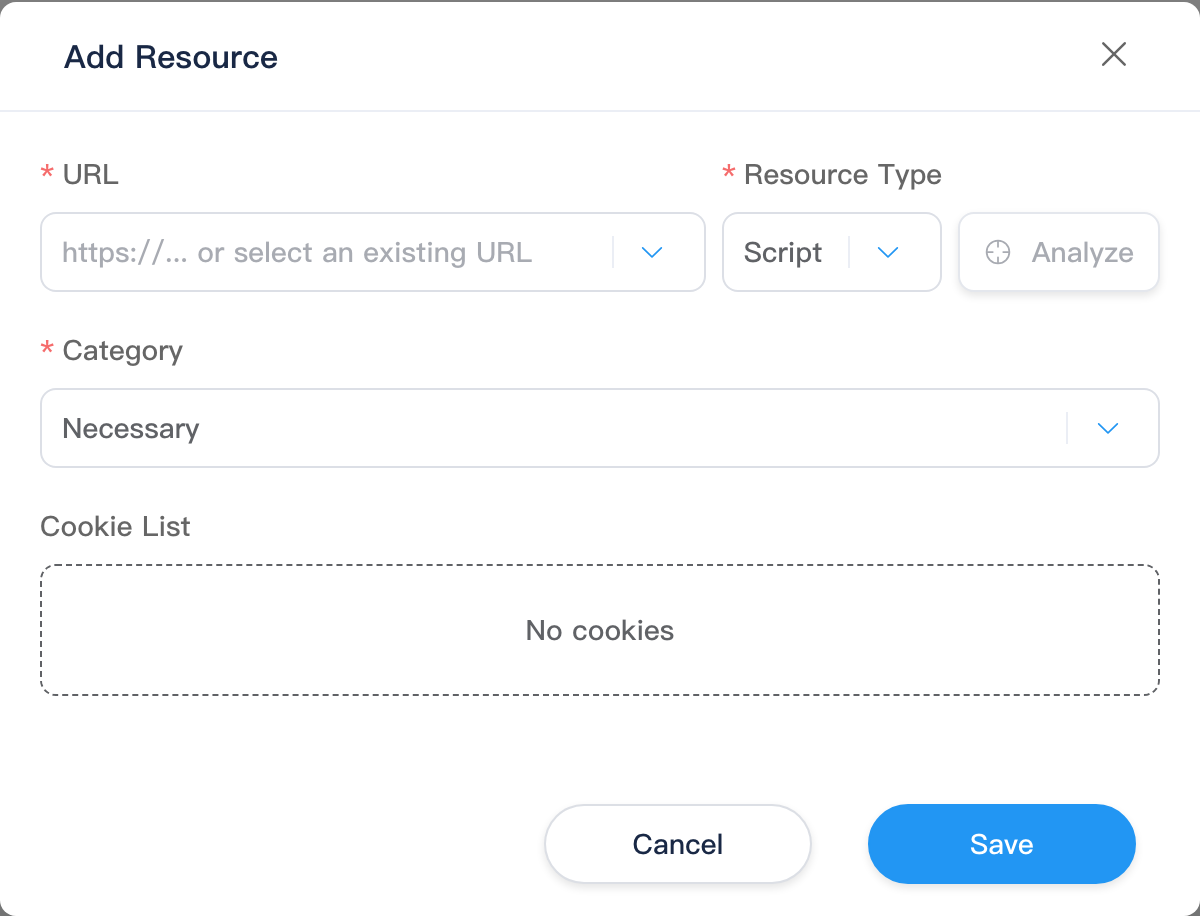
| Field | Description |
|---|---|
| URL | Pick from site pages, layouts, views, HTML blocks, or type manually |
| Resource type | script, img, iframe, link; UI labels Script, Image, Iframe, Link; auto-filled when picking URL |
| Analyze | Backend analyzes Cookies; merges into list without duplicates |
| Category | Required; from Cookie categories |
| Cookie list | Name, description, expiry per Cookie |
Cookie item fields:
| Field | Description |
|---|---|
| Cookie name | Required; actual browser Cookie name |
| Description | Multilingual purpose for visitors |
| Expiry | Minutes; e.g. 60 = 1 hour, 1440 = 1 day |
Reports
Read-only; no bottom save. Pick date range after opening tab:
| Dimension | Description |
|---|---|
| Decision trend | Accept all, Reject all, Custom selection |
| Category trend | Consent per category; names in current language |
Default range: last 7 days. Empty state if no data; from actual visitor consent submissions.
Typical Workflow
- Confirm Base URL and multilingual.
- Maintain required and optional categories under Cookie categories.
- Fill title, copy, buttons, policy links per language under Content.
- Add external scripts, iframes, images, or links under Resource management with categories.
- Under Basic settings, pick region, reopen method, Banner template; enable Cookie management.
- Save and preview; test first visit, reject, accept selected, reopen in incognito or after clearing Cookies.
- Review Reports after go-live.
CMS vs API / Template Engine
| Scenario | CMS | API / Template Engine |
|---|---|---|
| Consent banner, categories, copy, resource mapping | This page | — |
| Read/set/delete browser Cookies in KScript | Admin config only | k.cookie |
| Request Cookies in template data flow | Not expanded in admin | k-data tag syntax |
| Custom reopen button on front end | kc-reopen-btn on this page | Tag attributes, template resources |
Related
| Doc | Description |
|---|---|
| Settings overview | Settings menu and suggested order |
| Basic Settings | Base URL, multilingual, site switches |
| Domains | Multi-domain and language binding |
| k.cookie | KScript Cookie read/write |
| k-data tag syntax | Read values from Cookies in templates |