
Appearance
Domains
Menu: Settings -> Domains
Deep link:/_Admin/system/domains?SiteId={siteGuid}
Domains configures bindings for the current site: map subdomains or ports to this site, with optional redirect, language culture, and SSL. The primary domain in the list usually matches Basic Settings · Base URL; new bindings reload site binding info.
Permissions
| Action | Permission |
|---|---|
| View list | domain |
| New binding, enable SSL, toolbar Force SSL | domain·edit |
| Multi-select Delete | domain·delete |
Root domains come from org/server available domains (getAvailableDomain); local/private environments can also bind ports.
How to Open
- In Edit Menu, enable Settings -> Domains.
- Open Settings -> Domains in the left sidebar.
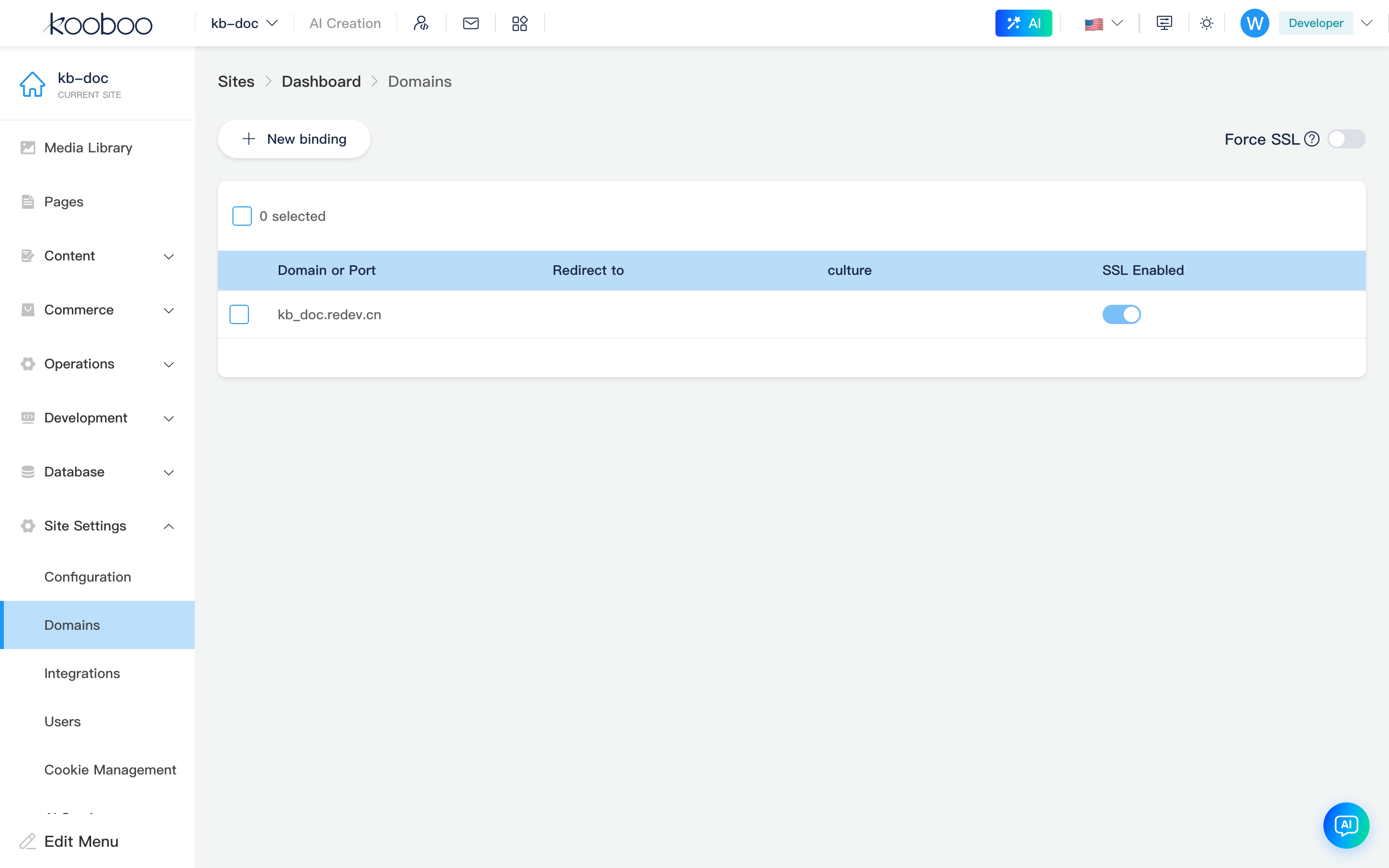
Toolbar
| Control | Description |
|---|---|
| New binding | Opens new binding dialog |
| Force SSL | Site forceSSL; toggling saves site immediately (same as Basic Settings). Turn off if CDN/proxy causes redirect loops |

Binding List
| Column | Description |
|---|---|
| Domain or port | Domain bindings show fullName (subdomain + root); default port binding shows port number |
| Redirect to | 301/302 target binding fullName when visiting this binding (optional) |
| Language | Default culture (must exist under Basic Settings · Multilingual) |
| SSL enabled | HTTPS certificate for domain bindings; once on, switch is disabled (cannot turn off in admin—delete binding instead) |
Multi-select Delete calls Binding/Deletes.

Enable SSL
For non-port bindings, turn on SSL enabled:
Binding/verifySSLvalidates domain and certificate environment- On success,
Binding/SetSslwrites and refreshes list
On failure, Failed tag on the row; hover for sslError. Requires domain·edit.
New Binding
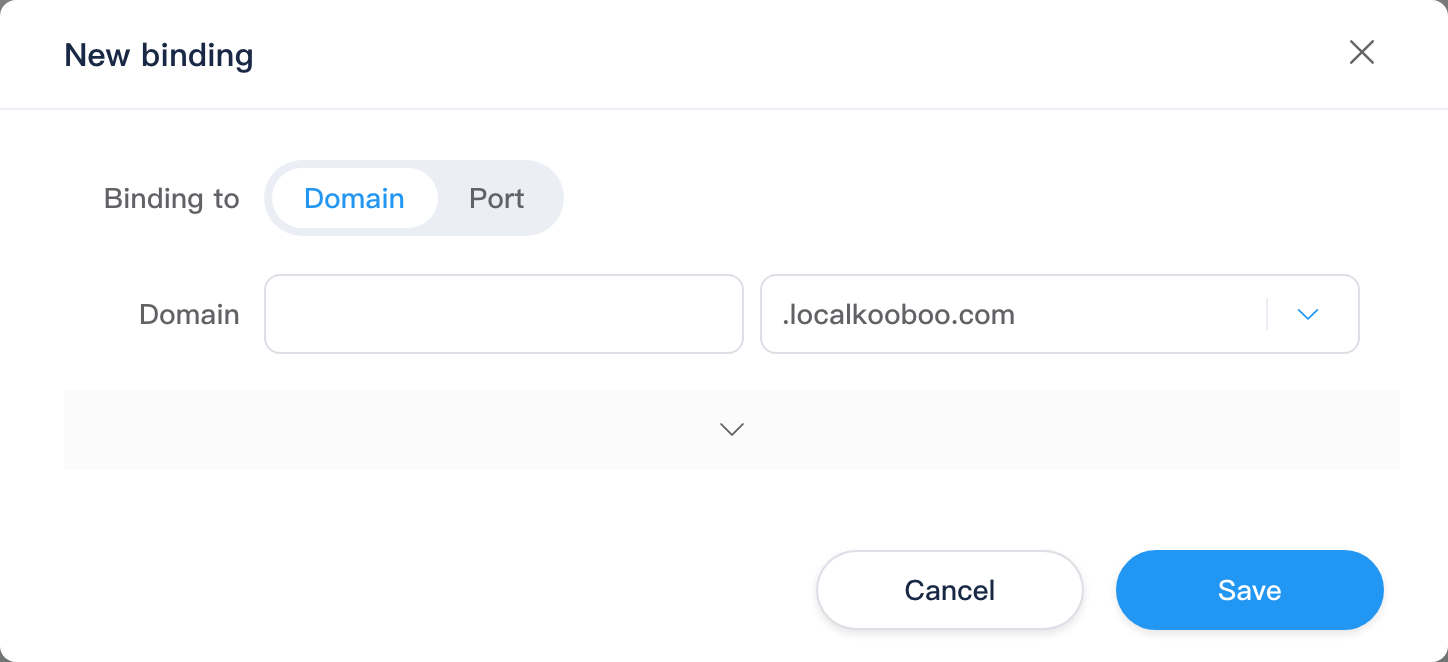
Binding Type
| Type | Environment | Description |
|---|---|---|
| Domain | All | Subdomain + root domain dropdown (from available domains) |
| Port | Not online public cloud (!isOnlineServer) | Bind site to a port (defaultBinding) |
Online servers hide Bind to type toggle; domain mode only.
Domain Fields
| Field | Rules |
|---|---|
| Subdomain | Optional; subdomain rules (length 1–63, unique per site, etc.) |
| Root domain | Required; org available roots; prefix . or - controls join with subdomain (sudDomainUseDash) |
Full hostname is combined fullName.
Advanced Settings
Expand arrow in dialog:
| Field | Description |
|---|---|
| Redirect to | Pick target fullName from existing bindings |
| Language | From site culture dictionary |
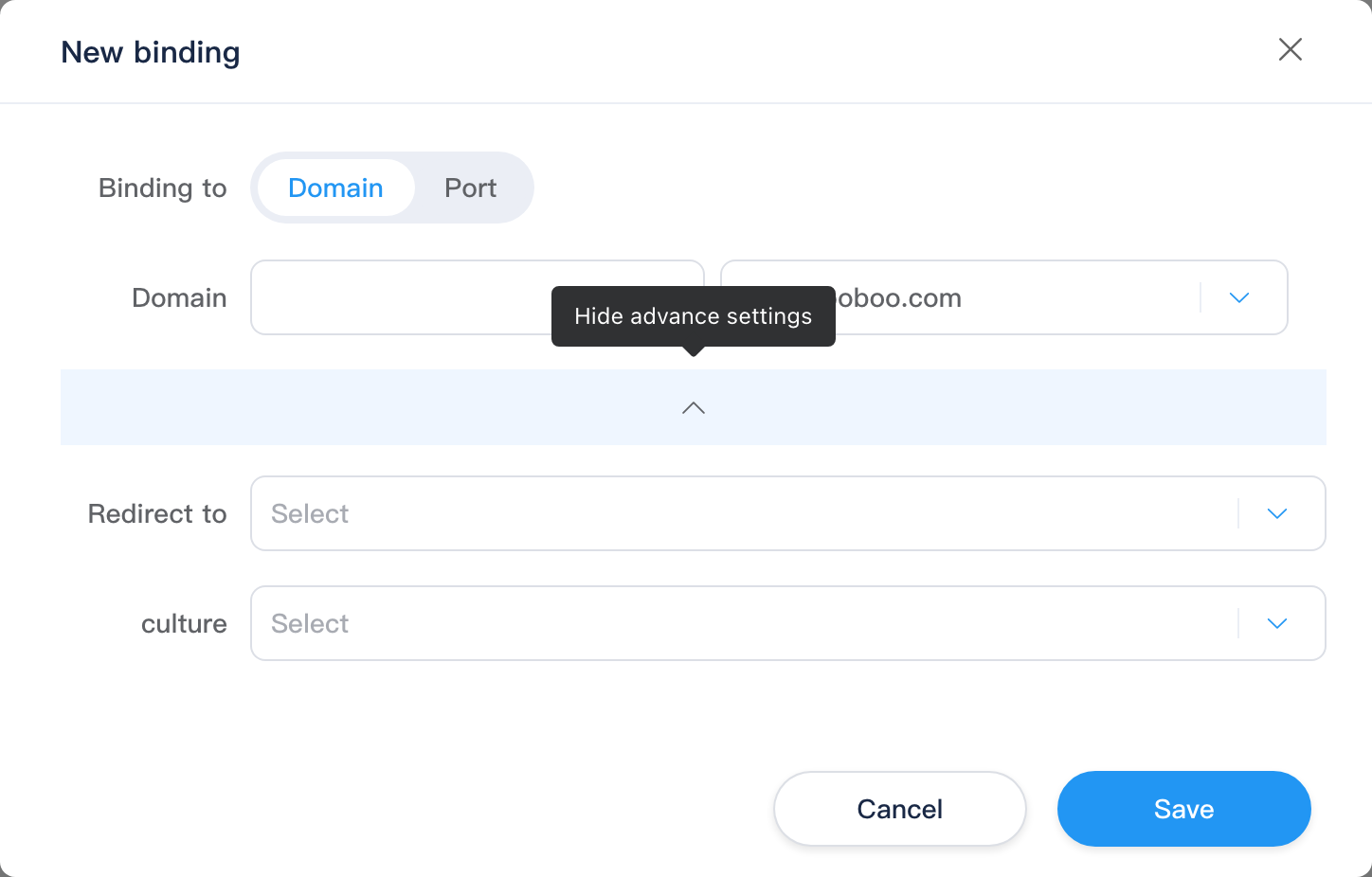
Confirm calls Binding/post; on success closes dialog and refreshes list and site info.
Relationship to Basic Settings
| Item | Relationship |
|---|---|
| Base URL | Should be the primary binding visitors use (including protocol) |
| Force SSL | Shared site.forceSSL with Basic Settings; either place updates the same field |
| Multilingual | Binding Language column uses cultures from Basic Settings |
Typical Workflow
- Ensure root domain is registered available at org level.
- New binding: subdomain + root (or port on local).
- Set redirect and language as needed.
- Point DNS to Kooboo server, then enable SSL in the list.
- Update Basic Settings Base URL to the primary address.
Related
| Doc | Description |
|---|---|
| Settings overview | Menu overview |
| Basic Settings | Base URL, multilingual |
| Integrations | Third-party config unrelated to domains |