
Appearance
Open API
Menu: Development → Open API
Deep link:/_Admin/development/openapis?SiteId={siteGuid}
Import external OpenAPI (Swagger) documents into the site, configure auth credentials and response cache, and call remote HTTP APIs in KScript via k.openApi.{name}. Unlike Swagger generated for this site in Code (codeOpenApi): this feature aggregates third-party APIs.
Permissions
List: openApi (view). Create, edit definitions and authorizations, Update document (URL type) require openApi·edit; multi-select Delete requires openApi·delete.
vs k.net
| Approach | Use when |
|---|---|
| Open API (this page) | Existing OpenAPI spec, OAuth/API Key, call by operation name, cacheable |
| k.net.httpClient | Hand-written URL, headers, no spec document |
How to Open
- In Edit Menu, enable Development → Open API.
- Open Development → Open API in the left sidebar.
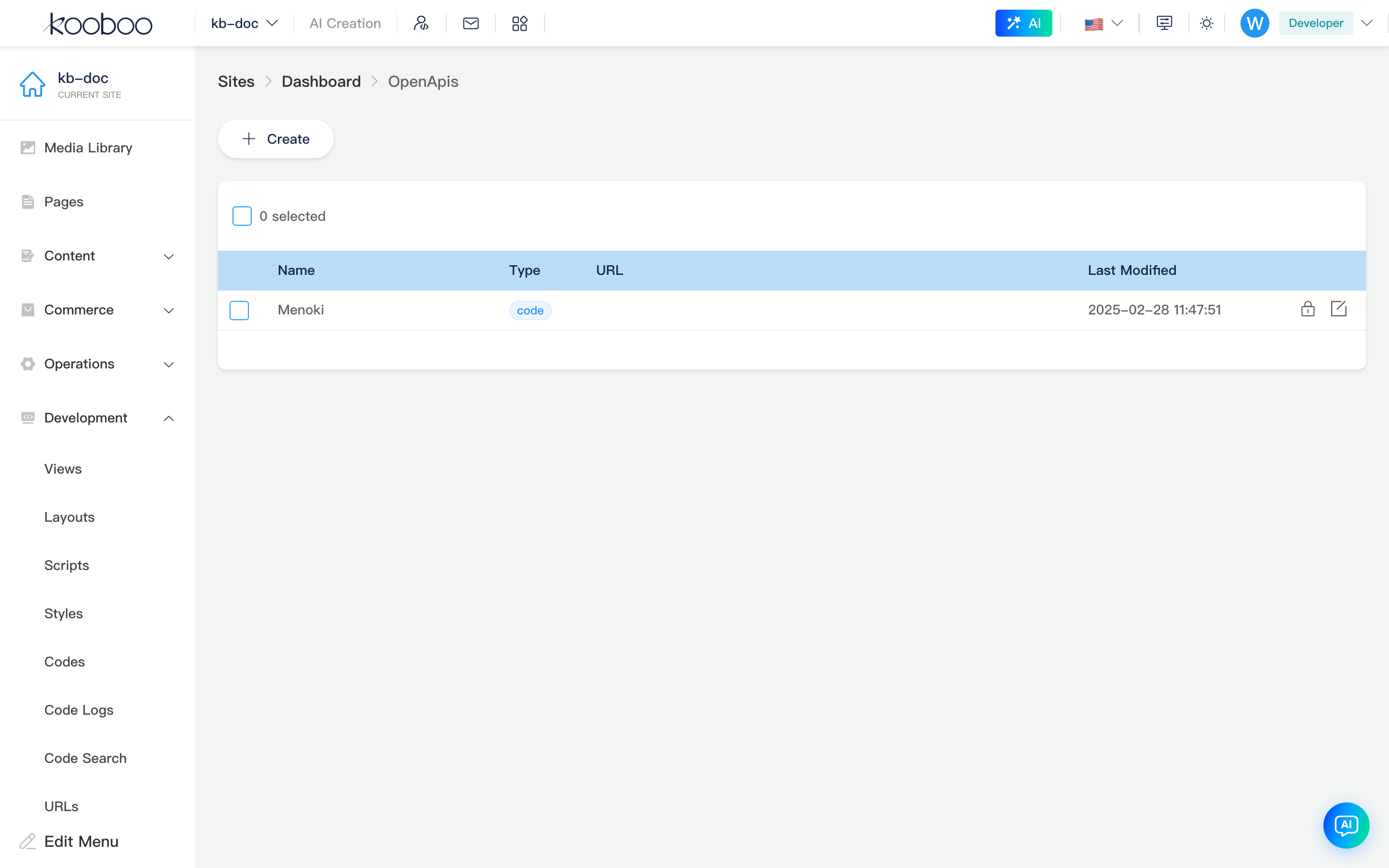
Definition list
Toolbar
| Button | Permission | Description |
|---|---|---|
| Create | openApi·edit | Enter edit Open API (new) |

List table
| Column | Description |
|---|---|
| Name | Unique id; cannot rename after save; maps to k.openApi.{name} in scripts |
| Type | url / code / template (see edit page types) |
| URL | Spec source address or template detail link |
| Last modified | Save time |
| Actions | See table below |
| Icon | Condition | Description |
|---|---|---|
| Update document | Type url | Re-download OpenAPI JSON from URL and write to site |
| Authorize | Always | Enter authorization config |
| Edit | Always | Enter edit Open API |
Supports multi-select Delete (openApi·delete); also deletes all authorization records for that definition.

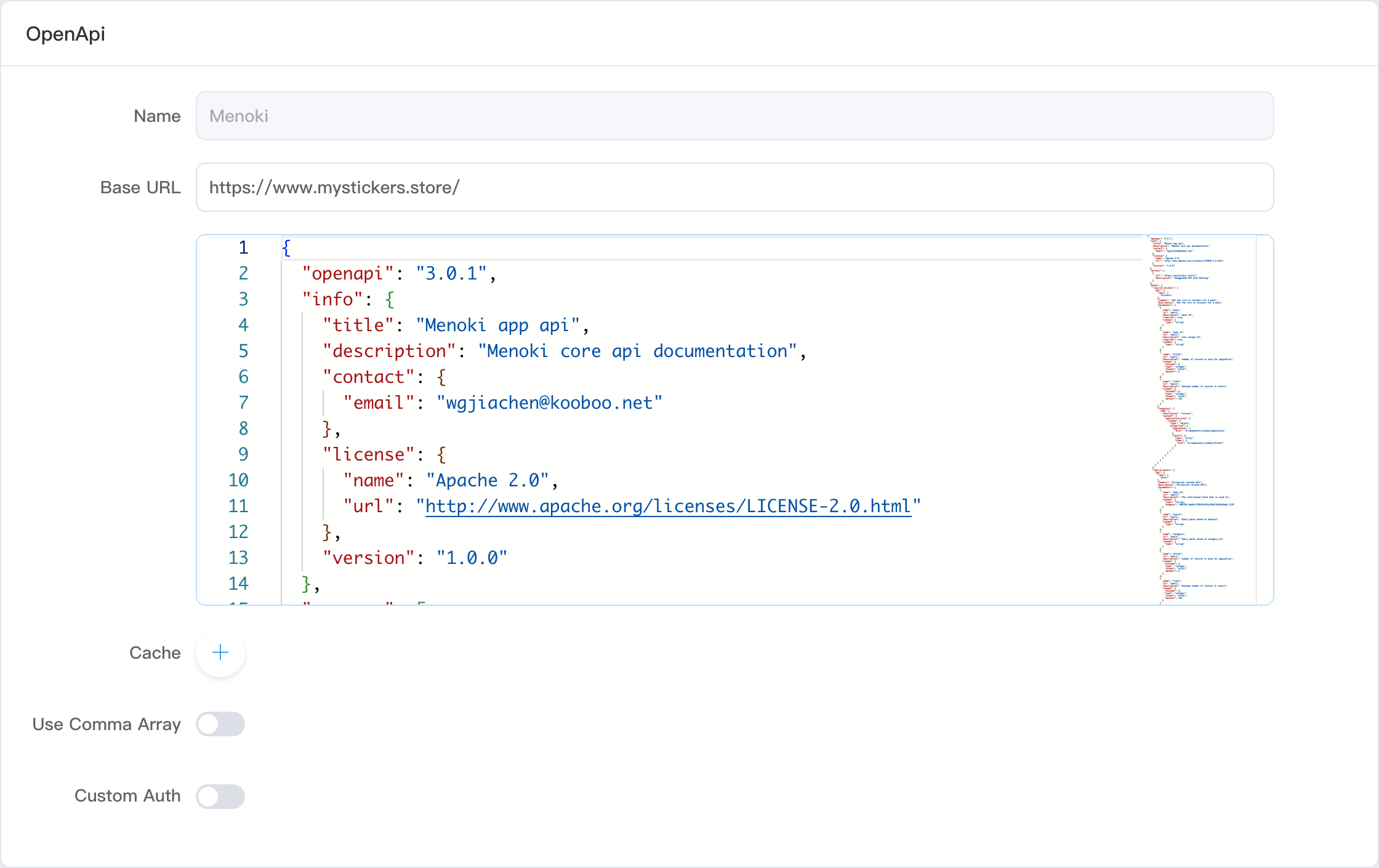
Edit Open API
Path: /_Admin/development/openapi/edit?SiteId=... (new without id; edit with id={OpenApiId})
Footer Save / Return; unsaved leave prompts. New save returns to list.
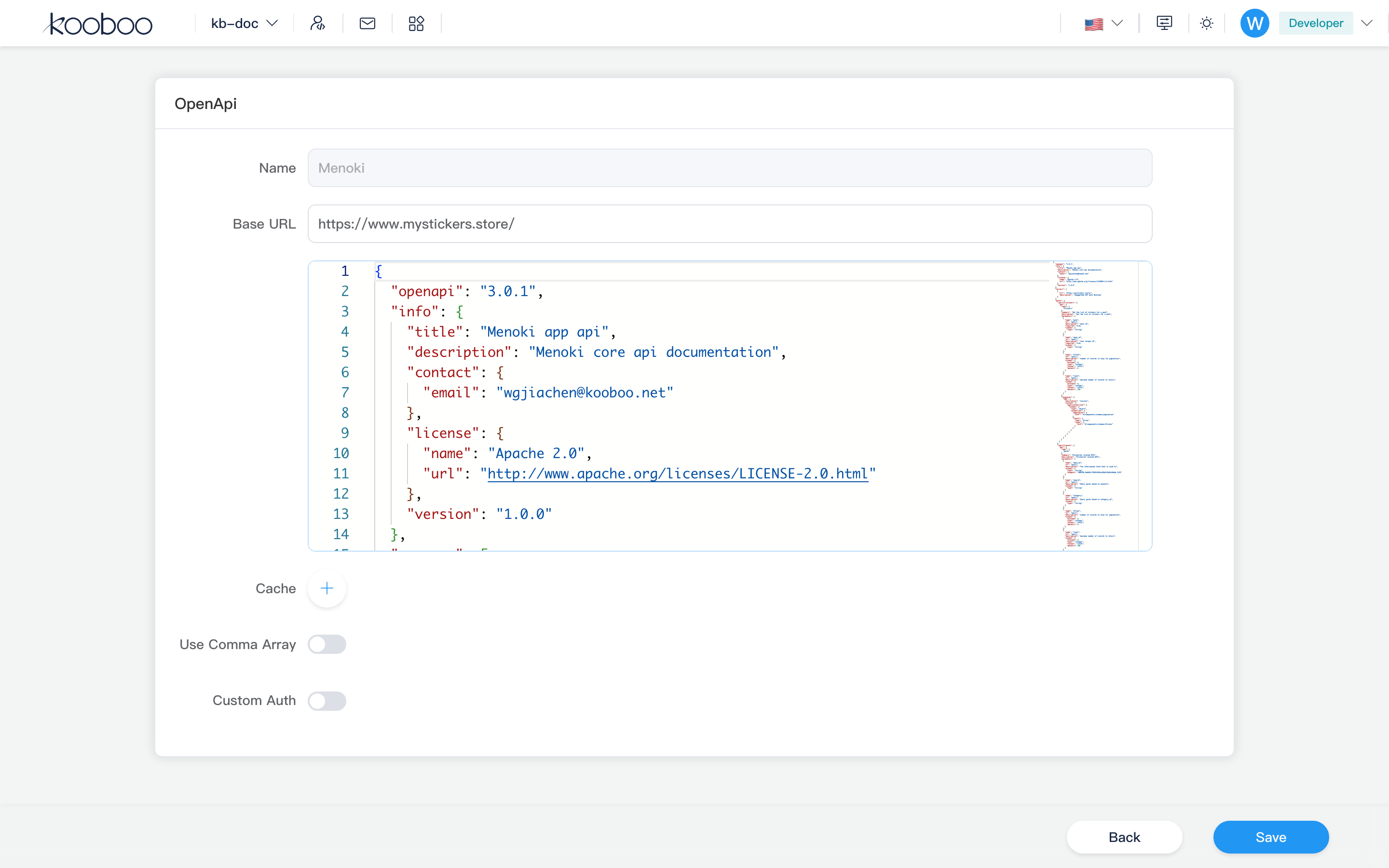
Common fields
| Field | Description |
|---|---|
| Name | Required, unique, 1–50 chars, letter or digit first; read-only when editing |
| Base URL | Optional; overrides servers base in spec (absolute HTTP(S) URL) |
| Cache | Cache responses by HTTP method + path pattern — response cache |
| Use comma array | Serialize array query params as comma-separated single value (else duplicate keys) |
| Custom authentication | Toggle shows KScript editor; inject header/query/cookie before request |
Custom authentication script can use global request (read-only structure injected at runtime): body, querys, paths, headers, cookies. Example (default editor comment):
typescript
// request.headers.Authorization = 'bearer xxxx'
// request.querys.token = 'xxxx'
Types (selectable on create)
Type cannot change after create.
| Type | Description |
|---|---|
| URL | OpenAPI JSON URL (e.g. https://petstore3.swagger.io/api/v3/openapi.json); downloads and normalizes JSON on save |
| Code | Paste OpenAPI JSON body in Monaco (jsonData) |
| Template | Pick from Kooboo template library (openapi_template.kooboo.net); auto-fills baseUrl, authUrl, document, optional sample code |
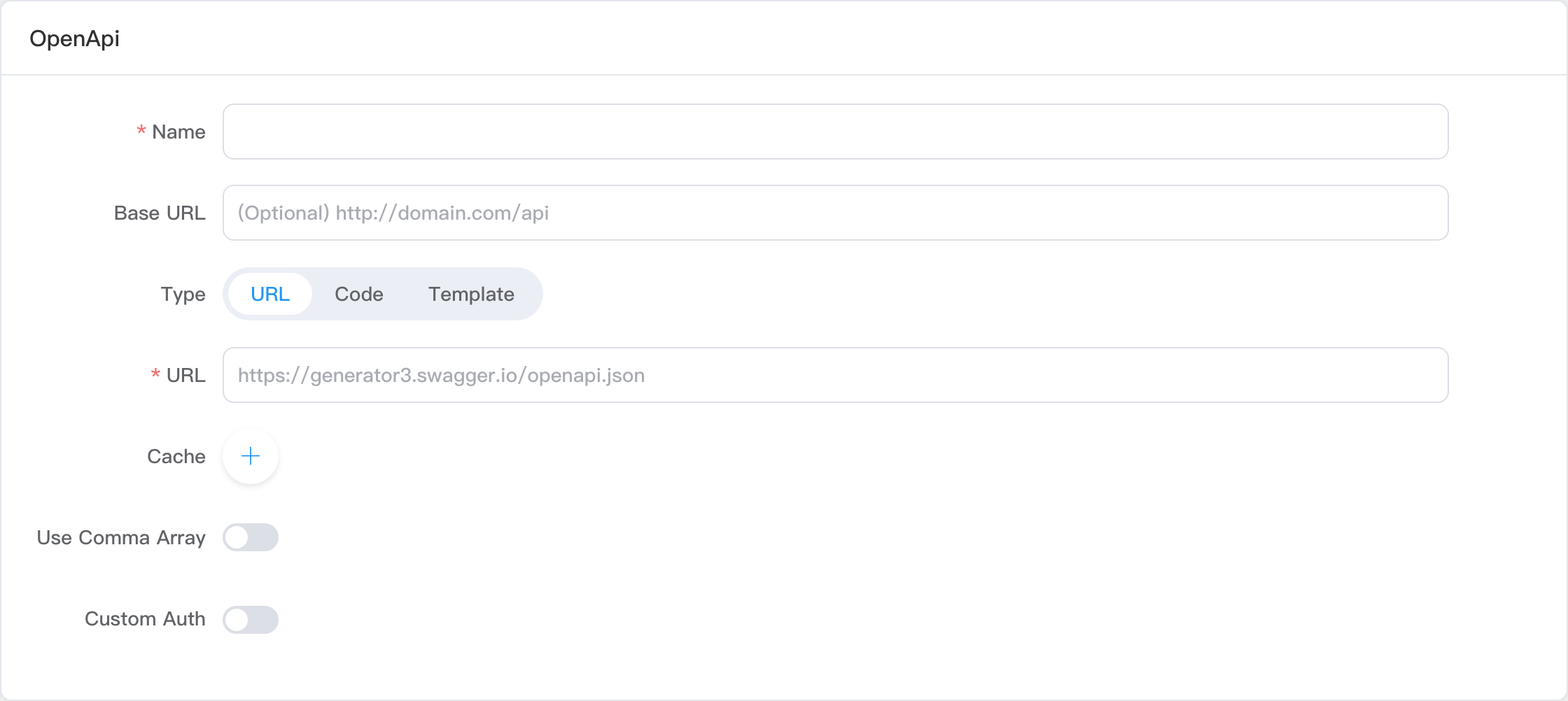
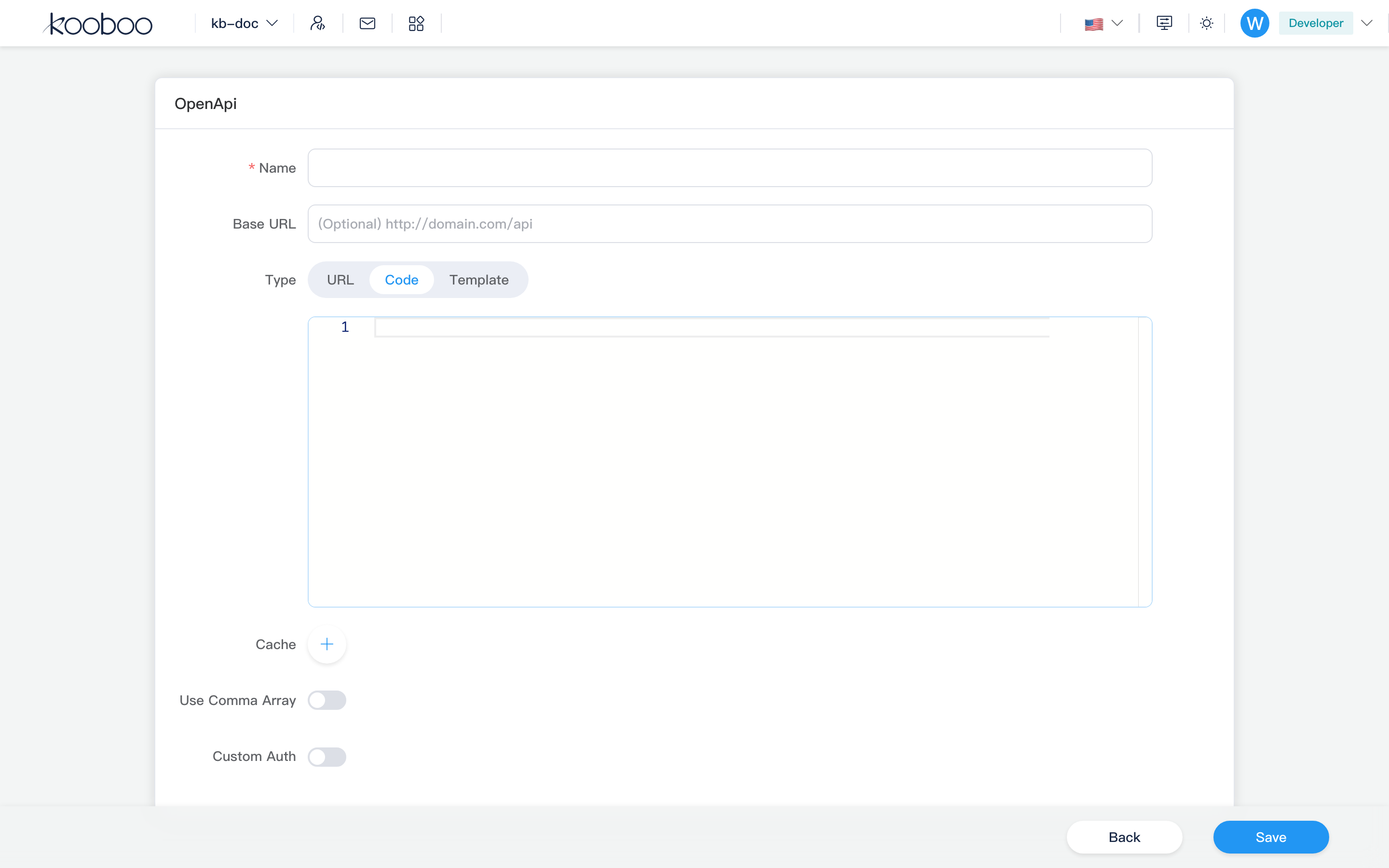
Response cache
Each cache rule:
| Field | Description |
|---|---|
| Method | GET / POST / … / ALL |
| Path pattern | Fragment matching spec paths (Contains match) |
| Expiry | Minutes |
On cache hit, returns last response from memory until expiry.
Authorization config
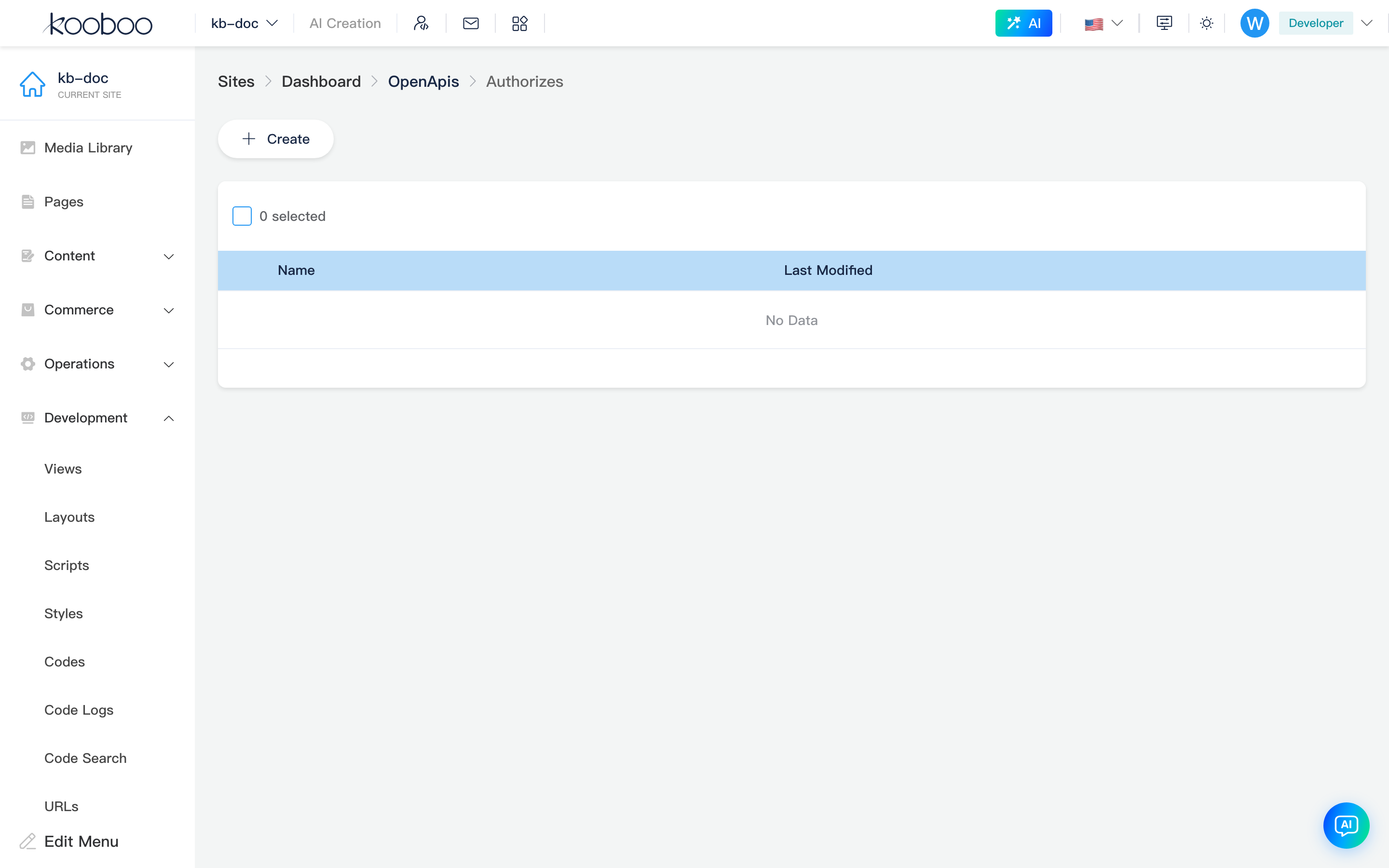
Path: /_Admin/development/openapi/authorizes?SiteId=...&id={OpenApiId}
From list Authorize (lock icon). Breadcrumb: OpenApis → Authorizes.
Maintain multiple authorization names per Open API definition (e.g. production, sandbox), each storing credentials required by spec securitySchemes. Scripts must configure here (or via k.openApi.{name}.authorize) before calling remote APIs, else Api not authorize.
Toolbar
| Button | Description |
|---|---|
| Create | New authorization record |
List
| Column | Description |
|---|---|
| Name | authorizeName; which credential set the script uses |
| Last modified | Save time |
| Actions | Challenge (OAuth one-click redirect), Edit |
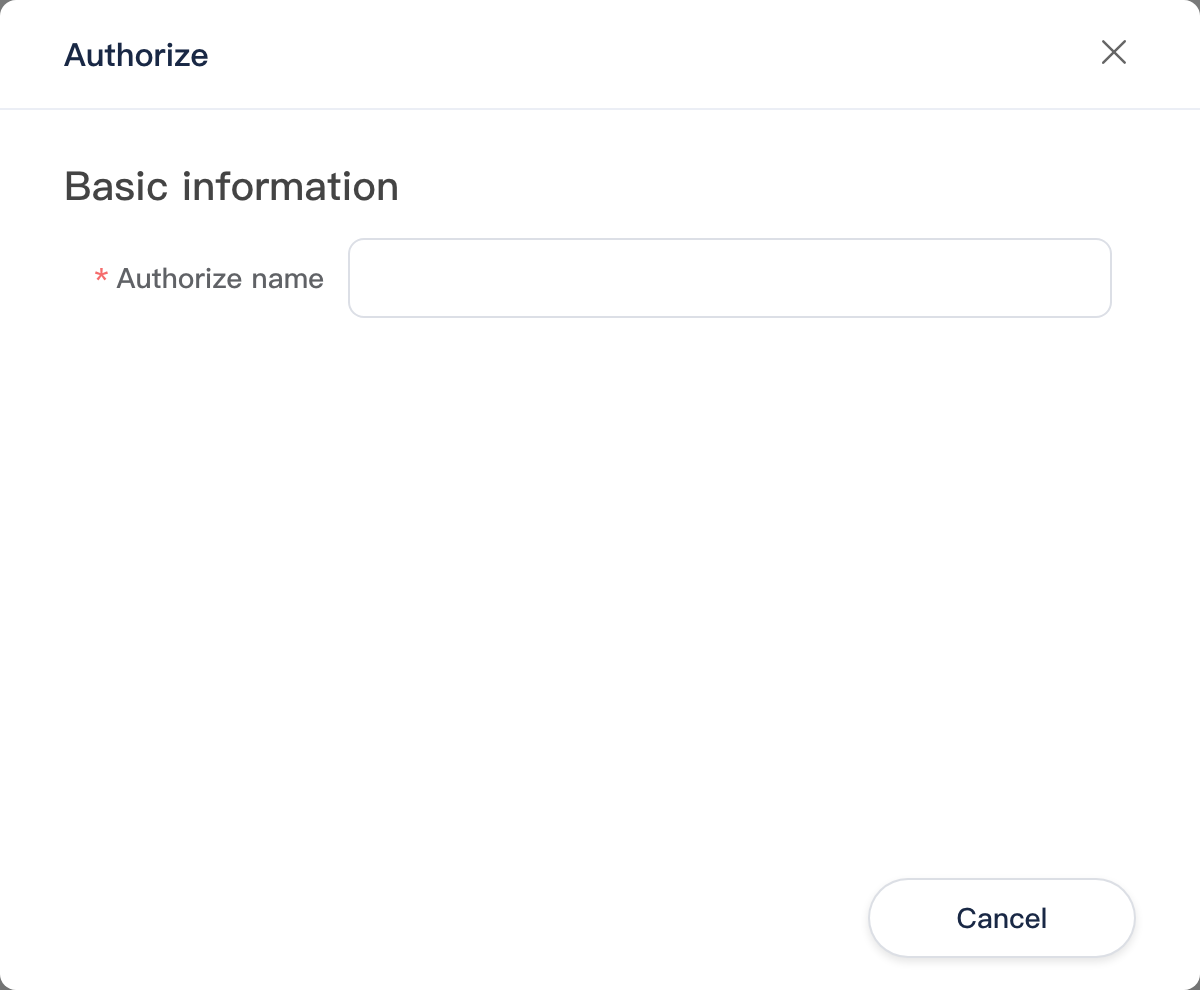
New/edit authorization dialog
| Field | Description |
|---|---|
| Name | Authorization config name (required on create, unique) |
| Security scheme | Dynamic form from OpenAPI components.securitySchemes |
Common credential fields (by scheme type):
| Scheme | Fields |
|---|---|
| HTTP Basic | username, password |
| Bearer / API Key | accessToken, name (e.g. Bearer prefix) |
| OAuth2 | clientId, clientSecret, accessToken, refreshToken, expiresIn, etc. |
Challenge: for definitions with authUrl or OAuth2 authorizationCode flow, opens browser for authorization; callback handled by Kooboo /_api/openapioauth2callback/... or /_api/OpenApi/SaveToken and writes tokens back.
Use in the site
- Create Open API here and save (ensure valid
jsonData). - Add at least one credential set in authorization config.
- Call from server scripts in Layout / Page / Code, for example:
javascript
// Name matches admin Name column; operation names in k.openApi API docs
const result = k.openApi.myService.somePath_get({ query: { page: 1 } })
Operation names and parameter shapes match IDE OpenApi types for the site — see k.openApi.
Related
| Doc | Description |
|---|---|
| k.openApi | KScript: call operations, authorize credentials |
| k.net.httpClient | Generic HTTP client |
| k.security.jwt | JWT (with Bearer in spec) |
| Code | This site's API / CodeBlock |
| Authentication | Inbound request auth (not external API calls) |
| Development overview | Development group index |