
Appearance
Integrations
Menu: Settings -> Integrations
Deep link:/_Admin/system/config?SiteId={siteGuid}
Integrations centralizes site CoreSetting: database, payment, SMS, OAuth login, object storage, JWT, etc. The page groups items by Group; each row shows name and value summary (masked/truncated in the list). Click Edit to open the config dialog.
Permissions
View list: config. Edit and save any item: config·edit.
Security
Dialogs often contain secrets, connection strings, certificates, etc. Do not put real values in public docs or Git; CMS docs explain admin paths and field meaning—values come from vendor consoles.
How to Open
- In Edit Menu, enable Settings -> Integrations.
- Open Settings -> Integrations in the left sidebar.
URL query group expands a group, e.g. group=Database from MySQL tables onboarding.
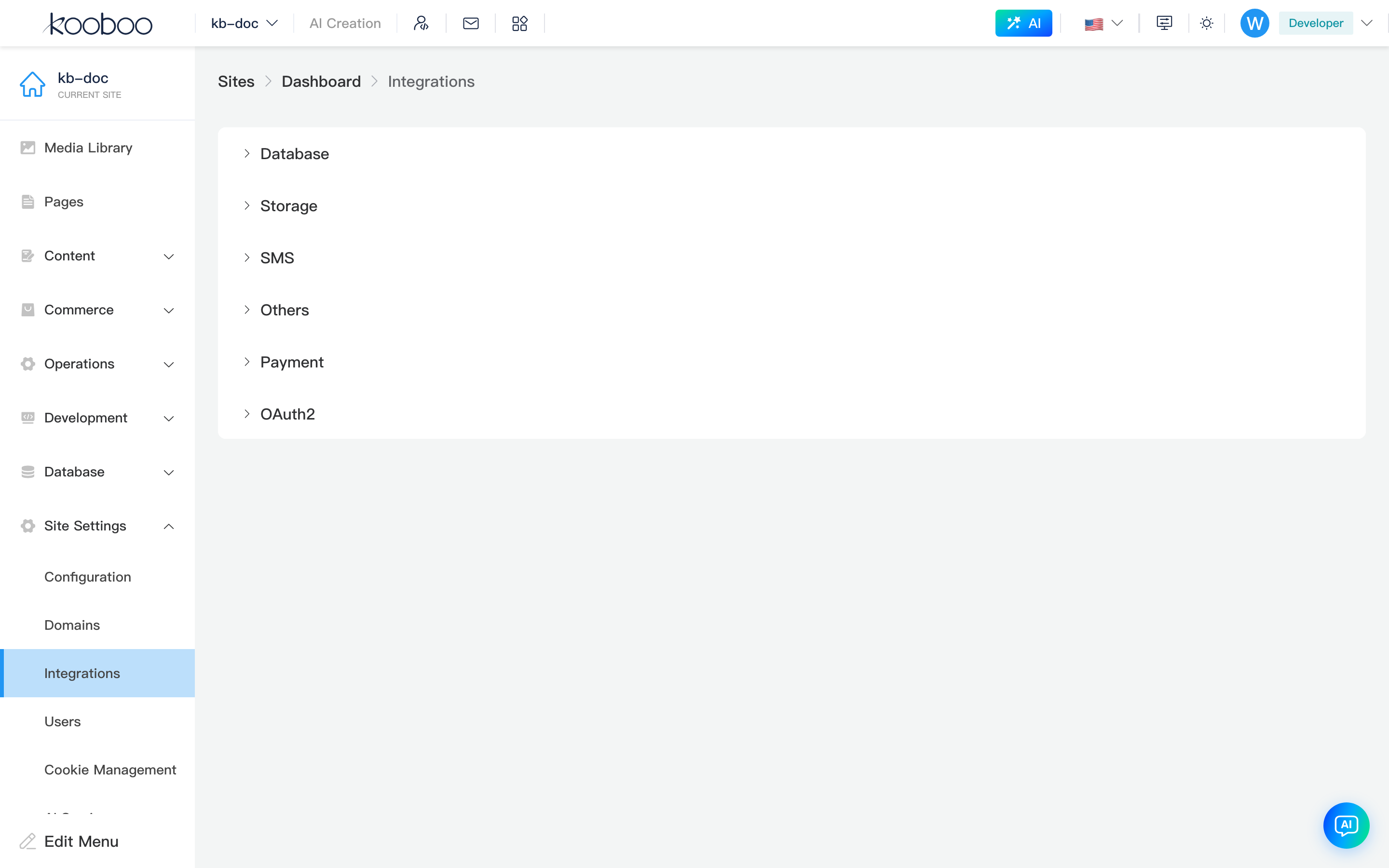
Page Structure
| Area | Description |
|---|---|
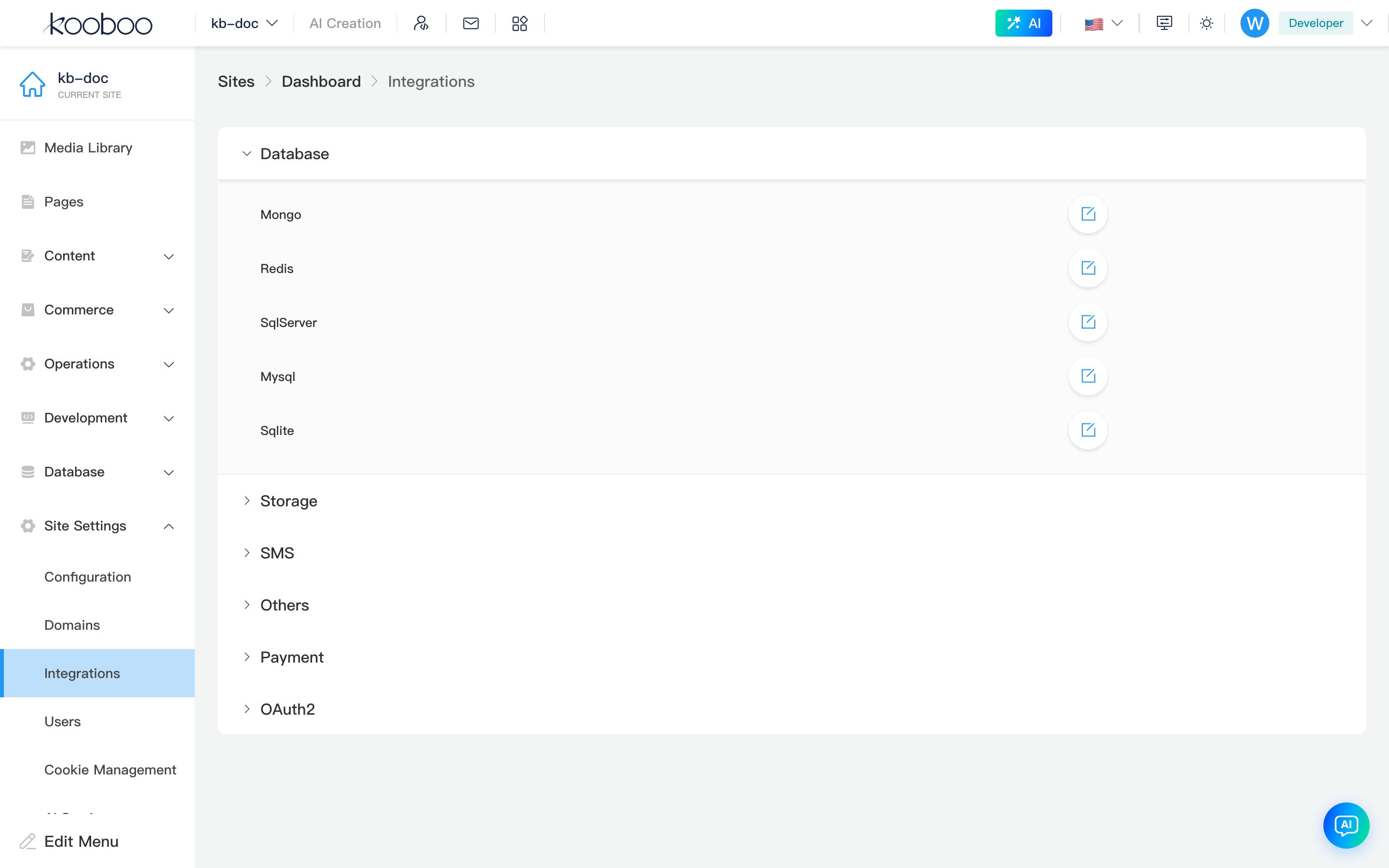
| Fold groups | Group title (e.g. Database, Payment); multiple groups can be open |
| Row: Name | Integration name, matches scripts/admin API (e.g. Mysql, Alipay) |
| Row: Value | value summary (often JSON or connection snippet), truncated when long |
| Row: Edit | Pencil; data-cy is item name; requires config·edit |
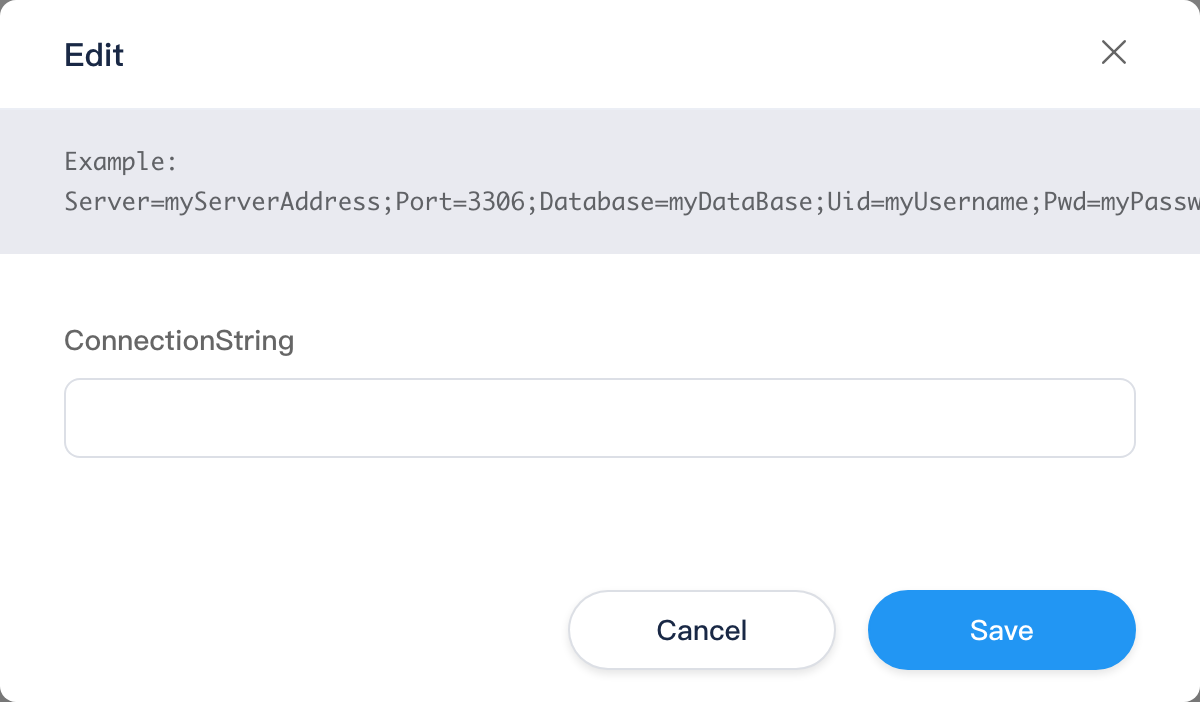
Edit Dialog
- Click Edit on a row.
- Top Alert (if any): callback URLs, connection examples (
GetAlert). - Form fields from
CoreSetting/GetFields:
Control type type | UI |
|---|---|
| Default | Single-line text (el-input) |
checkbox | Switch |
file | Choose file (≤10KB, Base64; can remove selected file) |
- Confirm calls
CoreSetting/update, closes dialog, refreshes list.
CMS vs API
- This doc (CMS): which group, where to click, field types, save flow.
- API docs: script calls, callbacks,
k.payment.*, etc. Payment field details live in k.payment sub-pages—not duplicated in CMS with secrets.
Groups and Docs
| Group | Doc | Typical items |
|---|---|---|
| Database | Database | Mysql, SqlServer, Mongo, Redis, Sqlite |
| Payment | Payment | Alipay, WeChatV3, Stripe, Paypal… |
| SMS | SMS | AliSMS, TencentSMSSetting, ChinaMobileSMSSetting |
| OAuth2 | OAuth2 | Google, Facebook, WeChat/Weibo/Apple login |
| Storage | Storage | AmazonS3, AliyunOSS, AzureBlob |
| Others | Others | JwtSetting, FirebaseSetting |
Visible items vary by Kooboo version and installed modules; list after login is authoritative.
Relationship to Other Menus
| Integration | Menus after config |
|---|---|
| Database · Mysql / SqlServer | MySQL tables, SQL Server tables |
| Payment | Commerce, k.payment in Code |
| OAuth2 | Front-end login callbacks; dev: Authentication (JWT gateway rules) |
| Storage | Media library, content files |
| JwtSetting | JWT validation in Authentication rules |
Commerce Settings does not duplicate Payment—configure Payment group here.
Typical Workflow
- Expand the Group, find the item.
- Edit, fill vendor parameters per Alert, save.
- Verify in business menus (MySQL tables after Mysql, test payment after Alipay, etc.).
- Read matching API docs for scripts.
Related
| Doc | Description |
|---|---|
| Settings overview | Full settings menu |
| k.payment | Payment API |
| k.DB | Database API |