
Appearance
IndexedDB Table Relations
Menu: Database → IndexedDB Table Relations
Deep link:/_Admin/database/table-relation?SiteId={siteGuid}
Table relations declare an association between two IndexedDB tables: specify Table A / Field A, relation type, Table B / Field B, and give the relation a name. After saving, when reading a row from Table A in KScript, you can access related Table B data through the relation name (or in some scenarios the related table name).
Permissions
List and view: tableRelation (view). New relations require tableRelation·edit; multi-select Delete requires tableRelation·delete.
Prerequisites
Both tables must already exist under IndexedDB Tables, and the related fields must exist in Column settings. Tables and fields in dropdowns come from the current site’s IndexedDB table schema.
How to Open
- In Edit Menu, check Database → IndexedDB Table Relations.
- Open Database → IndexedDB Table Relations in the left sidebar.
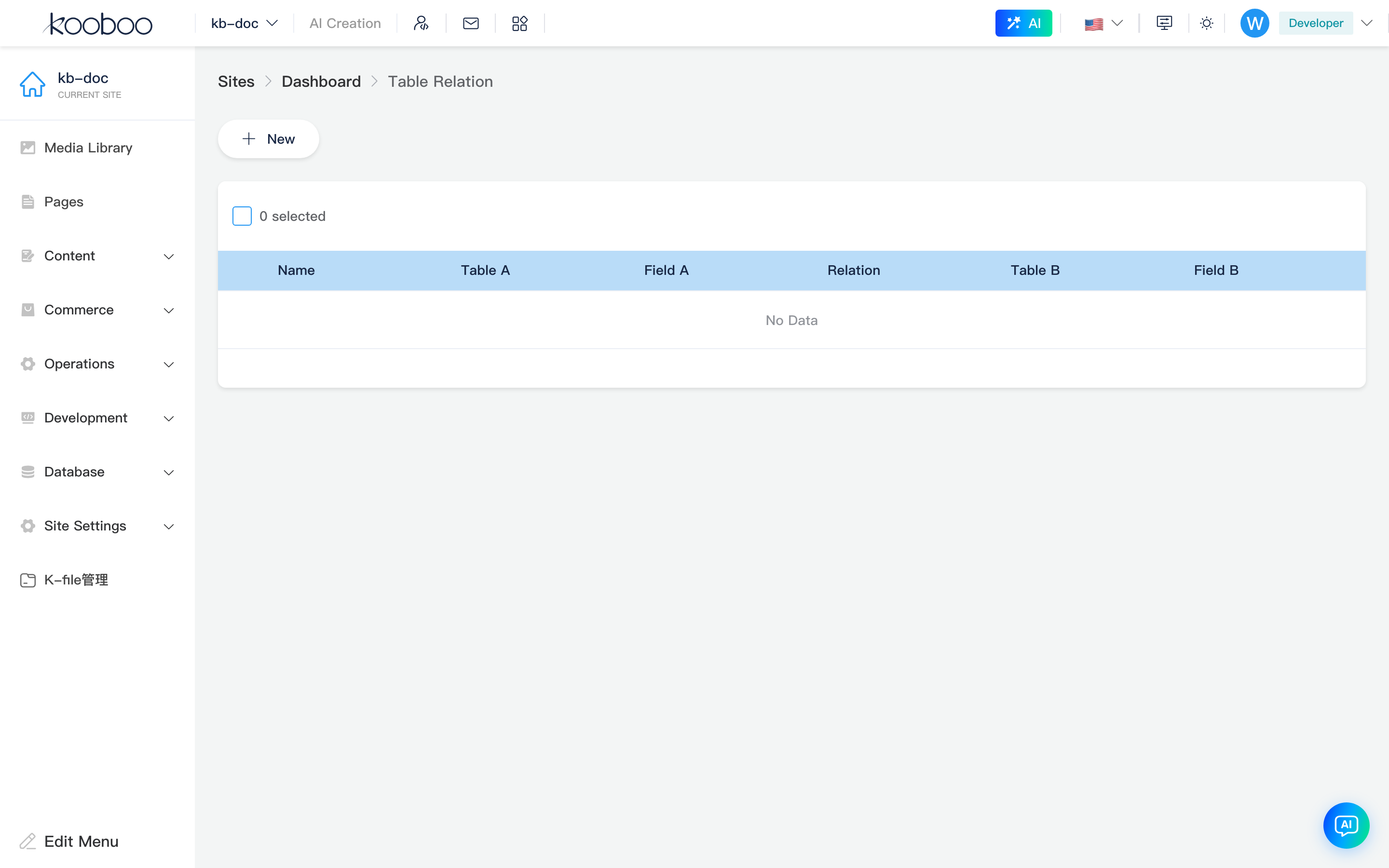
Relation List
Toolbar
| Button | Permission | Description |
|---|---|---|
| New | tableRelation·edit | Opens the new relation dialog |

List table
| Column | Description |
|---|---|
| Name | Unique relation name; in scripts often used as the property name on the current table record to access related data |
| Table A / Field A | Table and field on one side of the relation |
| Relation | Relation type (one-to-one, one-to-many, many-to-many, many-to-one; UI labels are localized) |
| Table B / Field B | Table and field on the other side |
Supports multi-select Delete. The UI does not provide inline editing; to change a relation, delete and New again (or update via the TableRelation API).

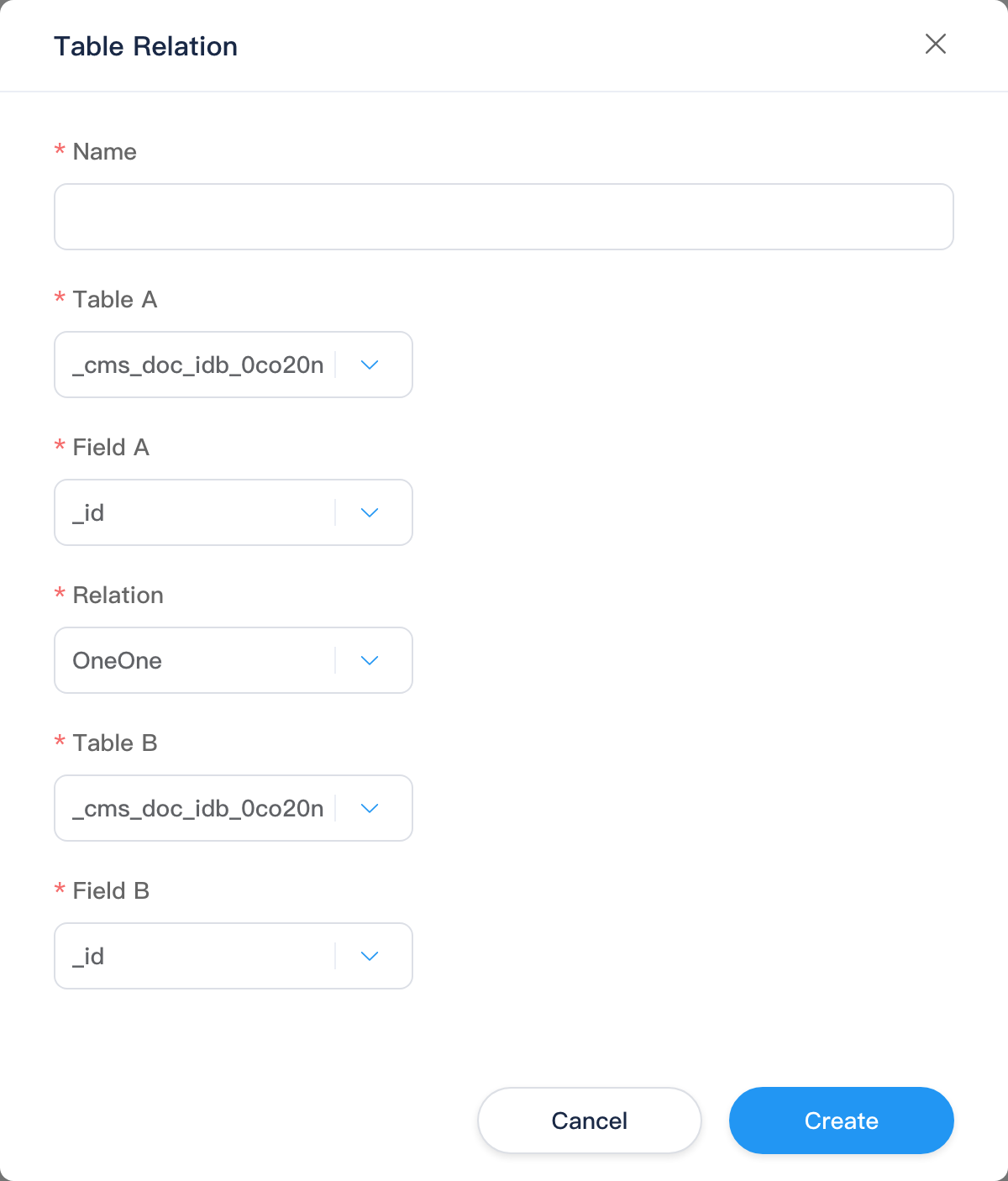
New Relation Dialog
| Field | Description |
|---|---|
| Name | Required; 1–50 characters; unique within the site (prompts if the relation name already exists) |
| Table A | Select an IndexedDB table |
| Field A | Field list after Table A is selected |
| Relation | Relation type: OneOne, OneMany, ManyMany, ManyOne (UI shows localized labels) |
| Table B | Another IndexedDB table |
| Field B | Associated field on Table B |
After save, calls TableRelation/post to write to the site database; the list refreshes.
Relation type meanings (in use)
| Type | Typical meaning | Script expansion (accessing from a Table A row) |
|---|---|---|
| One-to-one / many-to-one | One A record maps to one B record | Single related object |
| One-to-many / many-to-many | One A record maps to multiple B records | Array of related objects |
The actual join matches Field A and Field B values (e.g. users.id to orders.userId).
Effect in scripts
Relations do not expose a separate k.* API. After querying an IndexedDB table and getting a dynamic object, use the relation name to read related data:
typescript
const user = k.DB.indexedDb.users.get(userId)
// Assume a relation named userOrders: users.id → orders.userId, one-to-many
const orders = user.userOrders- The access name usually matches the Name entered in the admin.
- One-to-many / many-to-many return arrays; one-to-one / many-to-one return a single object.
- More CRUD details: k.DB.indexedDb.
Typical workflow
- Prepare Table A, Table B, and association fields under IndexedDB Tables.
- On this page New a relation with name, both sides’ tables/fields, and type.
- In Code,
get/findthe main table record, then read the collection by name. - After relation definition changes, update code if it still uses the old name, or delete and recreate the relation.
Related
| Doc | Description |
|---|---|
| IndexedDB tables | Create tables, columns, and data |
| k.DB.indexedDb | Dynamic objects and queries |
| Database overview | Database group menu |